Participant
April 13, 2023
Question

Adobe portfolio gone.

  • April 13, 2023
  • 3 replies
  • 1402 views

Hello, I am a graphic design student.

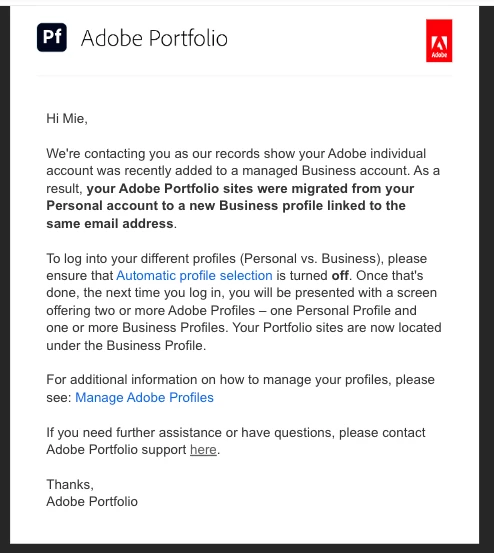
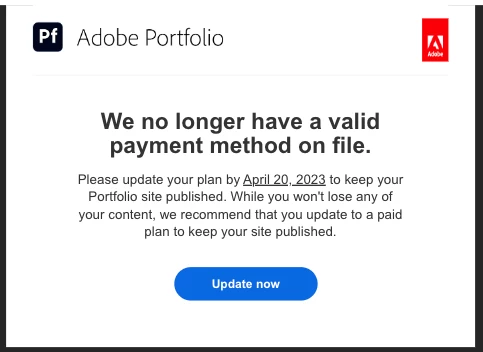
So, I came back to school after easter holiday, and I had these two mails in my inbox from adobe about my Adobe Portfolio. After this my Adobe Portfolio is gone under my profile, and I cannot edit it and from what I'm reading it's gonna be done by April 20 and well I really dont want that. And also, all my Adobe fonts are gone too 😕😕
I asked my fellow classmates and they said they had the same problem. I then asked the schools IT consultant, and it doesn't seem like he knows what's wrong either. 


Can someone tell me what is wrong and how to fix this?
 

This topic has been closed for replies.

3 replies

Nancy OShea
Community Expert
Community Expert
April 16, 2023

Looks like your school forgot to renew their Creative Cloud Enterprise Plan.

Whoever pays the bills was probably on Easter Break.


Nancy O'Shea— Product User & Community Expert
Adobe Employee
April 13, 2023

Hello Mie5FCF, 


You Account has been migrated from Personal Account to Business Account, You need to log in to Accounts. adobe.com and disable Auto Select Profile, Once you change it, Please login to Creative Cloud and Select your College profile, At the time of login you will receive a Message to join Personal and Business account. Please say Yes to that. Once you login, You will be able to access your Adobe Products. 

Mie5FCFAuthor
Participant
April 14, 2023

Hello


Thank you for your answer. When I disabled the Auto Select Profile, I could then choose which profile, so that worked, but I didn’t get the message about joining them like you said? And I still can't access my portfolio website. My portfolio website was migrated from the personal to the new business profile, but when I go to adobe portfolio I can't get to the business profile because it automaticly goes into the personal account even tho I disabled the Auto Select Profile thing.

So like when I’m in my creative cloud app under the business account and I click to, go to adobe portfolio it goes to into the browser and then it’s under the personal account? 

I feel like I’ved tried everything but there’s no way for me to access my adobe portfolio under my business profile.


I really hope you can somehow help me.

kglad
Community Expert
Community Expert
April 14, 2023

@Mie5FCF 


you should contact your plan admin and ask them to contact adobe support.  because everyone at your school needs the same help, you admin needs to know how to help everyone.

kglad
Community Expert
Community Expert
April 13, 2023

your admin needs to contact adobe support if they don't understand.