
Adobe Portfolio - IP Address Trouble
So I got an Adobe Portfolio subscription and I'm having trouble setting up a custom domain.
The domain is being hosted through Google and was previously configured to a website hosted at Format.com. I ran into trouble when I attempted to insert the second IP Address, as per Adobe's recommendation. I followed Adobe's instructions precisely, as shown below. Note: Google would not allow me to place "@" in the Host Name category. Google's instruction was to leave the box blank, which I assume isn't an issue.
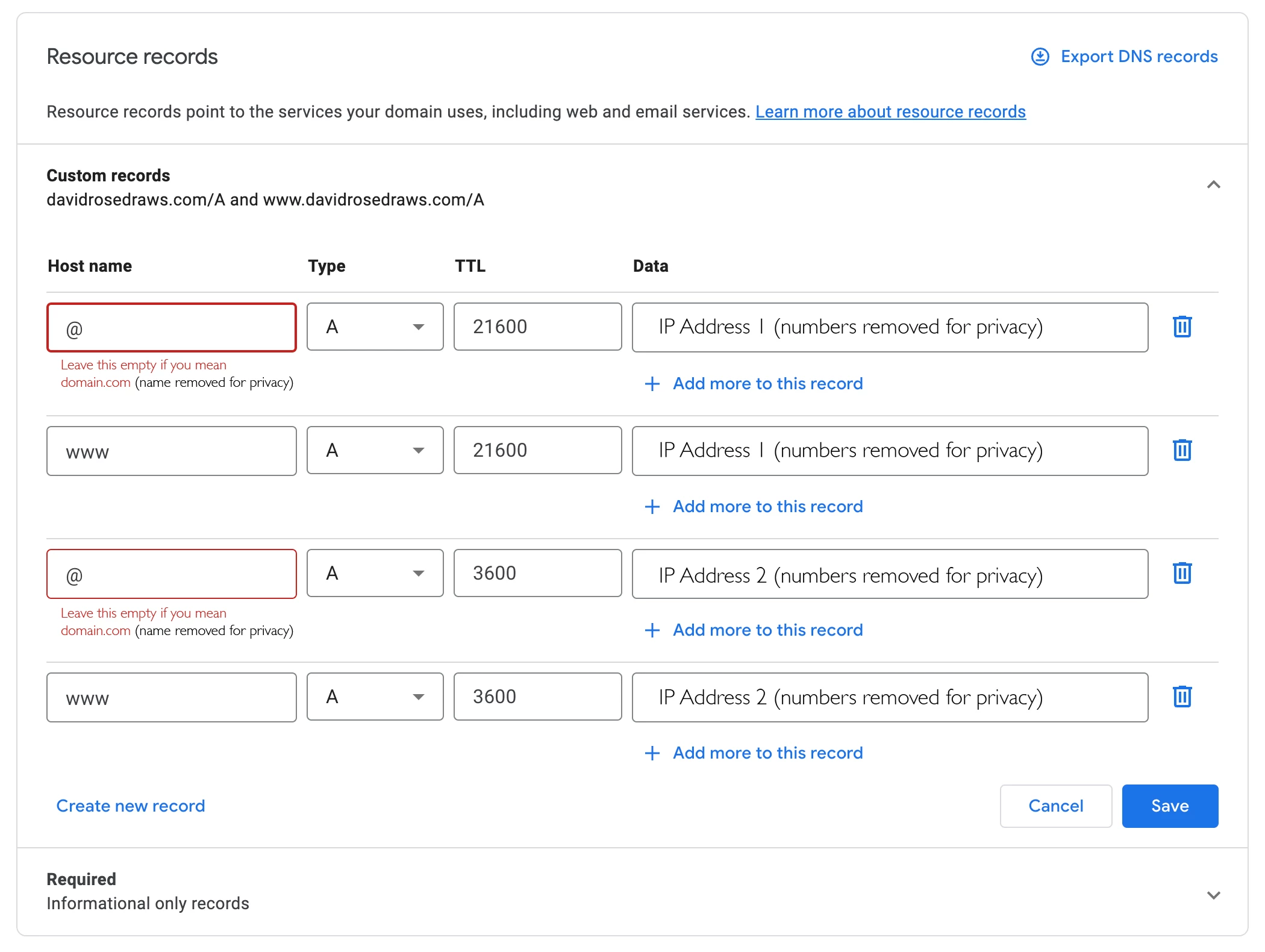
Once I removed "@" from the text field, Google instructed me that the new record requires an adjustment. I have attempted to bypass this message with no success. The only choice is to allow Google to adjust the record, which then displays IP Address 2, as shown below.
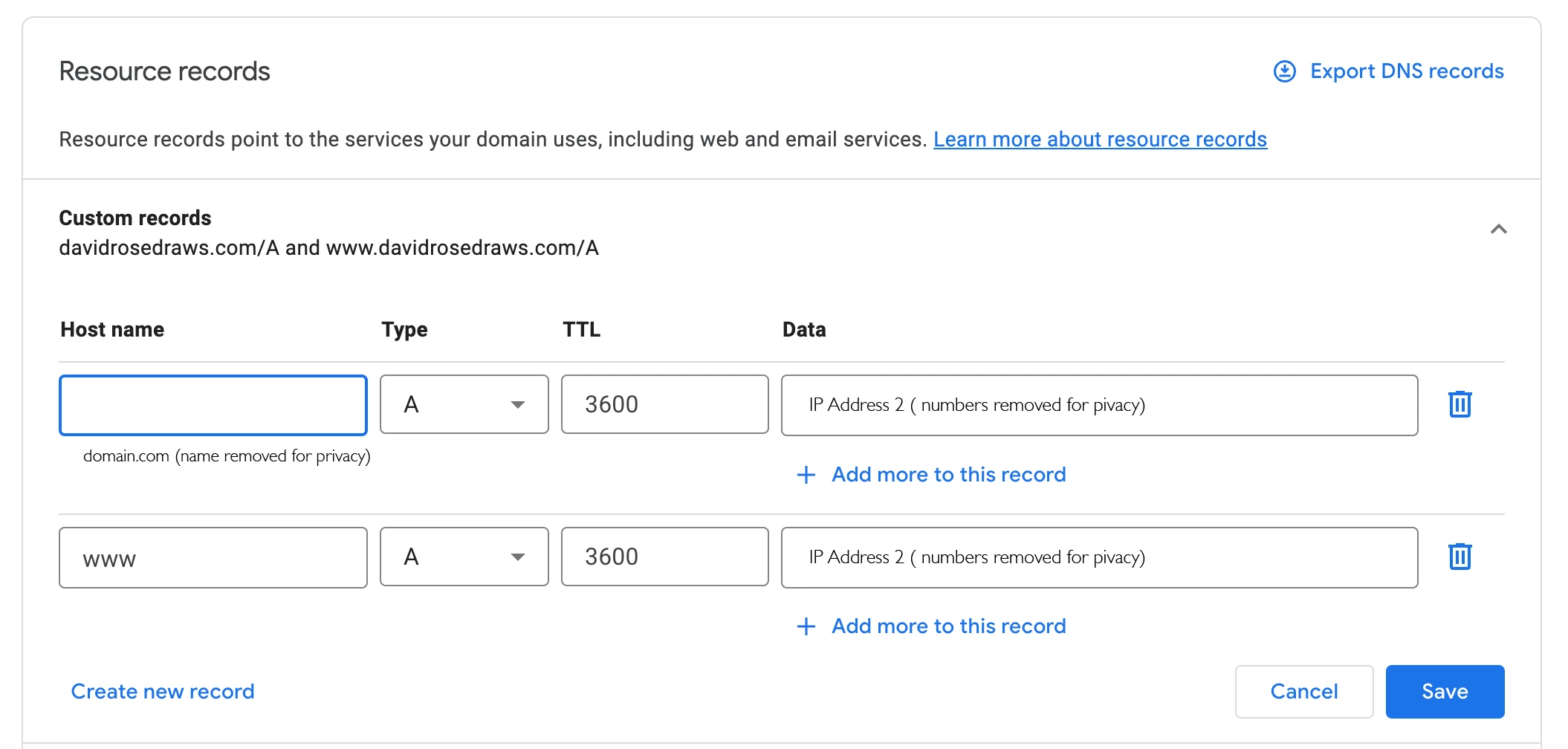
The domain appears to be connected with my Adobe Portfolio and appears correctly online. My concern is if I incorrectly entered the information or if this will pose any possible issues for my website.
I appreciate any help that can be offered on the matter.
Thank you.


 AdChoices