
Known Participant
March 24, 2022
Question

Adobe Portfolio navigation logo is not centering

  • March 24, 2022
  • 2 replies
  • 2412 views

Hello friends!


I'm having problems with the Adobe portfolio, I want the logo to be in the center of the menu, but for some strange reason, it's not working. Can anyone help me to fix this issue? I am using the Hegen template


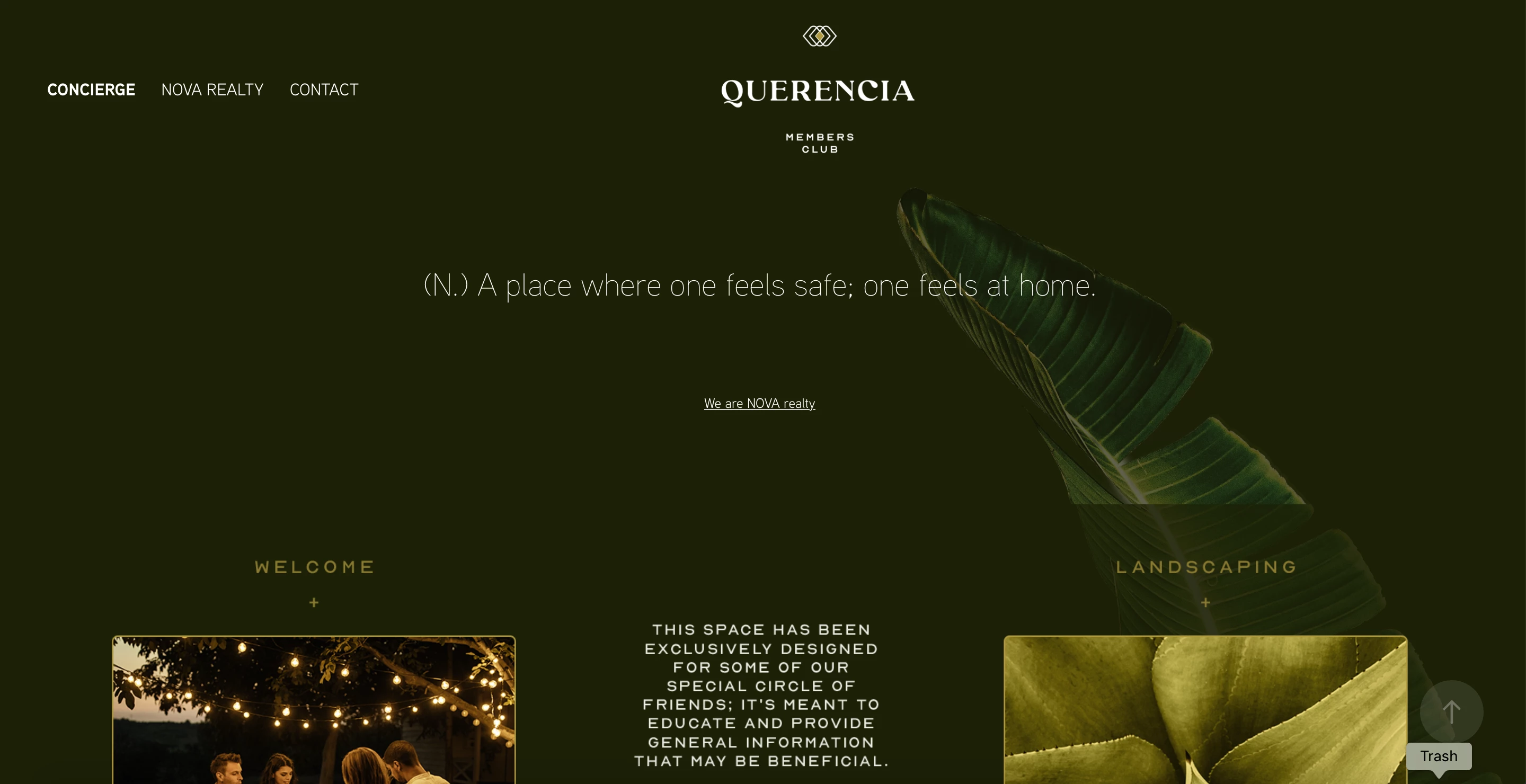
Here is a screenshot of how the website is displaying on my safari / MacBook when I update the changes:


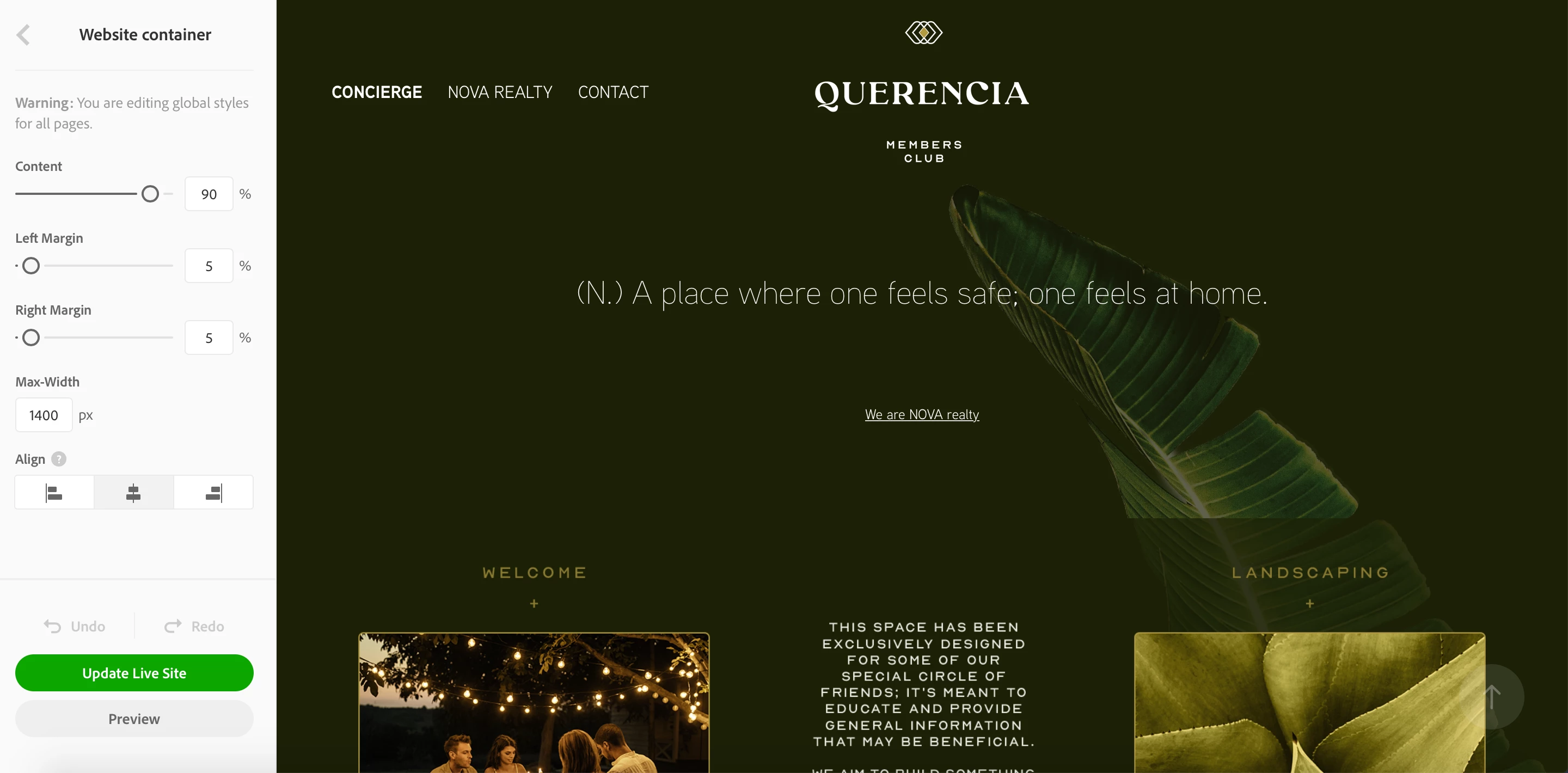
This is how I want it to look:
 

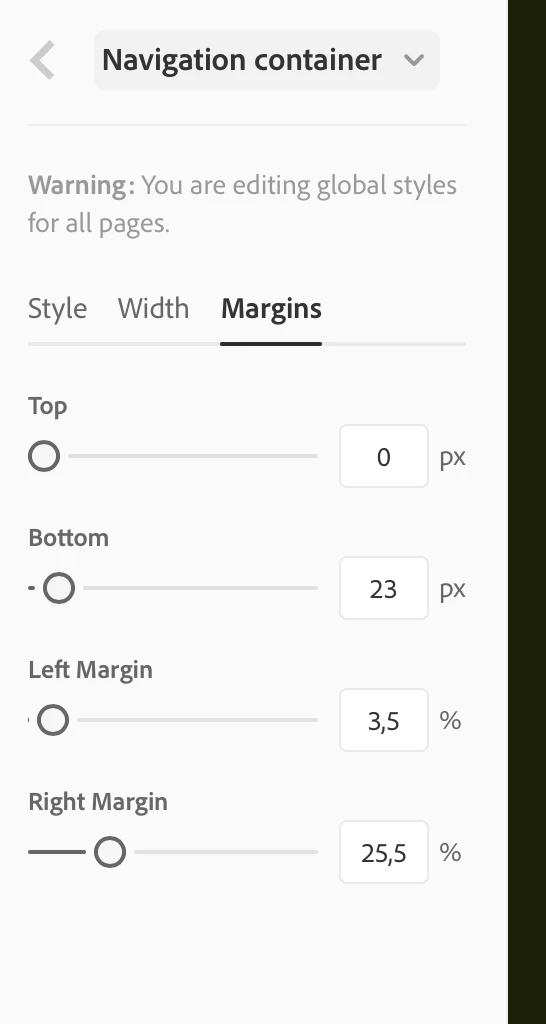
These are the settings on the navigation:
 

What am I doing wrong? Can anyone with experience help me?

Thank you for your time,


Regards,

2 replies

chithan chandra
Participant
October 27, 2023

The total width of the navigation container should be 100%. For example, go to Navigation Container > Width > Logo Width (center) assume is 10%, Navigation (Left) 45%, and Social (Right) 45%. This totals 100%. This percentage number will vary as per the logo width, numbers given here only for example.

Nancy OShea
Community Expert
Community Expert
March 24, 2022

Unsure what you mean.   Your LOGO is the topmost icon above QUERENCIA.  It looks perfectly centered to me.


The leaf is not a logo.  It looks like a Masthead background image.  See below for more details on using Masthead background in Portfolio.

https://help.myportfolio.com/hc/en-us/articles/360037908934-Adding-a-Masthead-background


More Portfolio links below:
- FAQ & Knowledgebase for product help - https://help.myportfolio.com/hc/en-us
- Contact Portfolio Support for technical help - https://help.myportfolio.com/hc/en-us/requests/new?ticket_form_id=177168
- Adobe UserVoice for feedback & bug reports - https://helpx.adobe.com/x-productkb/global/how-to-user-voice.html

Nancy O'Shea— Product User & Community Expert
Known Participant
March 24, 2022

No, you are not understanding me at all.  The icon above QUERENCIA is part of the logo. The entire logo needs to be moved so its centered in the menu. 


Nancy OShea
Community Expert
Community Expert
March 24, 2022

Navigation & Logo are two separate elements.


Alignment of elements is determined by which Theme you use and the size of your device's viewport.  There are 12 Themes to choose from.  Viewport sizes vary from small, medium, large to extra large.


I think the Marta Theme supports a centered one line Logo on average desktops. 

https://portfolio.adobe.com/examples/


Nancy O'Shea— Product User & Community Expert