Participant
July 20, 2021
Answered

Adobe portfolio question - thomas theme

  • July 20, 2021
  • 3 replies
  • 1693 views

Hi,


Apologies for posting in the download and install section, couldnt find a portfolio specific forum.


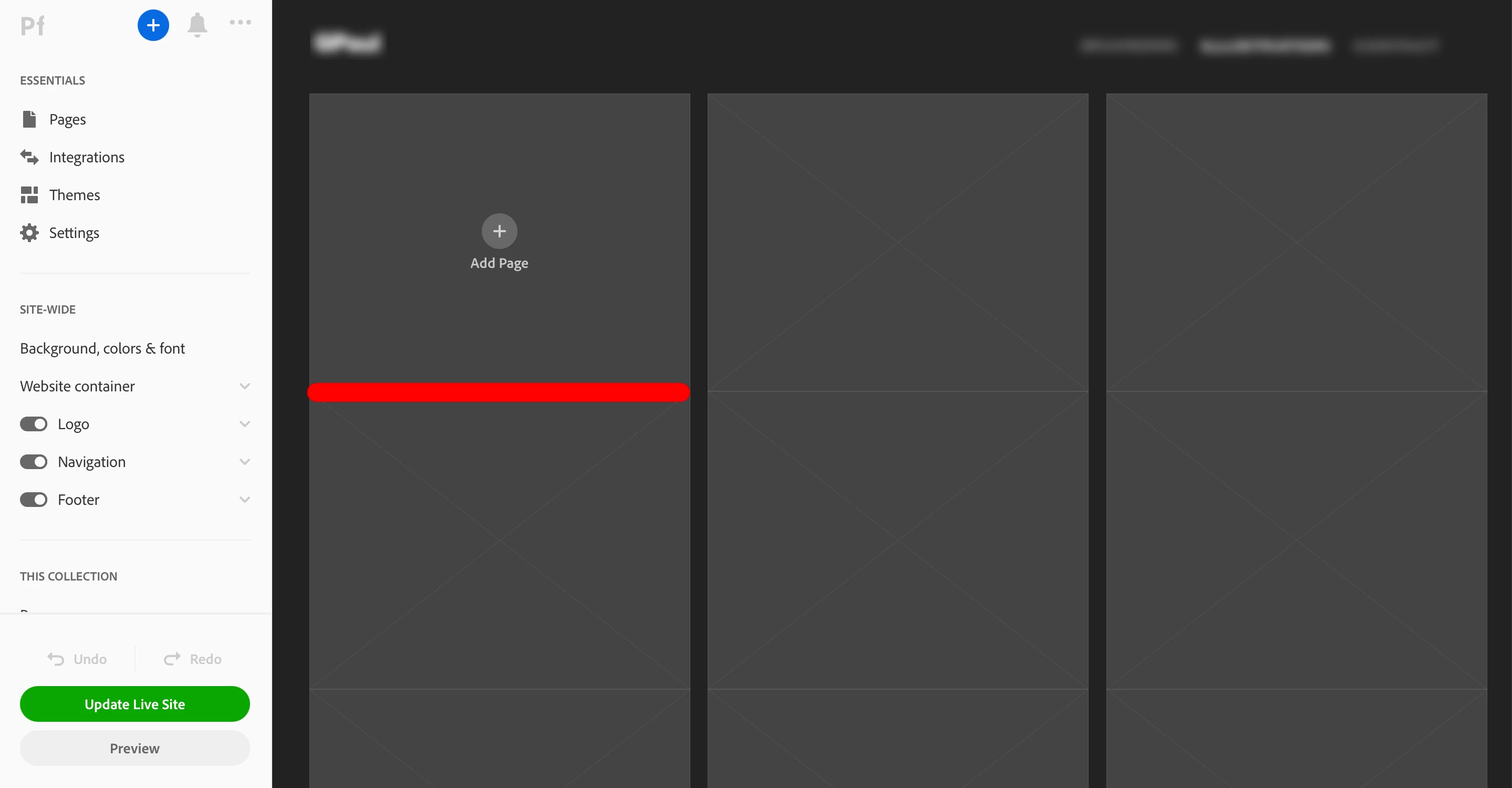
I am trying to build a website using the 'Thomas' theme from the portfolio site. I am able to increase the vertical spacing between the page thumbnails in a collection page. But how do I increase the horizontal spacing between the page thumbnails? (The spacing I am talking about is in red). Not able to figure this out. Any help is appreaciated, thanks. 
 

Correct answer dark.poppy

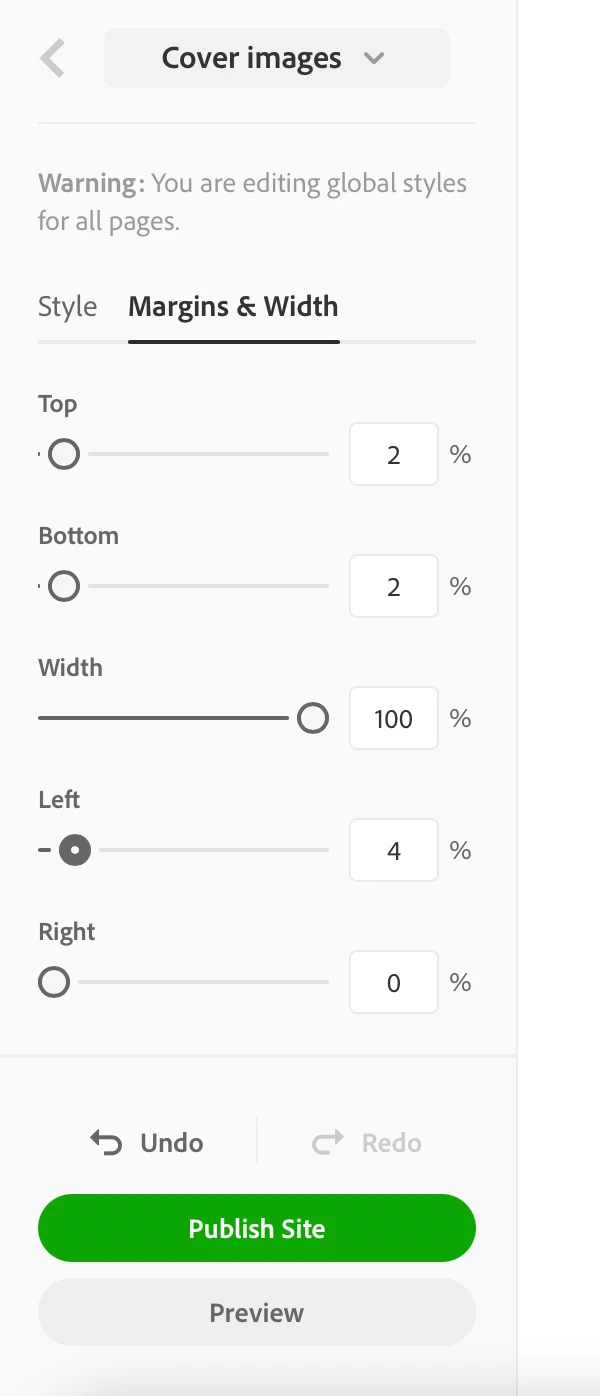
Scroll down to All Collections on the left navigation menu, under Page covers you'll find Cover images - click on it, then pick Margins & Width.


3 replies

kglad
Community Expert
Community Expert
May 24, 2023
dark.poppyCorrect answer
Participant
January 24, 2022

Scroll down to All Collections on the left navigation menu, under Page covers you'll find Cover images - click on it, then pick Margins & Width.


Participant
May 24, 2023

Thank you

John T Smith
Community Expert
Community Expert
July 20, 2021

Sorry, no forum here... unless some other Portfolio user see this and has an answer
See Employee Dave's reply in this link of information "Portfolio team asked us to close up shop here"
-https://community.adobe.com/t5/download-install/is-portfolio-still-being-developed/td-p/11583268?page=1