
Participant
April 7, 2024
Question

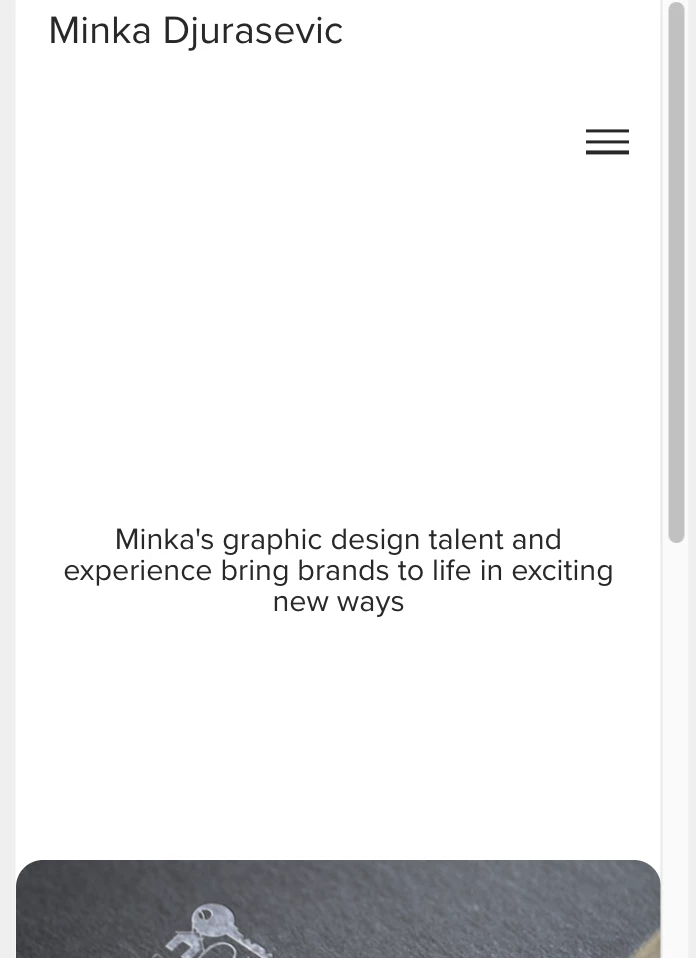
Adobe Portfolio spacing issue - mobile preview

  • April 7, 2024
  • 2 replies
  • 284 views

I need help with spacng issue layouts on adobe portfolio.  The spacing looks ok when in desktop preview/mode, but the mobile version is way off, and the header/nav bar is at the top where I want it, but the content /mashead is way on the bottom. Attaching a screenshot of the issue. 
This topic has been closed for replies.

2 replies

Nancy OShea
Community Expert
Community Expert
April 7, 2024

Mobile and Responsive Design

All of the themes are designed to be mobile responsive and have limited custom mobile customizations. What you can change is: 

  • The color of the navigation icon 
  • Some themes allow for responsive logo height 


Choose the right Theme.  There are 12 Themes available.  Some have Masthead options, others don't.

https://help.myportfolio.com/hc/articles/360035995733-Themes-features


Theme Masthead options.

https://help.myportfolio.com/hc/en-us/articles/360038393233-Adding-a-Masthead


Hope that helps.


Nancy O'Shea— Product User & Community Expert
kglad
Community Expert
Community Expert
April 7, 2024