
Participant
August 1, 2021
Answered

Adobe Portfolio - Thomas Theme - container sizing

  • August 1, 2021
  • 2 replies
  • 1884 views

Hello everyone,

I'm trying to change the layout of my Adobe Portfolio website (Thomas theme) so that two columns appear next to each other. Although that seems to work, I still can't find a way to change the height of these columns. I know that it is possible with this theme, because I've seen it on somebody else’s portfolio. I would like the images to have an aspect ratio of approximately 16:9. See the two images added below to get a better understanding of what I'm trying to do:
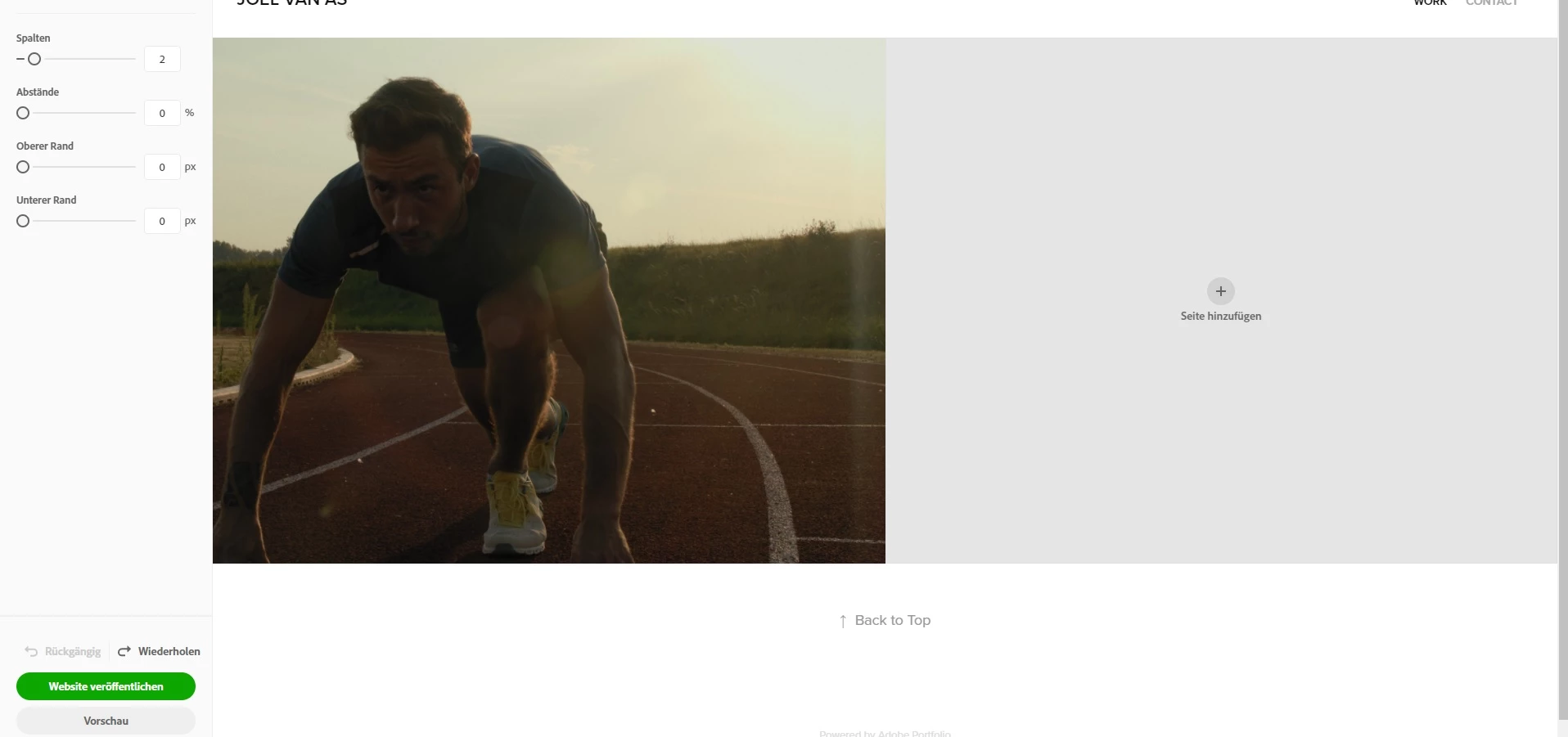
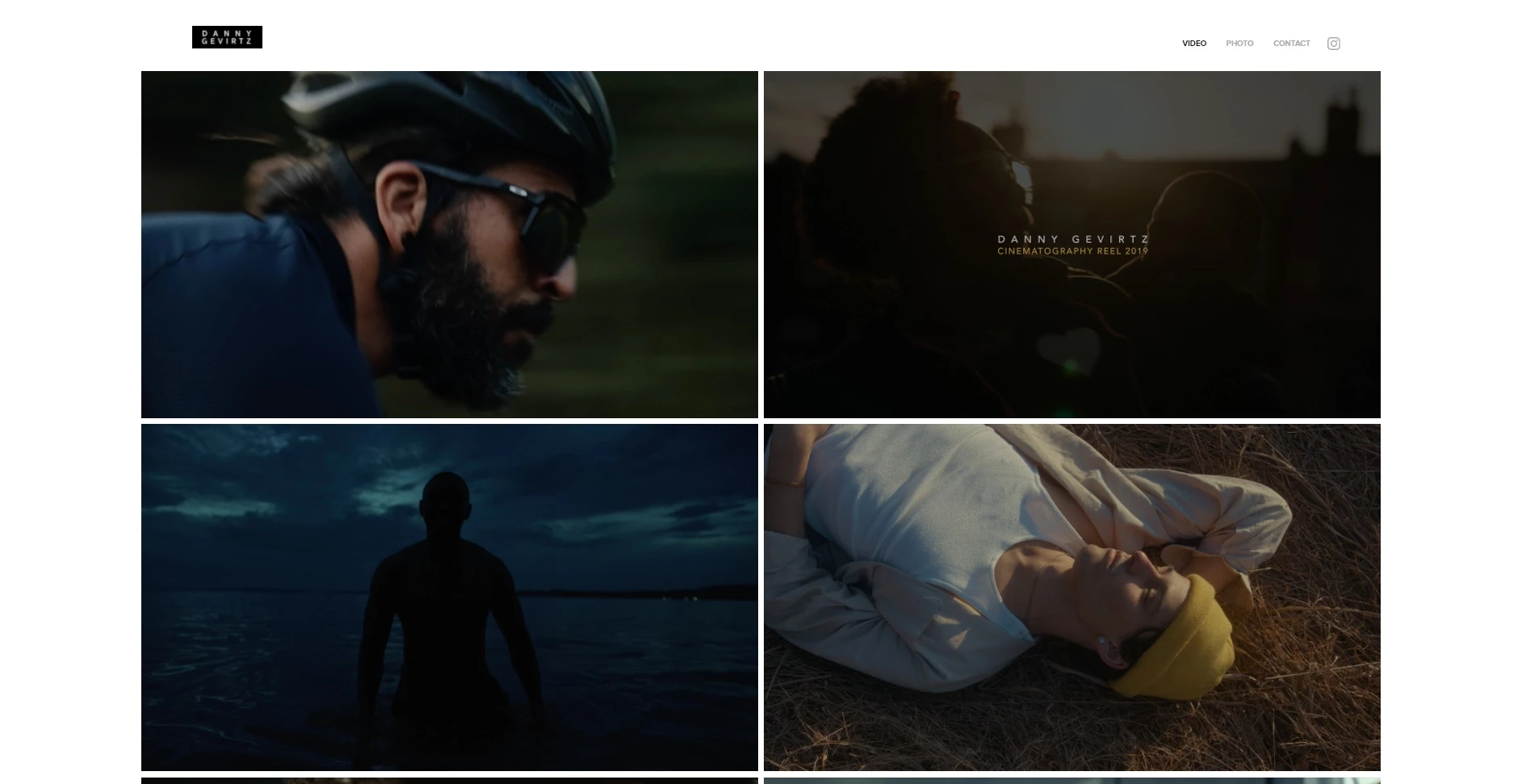
 

Thank you for helping out!

This topic has been closed for replies.
Correct answer Nancy OShea

Hi @Joelvanas,

Please do not confuse Theme layout properties, Cover Image Aspect Ratio and PhotoGrid Module.  They are separate things. 


Currently there are 12 Theme layouts.

https://help.myportfolio.com/hc/en-us/articles/360035995733-Themes-features


Some Themes have options for Cover Image Aspect ratio while others don't.

https://help.myportfolio.com/hc/en-us/articles/360035496294-Comparing-themes


PhotoGrids are for displaying images only on pages -- the default when importing collections from Lightroom.

https://help.myportfolio.com/hc/en-us/articles/360035920114-Photo-Grid-module


===========

While Adobe Portfolio does not have a dedicated community forum, most PF users get help from LR, LR Classic or Creative Cloud Services.   And there is a rather extensive FAQ & Knowledgebase as well as a dedicated Portfolio Support team to assist users with technical matters. Portfolio on Adobe UserVoice is for posting feedback and feature requests.  See links below.


Hope that helps.


2 replies

Nancy OShea
Community Expert
Nancy OSheaCommunity ExpertCorrect answer
Community Expert
August 7, 2021

Hi @Joelvanas,

Please do not confuse Theme layout properties, Cover Image Aspect Ratio and PhotoGrid Module.  They are separate things. 


Currently there are 12 Theme layouts.

https://help.myportfolio.com/hc/en-us/articles/360035995733-Themes-features


Some Themes have options for Cover Image Aspect ratio while others don't.

https://help.myportfolio.com/hc/en-us/articles/360035496294-Comparing-themes


PhotoGrids are for displaying images only on pages -- the default when importing collections from Lightroom.

https://help.myportfolio.com/hc/en-us/articles/360035920114-Photo-Grid-module


===========

While Adobe Portfolio does not have a dedicated community forum, most PF users get help from LR, LR Classic or Creative Cloud Services.   And there is a rather extensive FAQ & Knowledgebase as well as a dedicated Portfolio Support team to assist users with technical matters. Portfolio on Adobe UserVoice is for posting feedback and feature requests.  See links below.


Hope that helps.


Nancy O'Shea— Product User & Community Expert
John T Smith
Community Expert
Community Expert
August 1, 2021

Sorry, no forum here... unless some other Portfolio user see this and has an answer
See Employee Dave's reply in this link of information "Portfolio team asked us to close up shop here"
-https://community.adobe.com/t5/download-install/is-portfolio-still-being-developed/td-p/11583268?page=1