Participant
August 10, 2021
Answered

[Adobe Portfolio] Unable to add pages.

  • August 10, 2021
  • 5 replies
  • 6440 views

Ive just decided to create a portfolio and i am unable to add any pages to my portfolio. I'm am clicking on the "+" icon and multiple page options show up however when i click on one nothing happens, is this is glitch/bug?

Correct answer Nancy OShea

This still does not work for iPad users. Clicking the blue plus and tapping a new page results in nothing still 🙂


quote

This still does not work for iPad users.

By @oliviam49820301

==========

Right.  Portfolio's editor wasn't designed for iPad.  🙄

As stated in the manual:

https://help.myportfolio.com/hc/articles/360038045914-Supported-Browsers-and-Devices


5 replies

Participant
March 4, 2022

Duplicate a page and change it.

I had the same issue: after few pages it stopped adding more.

So I tried duplicating one and changing the content: it worked!

Participant
December 3, 2023

I had the same problem, but I was using my Wacom pen. I tried to use the mouse, and it worked; I can add a new page normally.

Participant
February 4, 2022

Hi I'm currently having the same struggles, did you ever find away to fix it? And what are you using it on, because I'm currently on my iPad and it wont let me click to add q page or any photos.

Nancy OShea
Community Expert
Community Expert
February 4, 2022

@charlotte23000206vfxk,

This is from the Portfolio FAQ & Knowledgbase:

https://help.myportfolio.com/hc/en-us/articles/360038045914-Supported-Browsers-and-Devices


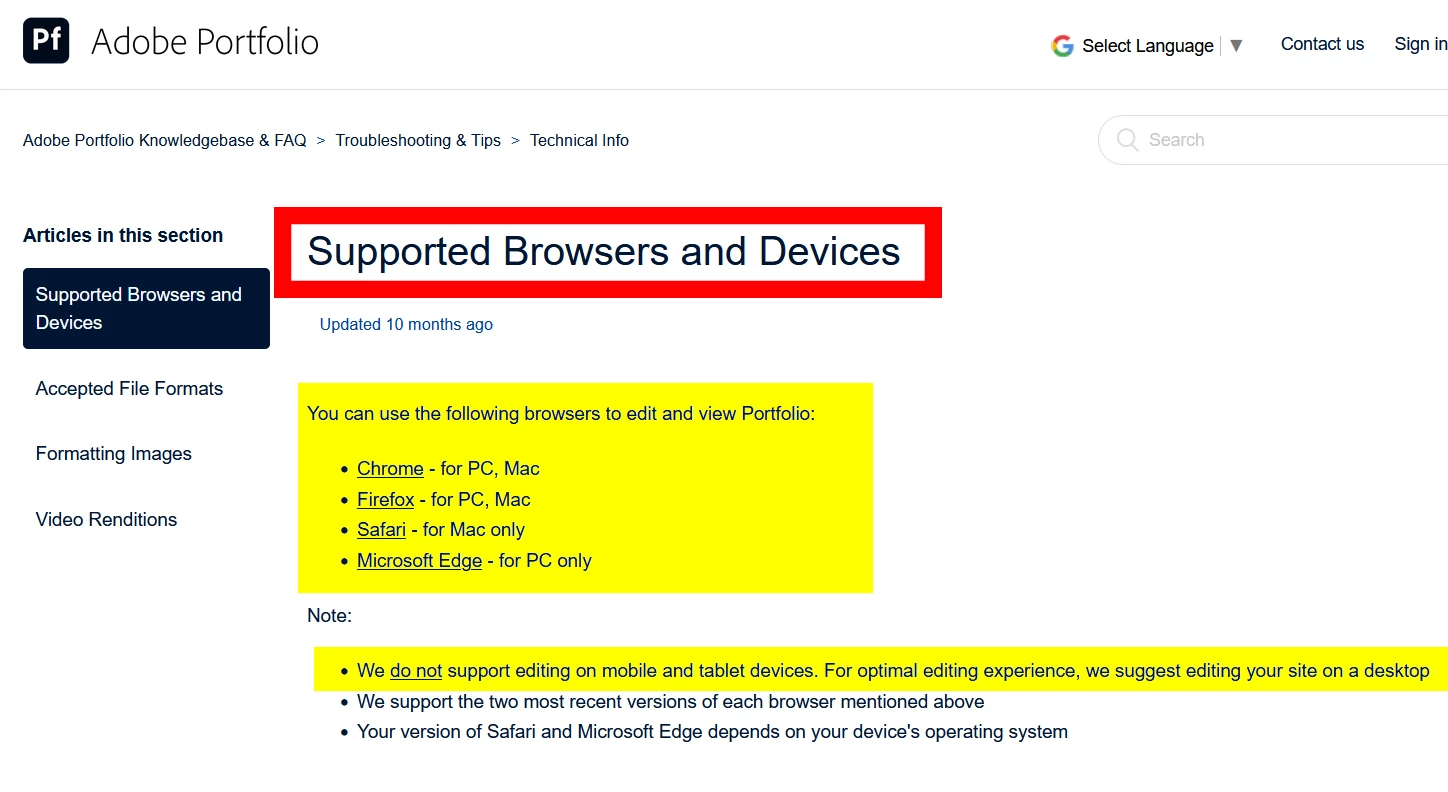
You can use the following browsers to edit and view Portfolio:
  • Chrome  - for PC, Mac
  • Firefox  - for PC, Mac
  • Safari  - for Mac only
  • Microsoft Edge  - for PC only  

Note:

  • We do not support editing on mobile and tablet devices. For optimal editing experience, we suggest editing your site on a desktop.
  • We support the two most recent versions of each browser mentioned above.
  • Your version of Safari and Microsoft Edge depends on your device's operating system


I hope that answers your questions.


RELATED LINKS:
- FAQ & Knowledgebase - https://help.myportfolio.com/hc/en-us
- Contact Portfolio Support Team - https://help.myportfolio.com/hc/en-us/requests/new?ticket_form_id=177168


Nancy O'Shea— Product User & Community Expert
Participant
March 17, 2022

That is so inconvenient. No support for iPad browsers.

Nancy OShea
Community Expert
Community Expert
August 10, 2021

Did you follow the Getting Started tutorials in the Portfolio FAQ & Knowledgebase?

https://help.myportfolio.com/hc/en-us/articles/360035497414-Getting-Started-Steps


Click the blue + sign to add a page to your Portfolio.

Use a good desktop browser like Chrome or Firefox that does not have script blockers.


Nancy O'Shea— Product User & Community Expert
John T Smith
Community Expert
Community Expert
August 10, 2021

Sorry, no forum here... unless some other Portfolio user see this and has an answer
See Employee Dave's reply in this link of information "Portfolio team asked us to close up shop here"
-https://community.adobe.com/t5/download-install/is-portfolio-still-being-developed/td-p/11583268?page=1

LinSims
Community Expert
Community Expert
August 10, 2021

Portfolio help can be found here: http://help.myportfolio.com/

Participant
August 10, 2021

I am clicking on page icon but nothing happens.