
Adobe process starts often running when I close the lid
I have noticed many times that there is an Adobe process running right after I close the lid of my Laptop. This process is consuming 25% of the CPU and storing constantly logs at "C:\Users\user\AppData\Local\Temp\CreativeCloud\ACPLocalLogs\creative_cloud_cloud_docs_v5_3 5.7.0.1307", until I open the lid again (when it stops). I had to use TeamViewer on my closed lid laptop to see what is going on.
These logs have the filename format:
ACPL__2022-05-01_07-54-18.065118Z_00.log
ACPL__2022-05-01_07-54-18.473907Z_00.log
ACPL__2022-05-01_07-54-18.881056Z_00.log
... and so on
Each of them contains tens of thousands of lines like the following captured picture. As you will see, there is some hashing functionality involved and some "push" and "request" terms are shown.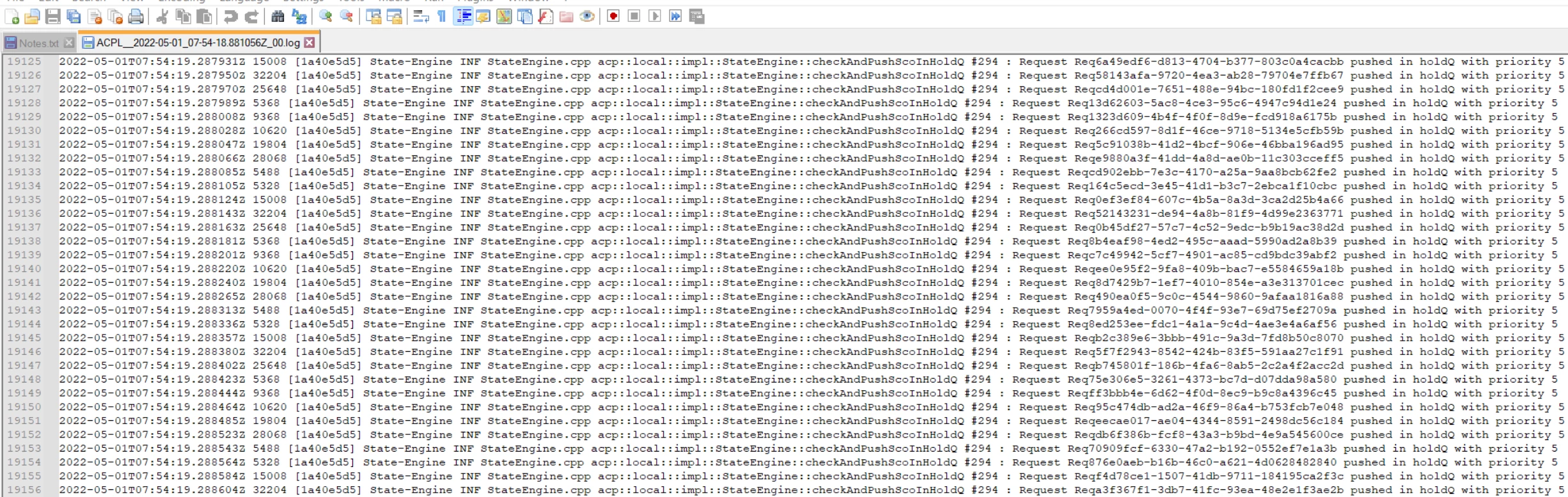
You can understand how many millions and millions of log entries are written within a full night that I have the laptop's lid closed, and thus,.... how much power I have consumed...
So I would like to ask (as a paying customer..). unless this is some weird specific bug that you will help me fix...
- What exactly is adobe running on my laptop when I am not aware.
- Where/when/how did I accept (opted-in) to run that?
- How do I deactivate it?
Thank you


 AdChoices