
Known Participant
November 18, 2020
Question

ADOBE XD update check issue

  • November 18, 2020
  • 3 replies
  • 867 views

Hey folks, I have an issue with Adobe XD and Creative cloud Platform.


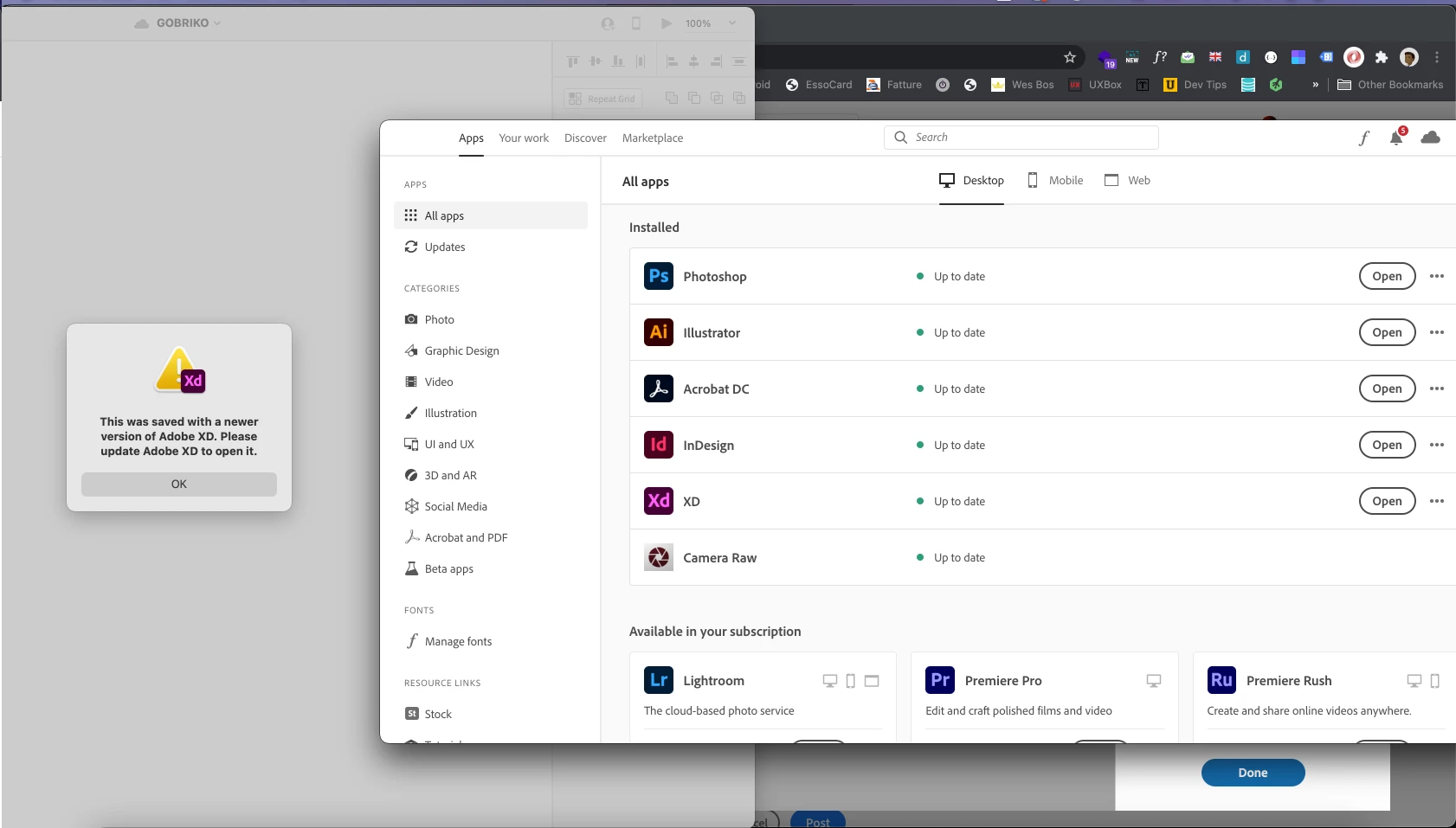
XD dosn't get the updates trough the Creative Cloud Platform: if I open the creative Cloud I see that everything is up to date (but it's not). 

For the last year I've unistall e reinstall it every time but is very annoyng. 

Is there a fix to this? It happen only with ADOBE XD. 


My version of adobe xd is: 34.0.12.33 Creative Clous Dync 4.3.63.1


Here a screenshot of the issue:


Thanks in advace


This topic has been closed for replies.

3 replies

kglad
Community Expert
Community Expert
November 26, 2020

you're up-to-date (except xd).


click the three dots next to xd open, and check for other versions and see if v 35 is listed.


if not, sign out and then back in to your cc desktop application using the same adobe id used to verify your subscription: http://helpx.adobe.com/creative-cloud/kb/sign-in-out-creative-cloud-desktop-app.html


if that fails, first try, resetting the cc app: To reset the Creative Cloud desktop app, make sure it's in the foreground, then press:

Win: Ctrl + Alt + R
Mac: Cmd + Opt + R

if that fails, try to repair
https://helpx.adobe.com/download-install/kb/creative-cloud-install-stuck.html

if that fails go ahead and uninstall/reinstall per the above link

if that fails, do a clean cc install following each applicable step:

uninstall every cc app including preferences, https://helpx.adobe.com/creative-cloud/help/uninstall-remove-app.html
then uninstall the cc desktop app, https://helpx.adobe.com/creative-cloud/help/uninstall-creative-cloud-desktop-app.html
clean your computer of cc files per http://www.adobe.com/support/contact/cscleanertool.html
check for, and if available, update your os
restart your computer (don't skip this)
reinstall the cc desktop app, https://creative.adobe.com/products/creative-cloud.
if you're unable to install the cc desktop app at this stage, use an administrator account (solution 4 here, https://helpx.adobe.com/creative-cloud/kb/creative-cloud-missing-damaged.html)
use the desktop app to install your cc programs/trials

Nancy OShea
Community Expert
Community Expert
November 24, 2020

Please ensure your computer meets or exceeds the minimum system requirements to run Creative Cloud + OS + all other apps you use. Check each one.
- https://helpx.adobe.com/creative-cloud/system-requirements.html
- https://helpx.adobe.com/xd/user-guide.html/xd/system-requirements.html


As of today, Mac users need Mojave or higher to run XD. And Win users need Win10, ver 1803 or higher.


Nancy O'Shea— Product User & Community Expert
Known Participant
November 25, 2020

Hi Nancy, Thanks for the reply. 

Yes my system meet the system requirementes: I;m running Bug Sur with 16 GB of ram.


Any idea how to solve or debug this issue?

Thanks

kglad
Community Expert
Community Expert
November 25, 2020

and what's your cc desktop version? 

kglad
Community Expert
Community Expert
November 24, 2020

what's you os version?


and what's your cc desktop version?  (if it's 4.3.63.1, your way out of date and your os is probably the reason.)

Known Participant
November 26, 2020

os version is Big Sour 11.0.1

cc Desktop version is 5.3.1.470

Core sync 4.3..63.1 

How do update the corse sync?