
Participant
May 6, 2024
Question

All files before a certain date are missing on my Adobe Photoshop Cloud

  • May 6, 2024
  • 2 replies
  • 250 views

Hi, 

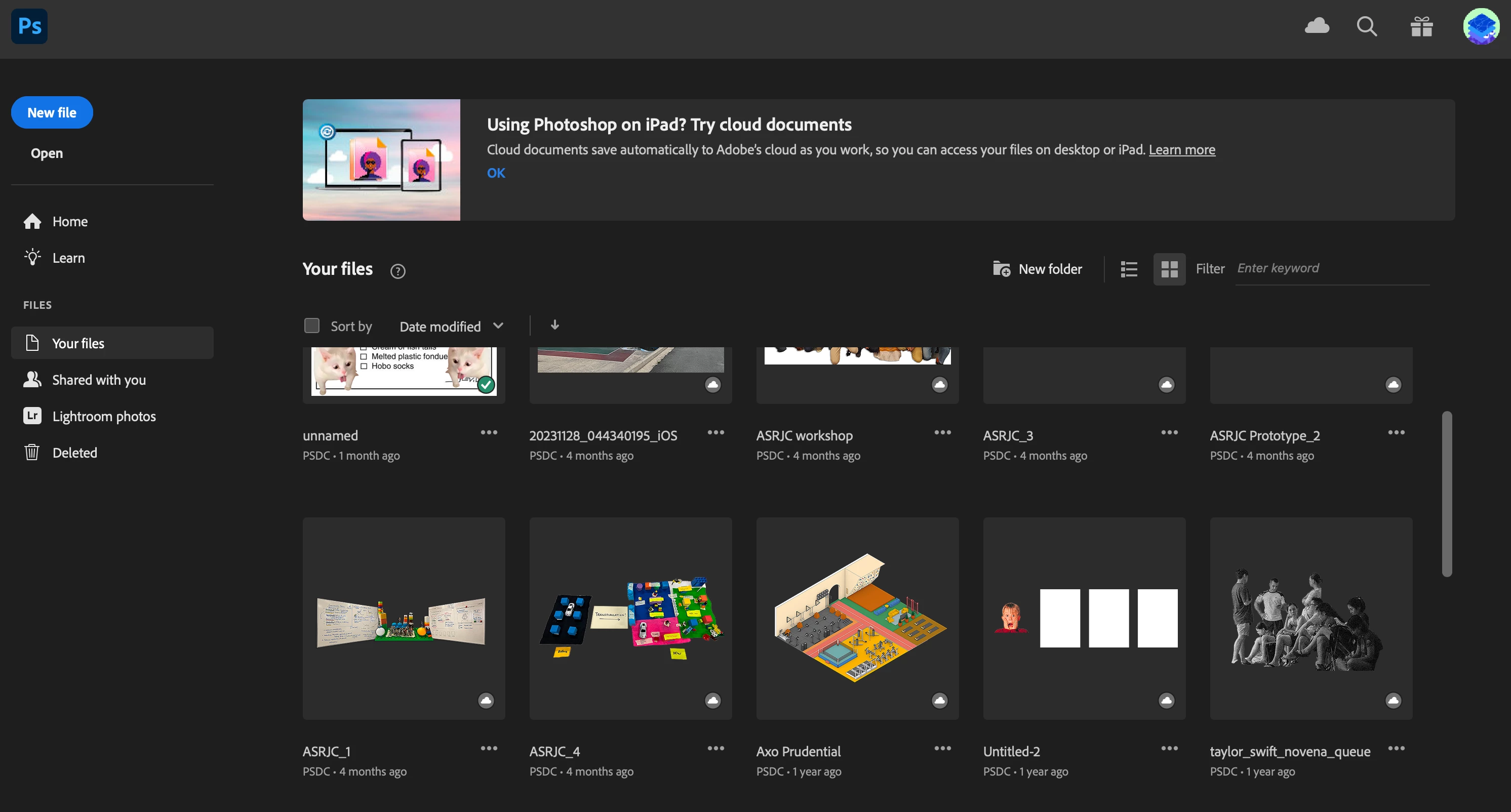
I have been actively using the Adobe Photoshop cloud to save my working files, but noticed that all of my older files have gone missing -  I can only access files up to 4 months ago. Could someone from Adobe help me out on this issue please? Those files are very important to me.
 

This topic has been closed for replies.

2 replies

John T Smith
Community Expert
Community Expert
May 6, 2024

For the future, You should always have a local copy of all files
If you don't have space on your computer drive use an external drive for files
A USB flash drive to keep in a safe place... here are 2, there are many more available
PNY brand https://www.amazon.com/PNY-512GB-Turbo-Attach%C3%A9-Flash/dp/B0BF5VHLBZ
SanDisk https://www.amazon.com/SanDisk-512GB-Ultra-Flash-Drive/dp/B083ZLJ5MG
Other flash drives are 1 or even 2 Terabytes
Formatting a flash drive https://www.usbmemorydirect.com/blog/flash-drive-format-types/

kglad
Community Expert
Community Expert
May 6, 2024

use a web browser to navigate to the following locations. at each location there are several folders/link to check.:


https://assets.adobe.com

https://lightroom.adobe.com

https://documentcloud.adobe.com

https://spark.adobe.com


if you delete anything from any of these locations, check for a deleted folder where your file(s) was (were) moved. if you want to clear space you must delete files in the deleted folder. the used storage shown at each of those four sites (when totaled), should match the space shown used by your cc files. more info, https://helpx.adobe.com/creative-cloud/kb/file-storage-quota.html?linkId=100000257885896