
robbym50423878
Participating Frequently
May 9, 2019
Question

Are Creative Cloud Files stored on my computer?

  • May 9, 2019
  • 1 reply
  • 855 views

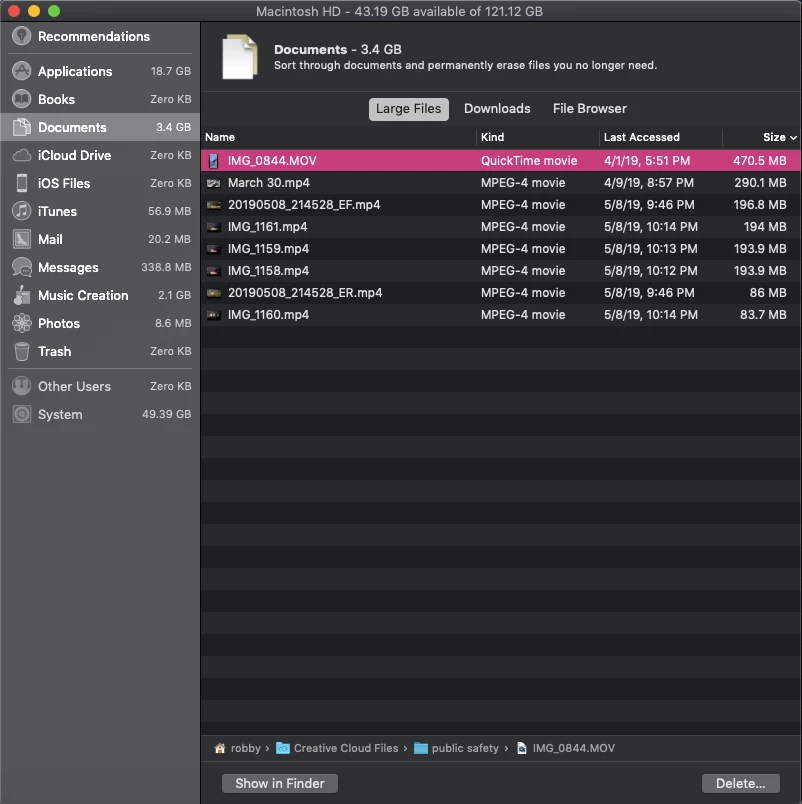
I was looking through my computer to clean up some large files and it looks like some large files are on my system storage even though they are in the "Creative Cloud FIles" directory. Why is this?
This topic has been closed for replies.

1 reply

Abambo
Community Expert
Community Expert
May 9, 2019

The creative cloud is keeping a cache of the CC data locally for quick and /or offline access. This is by design.

If you delete a file there, it will be deleted in the cloud and vice versa.

ABAMBO | Hard- and Software Engineer | Photographer
robbym50423878
Participating Frequently
May 9, 2019

There's no way to disable that? That seems like a massive oversight in design considering I have no intention of working or using those files for a long time.

Abambo
Community Expert
Community Expert
May 9, 2019

You can disable syncing.

temporarily...

...or more permanently:

But you may also move the synch directory to some different place...

Click the three vertical points and choose preferences and than files.

ABAMBO | Hard- and Software Engineer | Photographer