
Participant
Sep 10, 2023 3:54 PM UTC
Question

Бесконечная инициализация Creative Cloud.
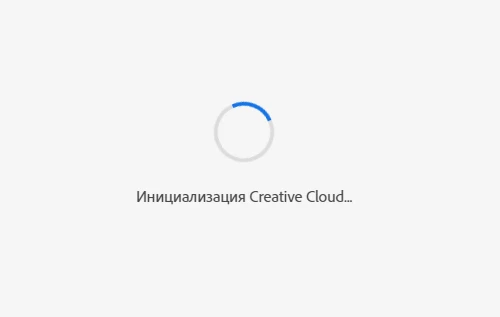
Доброго времени суток!
Восстанавливал. Полностью удалял. Устанавливал раз 15. 
С помощью утилиты - AdobeCreativeCloudCleanerTool чистил.
Так же с Creative Cloud Uninstaller. 
Ничего не изменилось.
Затем ещё так бывает 
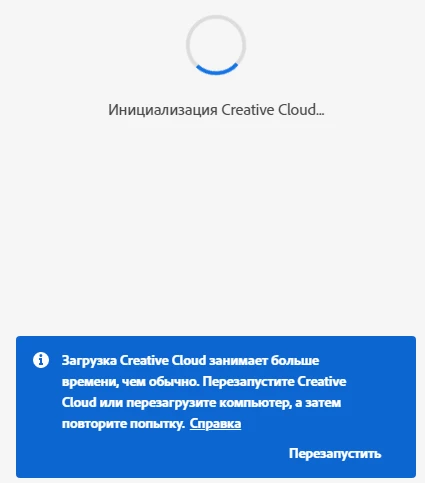
 

И так
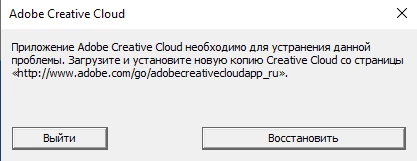

Восстановление не помогает. Чистка реестра не помогает. Удаление Всех файлов связанных с Adobe не помогает. OOBE.old делал. Winmgmt в порядке. 


5 replies

Participant
Feb 11, 2025 10:24 PM UTC

Здравствуйте, вы в итоге смогли решить проблему? Если да; то как?

Translate
kglad
Community Expert
Community Expert
Feb 11, 2025 10:32 PM UTC

@diff_5522 


reset the cc desktop app by making sure it's in the foreground, then press:

Win: Ctrl + Alt + R
Mac: Cmd + Opt + R


if that fails, repair per https://helpx.adobe.com/download-install/kb/creative-cloud-install-stuck.html


if that fails and you have windows, open your control panel > add/remove programs > cc desktop app > repair

if that fails, uninstall using the correct uninstaller from https://helpx.adobe.com/creative-cloud/help/uninstall-creative-cloud-desktop-app.html#sa_src=web-messaging and then reinstall using*


if that fails, do a clean cc install carefully following each applicable step:

uninstall every cc app including preferences per https://helpx.adobe.com/creative-cloud/help/uninstall-remove-app.html

then uninstall the cc desktop app, again using the correct uninstaller per https://helpx.adobe.com/creative-cloud/help/uninstall-creative-cloud-desktop-app.html#sa_src=web-messaging

clean your computer of cc files per http://www.adobe.com/support/contact/cscleanertool.html

check for, and if available, update your os

if windows is your os, repair all ms visual c++ versions that can be repaired (use google if you don't know how to do this)

if windows is your os update your ms visual c++, if it can be updated (use google if you don't know how to do this)

restart your computer (don't skip this)

reinstall the cc desktop app using the "alternative download links" at the bottom of the page at https://helpx.adobe.com/download-install/kb/creative-cloud-desktop-app-download.html

use the desktop app to install your cc programs/trials>

if that fails, you probably have a corrupt user account. google your os and how to create a new one.

Translate
Participant
Sep 29, 2023 6:52 PM UTC

Проверь не блокирует ли доступ брандмауэр от винды на сервер adobe, а так же не прописfна блокировка C:\Windows\System32\drivers\etc    в файле hosts

Translate
Tarun Saini
Community Manager
Community Manager
Sep 29, 2023 7:50 PM UTC

Hi @Shell456,


We're sorry to hear about this. Please try the steps mentioned in this article and let us know if that helps resolve the issue.


Regards,

Tarun

Translate
Peru Bob
Community Expert
Community Expert
Sep 10, 2023 5:29 PM UTC

Please go to Adobe Customer Service (Make sure to sign in to your Adobe account first and allow popups and cookies on your browser. You may not be able to see the chat window if using a VPN.):
https://helpx.adobe.com/contact.html?rghtup=autoOpen will automatically open the chat window.
Type "Agent" in the chat box to bypass the chatbot and be connected to a person.

or Twitter:
https://twitter.com/AdobeCare

Translate