
Participant
August 4, 2024
Question

Can't access apps although I have an active subscription
  • August 4, 2024
  • 1 reply
  • 484 views

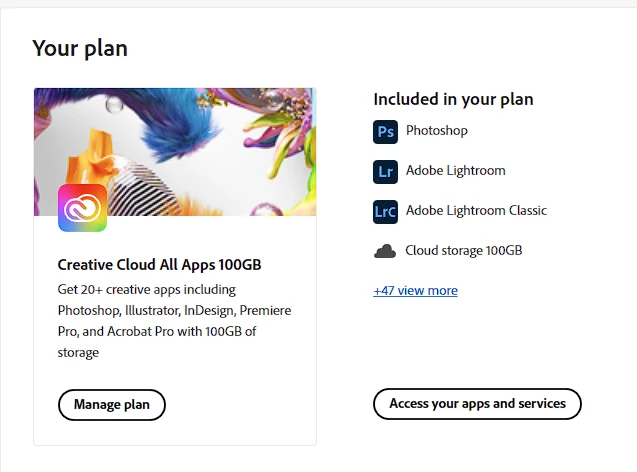
The first screen shot is what I see on page Adobe Account
However when I click Access your apps and services whole page looks like the following. That I have expired subscriptions etc.
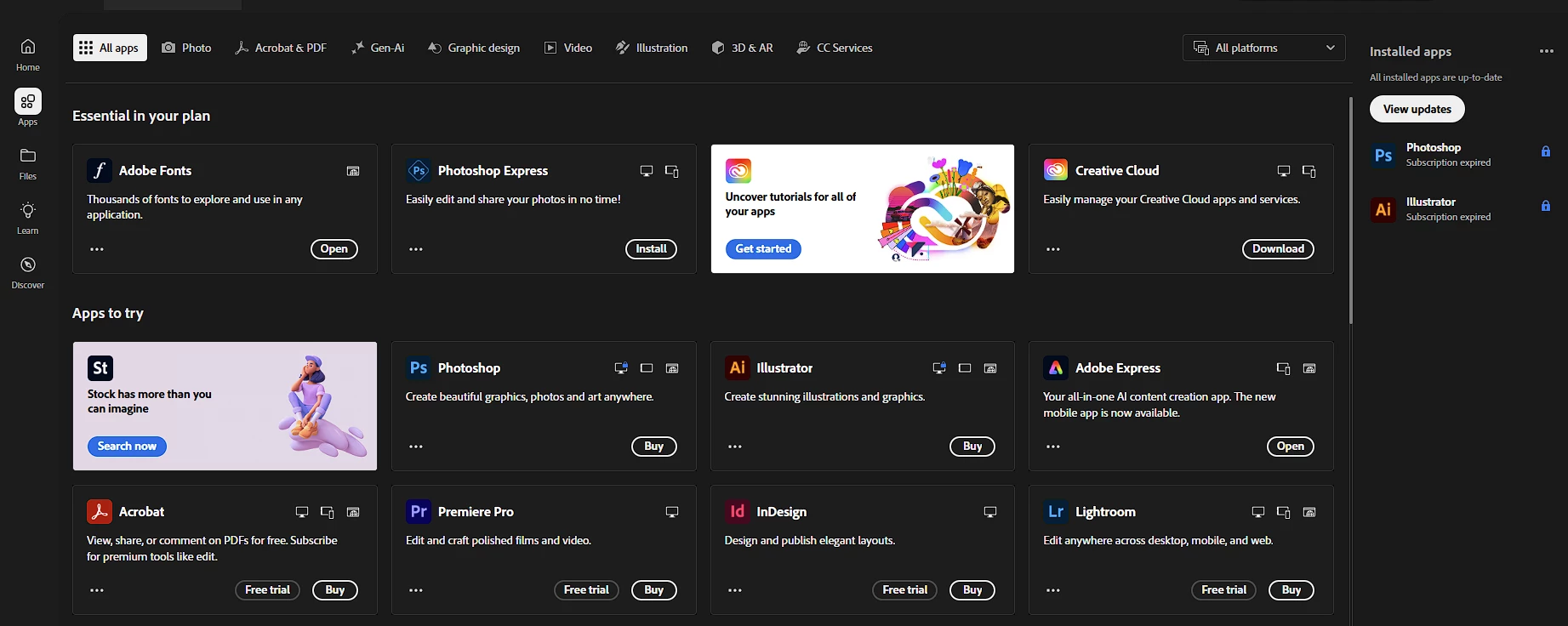
I also can't access my apps on desktop and Creative Cloud desktop app doesn't recognize my subscription.


This topic has been closed for replies.

1 reply

kglad
Community Expert
Community Expert
August 4, 2024

start here - https://helpx.adobe.com/manage-account/kb/stop-creative-cloud-trial-mode-after-purchase.html


if that fails, proceed to these steps - https://helpx.adobe.com/enterprise/kb/resolve-trial-and-license-expired-errors.html


if that fails, https://helpx.adobe.com/download-install/kb/adobe-license-issues-keychain-credential-mgr.html


if those all fail, change your cc language.  eg, try international english


if that fails, change the install location


Participant
August 5, 2024
Thanks for your message but all these methods seems unrelated to the fact
that my subscription is visible on one page on the website and not visible
on another.
kglad
Community Expert
Community Expert
August 5, 2024

where's it visible and where's it not visible?