
Can't access Creative Cloud files
Help! I'm trying to download all my creative cloud files to my desktop and it seems impossible. I have made them all available for offline use but they aren't showing up in my local folder.
The files in question were created using Adobe Sketch / Fresco on an iPad pro.
I can ony open 2 files through the app or a browser - these have the file extension .PSDC but all of my other files seem to have the extension .GEM (screenshot below) and they do not have the option to open.
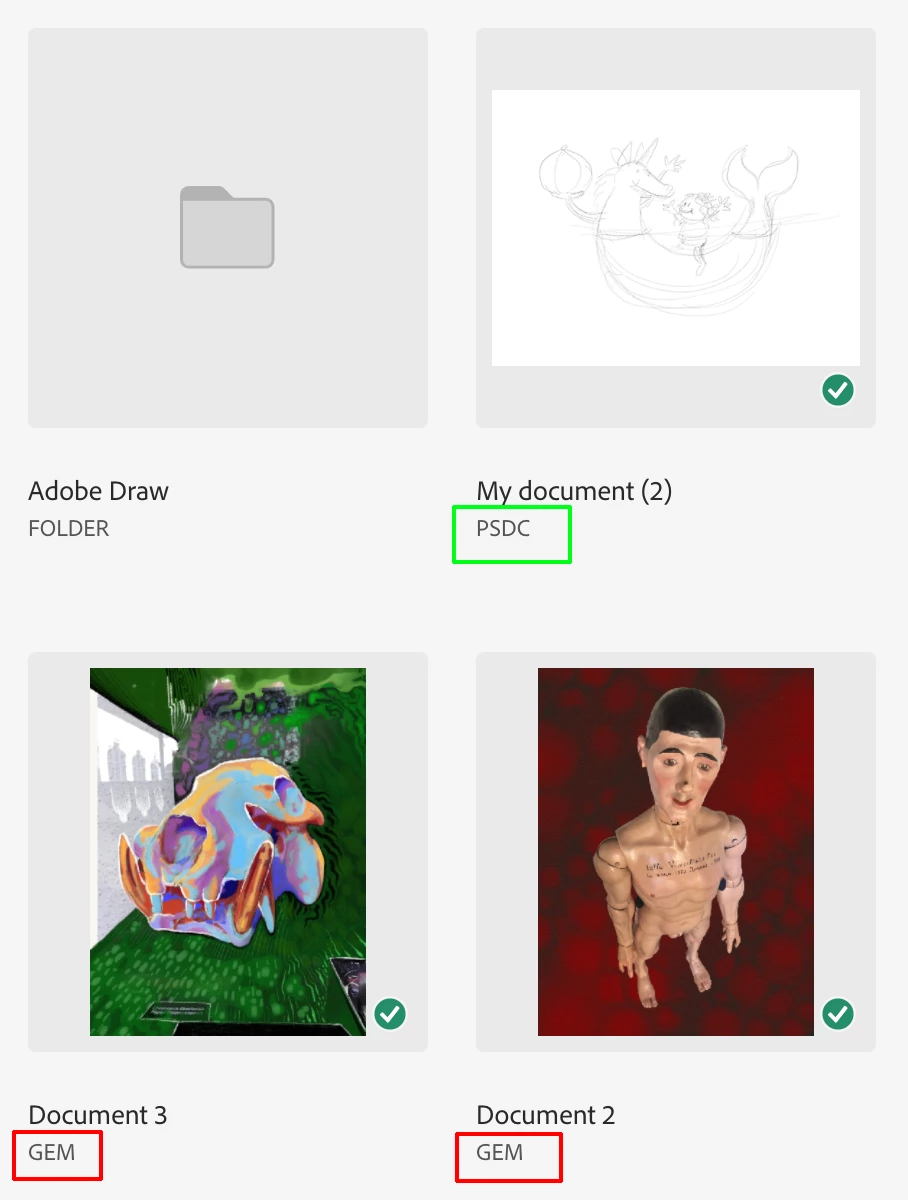
Ideally I just want to download all the folders and contents from Creative Cloud to my local drive - is there any way to do this? Have been looking for solutions for an hour now - why is it so damn hard?!
Hardware: 2021 24inch M1 iMac / OS: Big Sur 11.4 / Apps: latest Adobe apps


 AdChoices