
cristian.roman
Participant
August 6, 2020
Question

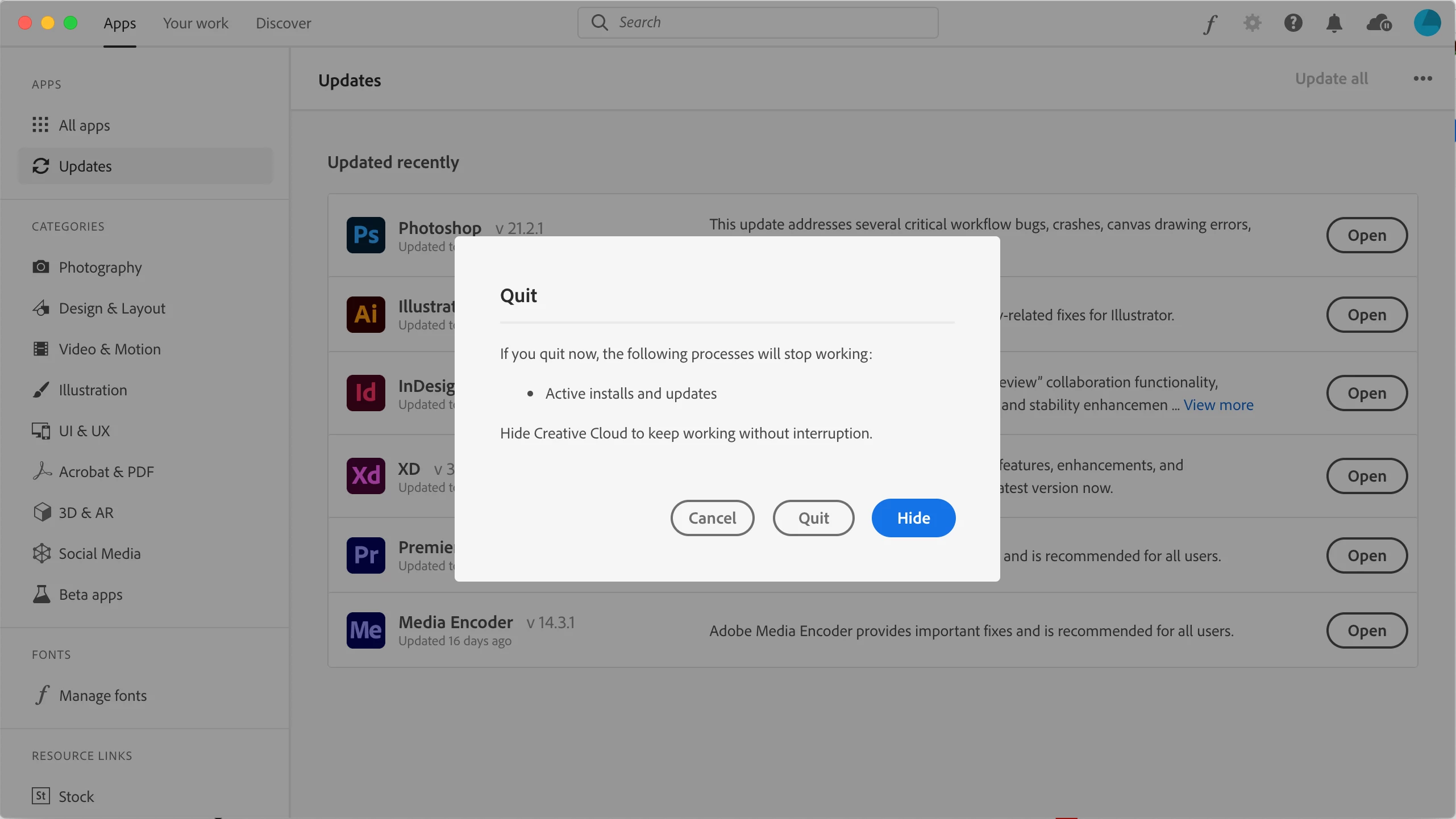
Can't quit Creative Cloud because of false "Active install and updates" error

  • August 6, 2020
  • 1 reply
  • 239 views

Hello,


MacOS, everything updated to date and I can't quit Creative Cloud app because it warns me on currently active install and updates, which is not the case cause everything was updated and nothing is running at the time.


I can press "Quit" and close it, but this message keeps poping and makes me thing that something is wrong. Any ideas? I think it's a bug.
 

This topic has been closed for replies.

1 reply

Jeffrey_A_Wright
Community Manager
Community Manager
August 6, 2020

Cristian, the dialog in your screenshot is the standard dialog that is presented when closing the Creative Cloud desktop app. No updates or installation will occur while the application is closed. If there are any in-progress installations then they would be canceled when you closed the app.