
Participant
December 4, 2022
Question

Can't remover 'phantom' apps from CC – Mac OS

  • December 4, 2022
  • 1 reply
  • 475 views

Hi, I have 'phantom' apps showing in CC and I can't remove them. The drop down menu at the right hand side does not give the option uninstall.
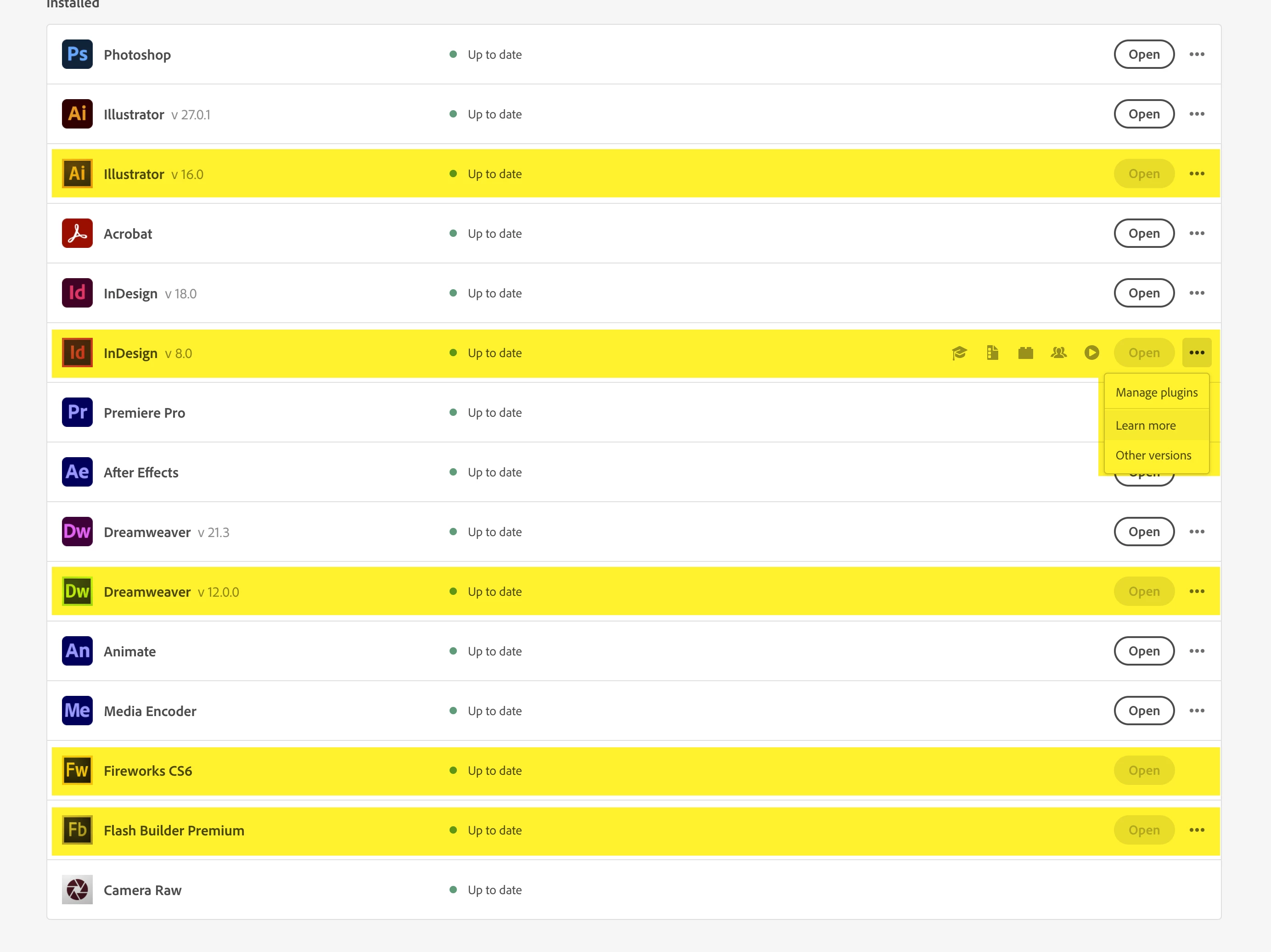
Strangely they do not appear when viewing the apps on my account online instead of through the desktop app...
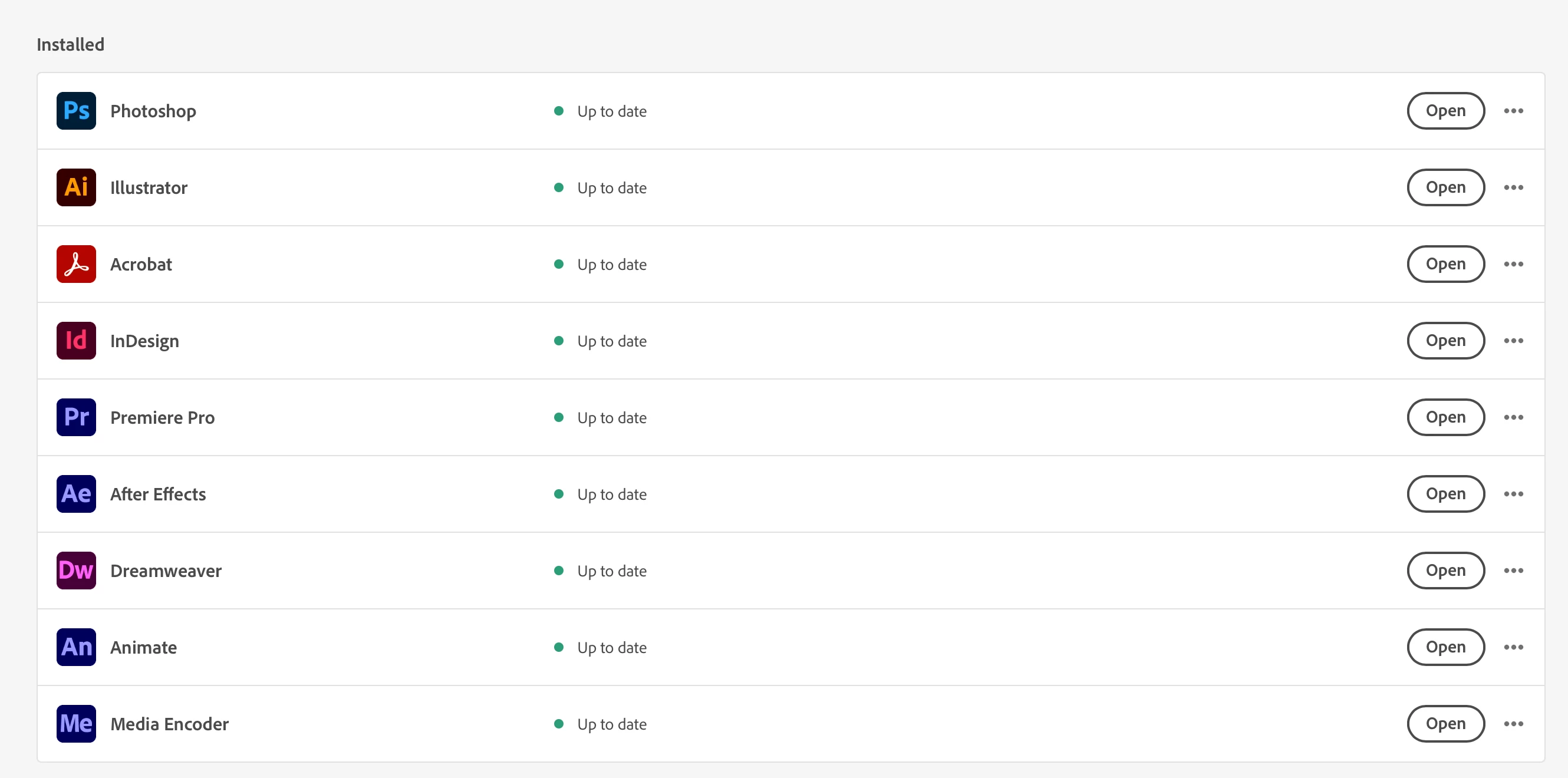
 Any advice on how I can remove these? They don't do any harm but it's annoying. I've tried reparing the Adobe CC app but that didn't work. Many thanks

This topic has been closed for replies.

1 reply

kglad
Community Expert
Community Expert
December 4, 2022

what do you see when you click other versions?

Participant
December 4, 2022

Attached – it only gives the option to uninstall the latest version (the one I have installed). The list of older versions doesn't go down as far as the phantom versions showing on my account either (in this case, Illustrator v16.0

kglad
Community Expert
Community Expert
December 4, 2022

just to clarify, the last screenshot is the other versions menu of ai 16, correct?


and you scrolled to the bottom, correct?


and those other versions (eg, ai 16) have already been uninstalled, correct?


if yes x 3: 


try to repair
https://helpx.adobe.com/download-install/kb/creative-cloud-install-stuck.html

if that fails go ahead and uninstall using the correct uninstaller from https://helpx.adobe.com/creative-cloud/help/uninstall-creative-cloud-desktop-app.html#sa_src=web-messaging and then reinstall

if that fails, do a clean cc install following each applicable step:

uninstall every cc app including preferences, https://helpx.adobe.com/creative-cloud/help/uninstall-remove-app.html

then uninstall the cc desktop app, again using the correct uninstaller, https://helpx.adobe.com/creative-cloud/help/uninstall-creative-cloud-desktop-app.html#sa_src=web-messaging

clean your computer of cc files per http://www.adobe.com/support/contact/cscleanertool.html

check for, and if available, update your os

repair all ms visual c++ versions that can be repaired.

update your ms visual c++, if it can be updated

restart your computer (don't skip this)

reinstall the cc desktop app, https://creativecloud.adobe.com/apps/all/desktop?action=install&source=apps&productId=creative-cloud

if you're unable to download the cc desktop app at this stage, use the "alternative download links" at the bottom of the page at https://helpx.adobe.com/download-install/kb/creative-cloud-desktop-app-download.html

use the desktop app to install your cc programs/trials