
Participant
Apr 29, 2014 2:18 PM UTC
Question

Cannot Access Adobe Team Cloud Folders/Files

I am unable to access the folders and files that my team members have uploaded to the creative cloud.  When I go to my "files" tab on the creative cloud desktop and I see this:
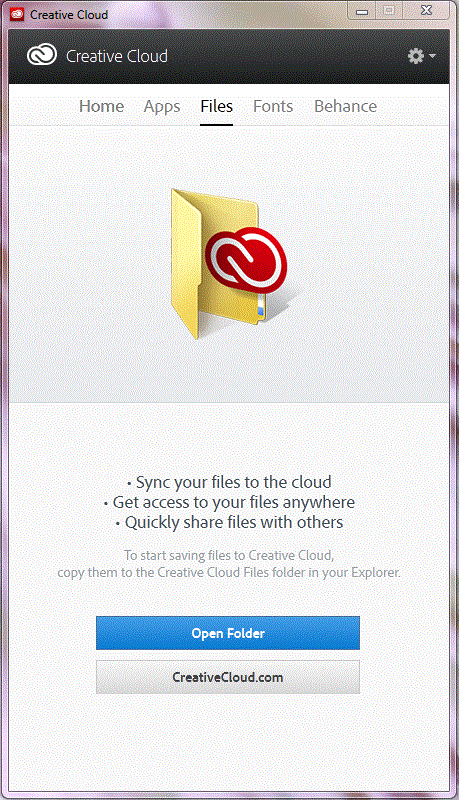
When I open the folder I see no files.  I also don't see any files online even though I know there are some there.  Two of our team members have been able to share files on the cloud but I am still unable to.  I have tried uninstalling and reinstalling the program (twice) and nothing changes.  I also tried uninstalling the program, changing the OOBE folder name in my adobe program files, and reinstalled the program.  This also didn't work. 

I need to be able to access these cloud files ASAP.  Any suggestions?

This topic is closed to new replies. Start a new post to keep the conversation going.

10 replies

lward343
Participant
May 6, 2014 7:39 PM UTC

Same problem. Would really appreciate an answer as this was one of the primary reasons for our purchase of CC.

Translate
wied2014Author
Participant
May 6, 2014 8:55 PM UTC

I've learned a little more since my first post.  I am able to upload documents to the cloud on my desktop and then download things onto my laptop.  However, nobody else in my team can see my files and I can't see theirs.  I also have the same amount of cloud space as if I were my own team. When the administrator looks at our team members I am listed as an active user.  I believe that somehow Adobe thinks I am my own team.  Since I can share documents "cloud desktop app" to "cloud desktop app" under my account, I do not believe that my issue is a software or firewall issue.

I did attempt to online chat with an adobe representative.  They were pretty much useless.  I got the impression that he didn't understand that the Adobe Team was different from an individual adobe creative cloud account.  He did a decent job explaining what I already knew about sharing work with other cloud members not in your team. I did try explaining the difference between individual cloud accounts and team accounts 3 times 3 different ways. 

Translate
lward343
Participant
May 7, 2014 1:43 PM UTC

Thanks for the response. I am actually the account administrator and am still not able to see anyone else's files. Working with the team to make sure it is not a sync issue on their end but it doesn't appear to be.

Translate
Jeffrey_A_Wright
Legend
Apr 29, 2014 5:40 PM UTC

Moving this discussion to the File Hosting and Syncing forum

Translate