
Participant
September 20, 2016
Answered

Cannot Add Anything to CC Library - Icons Grayed Out

  • September 20, 2016
  • 4 replies
  • 3896 views

Hi Everyone,

One of my users is using Adobe CC 3.8.0.310, Indesign CC 2015.4 Release (11.4.1.102) as well as Illustrator CC 2015.3.1 Release (20.1.0) on a iMac Retina 5K 27" Late 2014 Model running OS X Yosemite v10.10.5

The user had been able to add Graphics, Styles and Colors to the CC Library available in InDesign up until 2 weeks ago, when faced with the following problem:
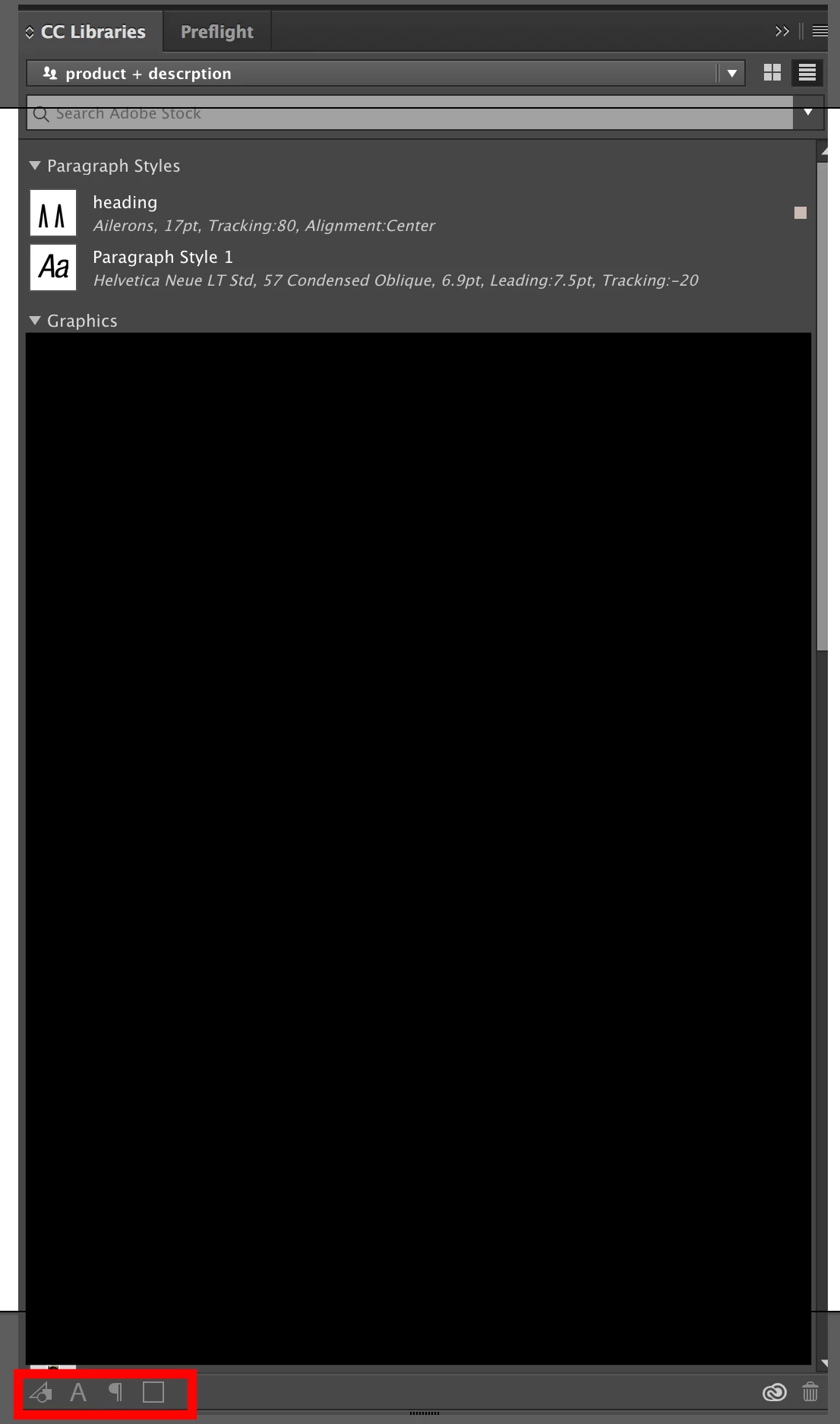

All of the buttons here are grayed out, and I have no idea how to fix it, I have tried the following

  • Full Reinstall of all Adobe Products and Adobe CC
  • Deleting the files of the OOBE folder in App Support, while logged in and while not logged in.
  • Deleting the CoreSync *.db files in CoreSync Folder under Adobe App Support, while logged in and not logged in.
  • Logging out of the user's account in CC and signing in as someone else.
  • Logging out of the user's account, restarting the PC, relogging into the user's account.
  • Restarting the PC.

I'm so out of ideas!

Please help!

This topic has been closed for replies.
Correct answer thomasc22321199

Hey everyone, super happy I've worked out a fix, so if anyone comes across the solution for me was as follows:

Firstly, navigate to /Users/<username>, and ensure there is only one folder named "My Creative Cloud Files", you'll see they are emblazoned with the CC Library insignia, if there is more than one of these, close all adobe programs, sign out of the Desktop CC App, delete ALL of the folders (after backing up anything inside them first), and log-in again on the Desktop CC App.

Secondly, navigate to System Preferences, Network, <Current Internet Connection Type>, Advanced..., Proxies, and add "localhost" to the Bypass proxy settings for these Hosts & Domains

Relaunch your InDesign and I was all good to go.

4 replies

LaurieOwens
Participant
September 4, 2018

Exactly the same issue here, none of the solutions have worked .. including everything mentioned here --> Solution to the issue: Adobe Creative Cloud Libraries panel doesn't load in desktop products .... guess i'll try a fresh install

Participant
May 5, 2018

Hello, I have the same issue a few days now and tried the suggested solution but didn't work out.

Do you now anything further?

thomasc22321199AuthorCorrect answer
Participant
October 4, 2016

Hey everyone, super happy I've worked out a fix, so if anyone comes across the solution for me was as follows:

Firstly, navigate to /Users/<username>, and ensure there is only one folder named "My Creative Cloud Files", you'll see they are emblazoned with the CC Library insignia, if there is more than one of these, close all adobe programs, sign out of the Desktop CC App, delete ALL of the folders (after backing up anything inside them first), and log-in again on the Desktop CC App.

Secondly, navigate to System Preferences, Network, <Current Internet Connection Type>, Advanced..., Proxies, and add "localhost" to the Bypass proxy settings for these Hosts & Domains

Relaunch your InDesign and I was all good to go.

Haeme Ulrich
Inspiring
September 21, 2016

Have you tried this user (this Adobe ID) on another machine?

Best regards

Haeme

Participant
September 27, 2016

Hey Mate, I just tried this, we have 4 Mac's with the same setup and tried every permutation of the user on a machine and its no good.

No good

Still cant do anything to my CC libraries. I'm pretty desperate, as the user relies heavily on his CC library, he can work around not having it, but it makes his life much easier.