
Participant
September 20, 2016
Answered

Cannot Add Anything to CC Library - Icons Grayed Out

  • September 20, 2016
  • 1 reply
  • 485 views

Hi Everyone,

One of my users is using Adobe CC 3.8.0.310, Indesign CC 2015.4 Release (11.4.1.102) as well as Illustrator CC 2015.3.1 Release (20.1.0) on a iMac Retina 5K 27" Late 2014 Model running OS X Yosemite v10.10.5

The user had been able to add Graphics, Styles and Colors to the CC Library available in InDesign up until 2 weeks ago, when faced with the following problem:
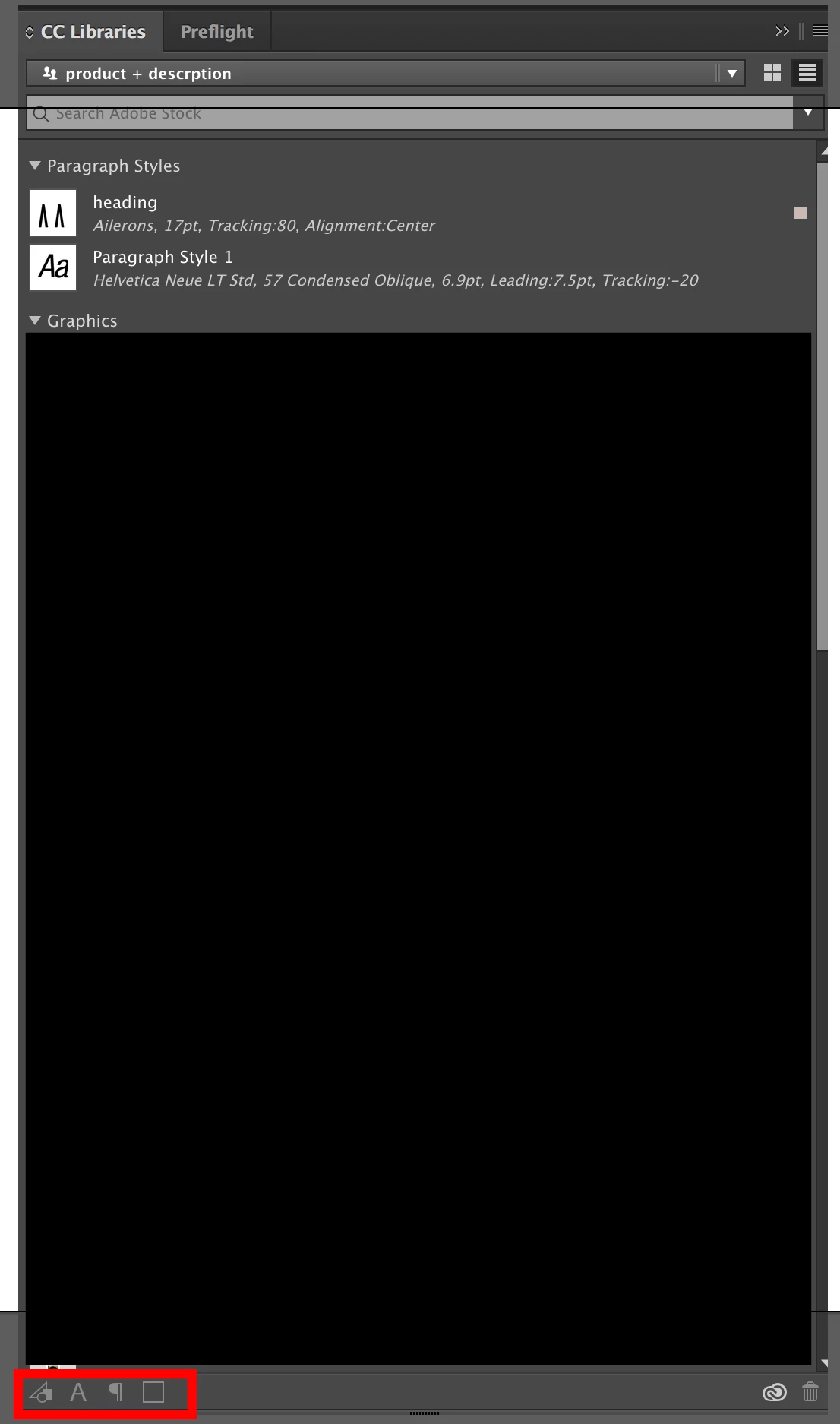
All of the buttons here are grayed out, and I have no idea how to fix it, I have tried the following

  • Full Reinstall of all Adobe Products and Adobe CC
  • Deleting the files of the OOBE folder in App Support, while logged in and while not logged in.
  • Deleting the CoreSync *.db files in CoreSync Folder under Adobe App Support, while logged in and not logged in.
  • Logging out of the user's account in CC and signing in as someone else.
  • Logging out of the user's account, restarting the PC, relogging into the user's account.
  • Restarting the PC.

I'm so out of ideas!

Please help!

This topic has been closed for replies.
Correct answer David__B

Hi Thomas

Sorry to hear about your difficulties.

A few additional questions:

  • Do Libraries work in other applications other than InDesign?
  • Did you have a document/project open in the application? I think the icons are grayed out unless you have something open which you could use to create a new assets
  • Is File Sync turned on within the Creative Cloud app?
  • I saw you said you tried signing in and back in again, was this from the Help menu in the application?
  • Have you tried contacting our phone/chat support about the issue?

Please let me know and I'll see what I can do to help,

Thanks,

- Dave

1 reply

David__B
David__BCorrect answer
Legend
November 22, 2016

Hi Thomas

Sorry to hear about your difficulties.

A few additional questions:

  • Do Libraries work in other applications other than InDesign?
  • Did you have a document/project open in the application? I think the icons are grayed out unless you have something open which you could use to create a new assets
  • Is File Sync turned on within the Creative Cloud app?
  • I saw you said you tried signing in and back in again, was this from the Help menu in the application?
  • Have you tried contacting our phone/chat support about the issue?

Please let me know and I'll see what I can do to help,

Thanks,

- Dave