


Cannot see the list of my active Adobe Fonts in the CC Desktop App
Hi together,
that's all I get when I try to list my activated fonts from Adobe Fonts in my Creative Cloud Desktop App. German Windows 10 operating system.
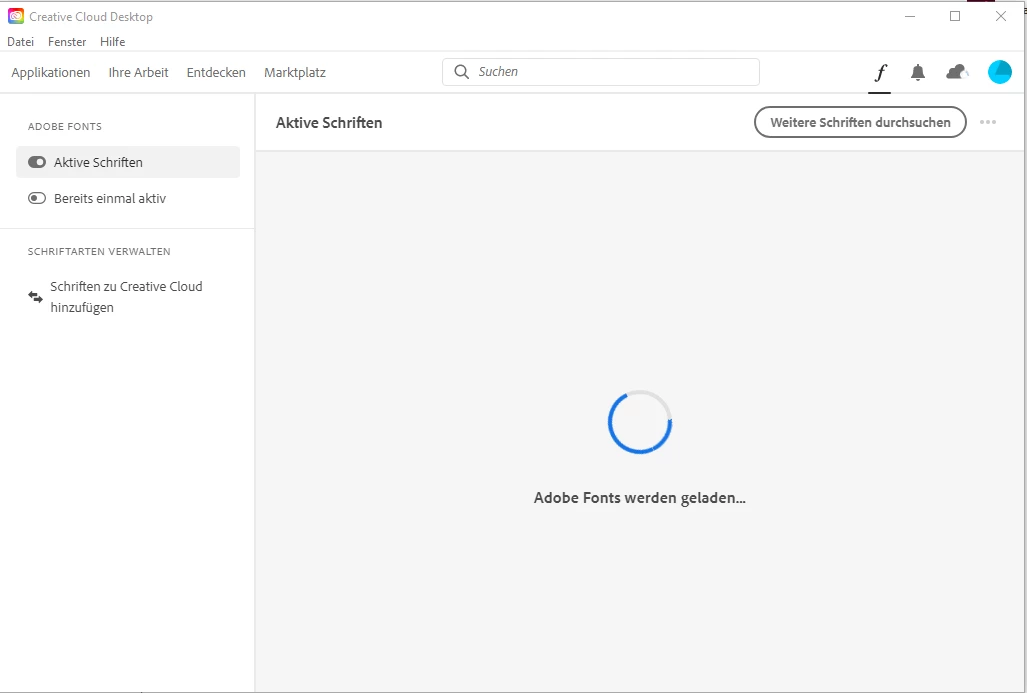
This "Adobe Fonts are about to load" message will show for hours and will come not to an end.
However, I can see my activated Adobe Fonts when I'm logged in at https://fonts.adobe.com/ .
Logging out and in to the Creative Cloud Desktop App will not help. Also a restart of my machine will not help. I have no idea how long this issue already persists. I rarely use Adobe Fonts. Can only tell that I see this issue for about a week or so.
The issue is not critical for me, but I wanted to show my students how Adobe Fonts are actually working. As it seems this is broken. At least for me. Or is it a problem within a specific region? I logged in from Germany.
Thank you for any hints.
Uwe Laubender
( ACP )


 AdChoices