
jáng28209627
Participant
May 17, 2018
Answered

Cant save directly from applications to CC cloud

  • May 17, 2018
  • 2 replies
  • 652 views

Please HELP.

I cant save directly from any Adobe application to local Adobe CC Cloud.

When I try to save for example from Photoshop to any CC Cloud local folder, the program say: You have no permmisions to save to this network location.

If I press OK and try to save again, there is file with my choosen name but with 0 size and I can presave it. Its totally weird.

I will try move Adobe CC cloud folder to disk C: from D:. Same problem.

If I want save files to another part of HDD - there is no problem.

I can move, delete or copy to CC cloud local files with no problems.

WIN 10 1803 17134.45

All Adobe CC programs uptodate
This topic has been closed for replies.
Correct answer puneeta95641987

Hi,

Thanks for reporting the issue.

Would you be able to collect and upload log files from your system?

Here is a link to an article about the tool with a link to download it.

Log Collector Tool

The tool will create a zip file on the desktop of all the log files. Please could you send us your logs (punaggar@adobe.com) using the tool.

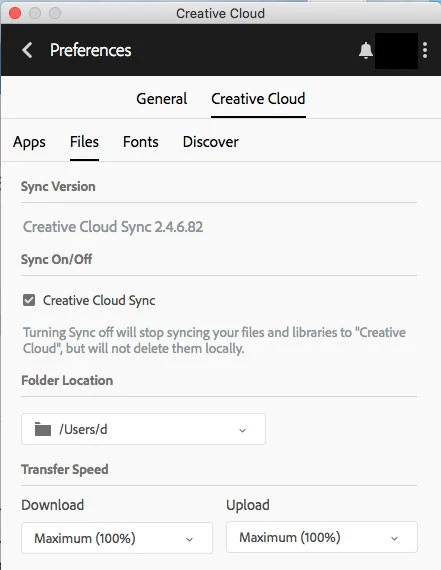
Also, can you please share your folder location specified in the Creative Cloud files folder in the Preferences.

Engineering may have some additional questions but this will help us get started.

Thanks,

Puneet Aggarwal

2 replies

puneeta95641987Correct answer
Adobe Employee
May 18, 2018

Hi,

Thanks for reporting the issue.

Would you be able to collect and upload log files from your system?

Here is a link to an article about the tool with a link to download it.

Log Collector Tool

The tool will create a zip file on the desktop of all the log files. Please could you send us your logs (punaggar@adobe.com) using the tool.

Also, can you please share your folder location specified in the Creative Cloud files folder in the Preferences.

Engineering may have some additional questions but this will help us get started.

Thanks,

Puneet Aggarwal

kglad
Community Expert
Community Expert
May 17, 2018