
Participant
November 17, 2017
Answered

CC for teams - how do you avoid multiple people working on the same file?

  • November 17, 2017
  • 2 replies
  • 388 views

With creative cloud for teams how does CC work to ensure artists are not stepping on each other by editing the same file? Is there some sort of "check out" feature to show those files are in use by another artist? Thanks.

Robert
This topic has been closed for replies.
Correct answer David__B

Hi Robert,

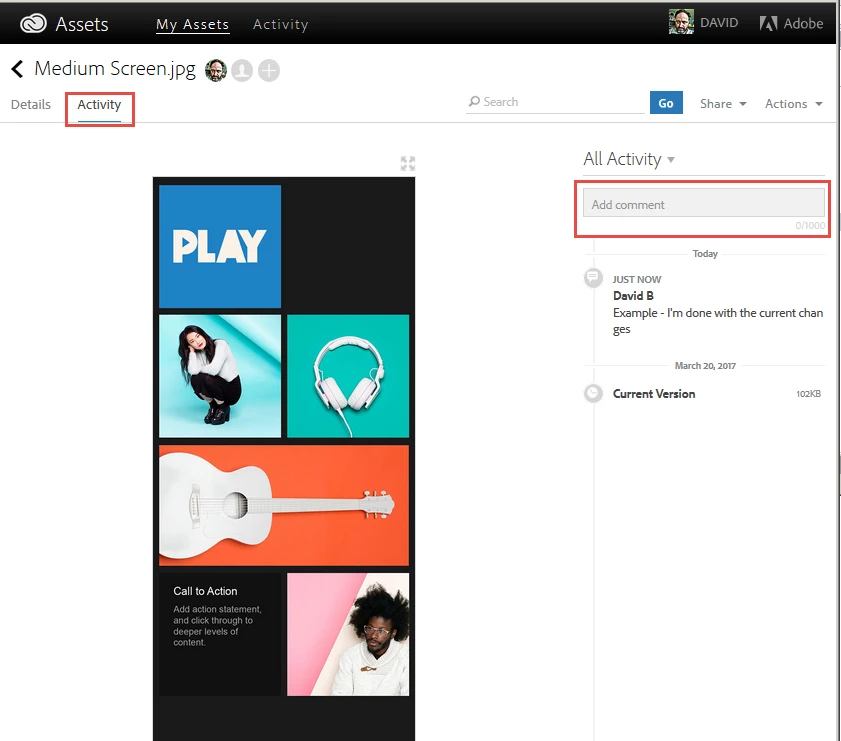
There isn't a way to lock/checkout a file being used by a particular user currently. I've discussed this topic engineering so know they are aware. My best recommendation would be communicate internally who is currently working on the file to eliminate any editing conflicts - an easy way to do this might be to use the comment feature.

Here are some other related resource might be be helpful too.
Collaborate on folders and libraries from Creative Cloud account

Collaboration FAQ

Hope that helps,

- Dave

2 replies

David__B
Adobe Employee
David__BCorrect answer
Adobe Employee
November 17, 2017

Hi Robert,

There isn't a way to lock/checkout a file being used by a particular user currently. I've discussed this topic engineering so know they are aware. My best recommendation would be communicate internally who is currently working on the file to eliminate any editing conflicts - an easy way to do this might be to use the comment feature.

Here are some other related resource might be be helpful too.
Collaborate on folders and libraries from Creative Cloud account

Collaboration FAQ

Hope that helps,

- Dave

kglad
Community Expert
Community Expert
November 17, 2017