

Known Participant
July 20, 2016
Question

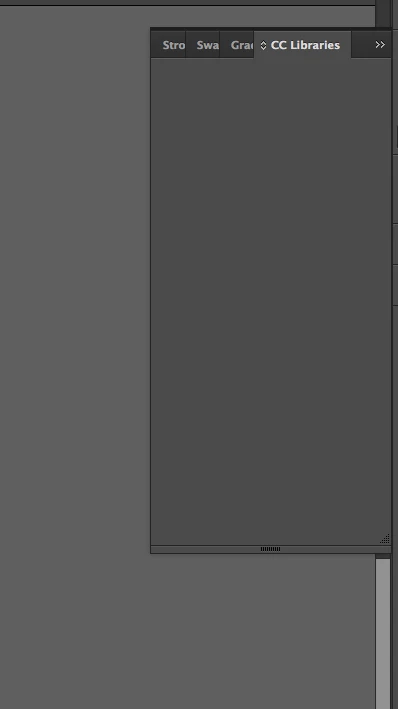
CC Library does not work in ID 2015.4

  • July 20, 2016
  • 1 reply
  • 840 views

Dear Adobe,

since I have downloaded the new version of Adobe ID CC 2015.4 I am not able to use my CC Library panel. I have tried to uninstall ID but does not worked.

I am waiting for a solution. I am using OS X  10.10.5.

Thank you.
This topic has been closed for replies.

1 reply

yugangguo
Adobe Employee
Adobe Employee
August 9, 2016

Hello, could you please follow the steps to collect the logs for ID 2015.4?

1. Set LogLevel to 6 in the registry on Win or plist on Mac. Starting with Mac 10.9, you need to kill cfprefsd process or restart your Mac to make the changes take effect.

Win: regedit > HKEY_CURRENT_USER/Software/Adobe/CSXS.6

Mac: ~/Library/Preferences/com.adobe.CSXS.6.plist

2. Open ID 2015.4 to reproduce the issue.

3. When the issue occurs, collect the following logs.

Win: The dump file and the files in C:\Users\USERNAME\AppData\Local\Temp, especially the files whose name start with CEP and CEPHtmlEngine.

Mac: The files in ~/Library/Logs, especially the files whose name start with CEP and CEPHtmlEngine

         All messages in Console, for example, /private/var/log/system.log.

Known Participant
August 9, 2016

Thank you for your time. I modified the .plist file with OS X Terminal and restarted my mac but ID doesn't crash. What can I do?

yugangguo
Adobe Employee
Adobe Employee
August 9, 2016

Hello, it does not require ID to crash to collect the logs. Please follow your normal workflow to reproduce the issue that CC library panel does not work. BTW, please make sure CEPHtmlEngine is reverted to the original one when you reproduce the issue.