


Participant
March 2, 2022
Answered

CC Library Preview not showing in CC Desktop app or the CC Library panel in other adobe apps

  • March 2, 2022
  • 3 replies
  • 4696 views

Hi there,


I am downloading .cclib files the my company provides and I am unable to see previews eiher in the Creative Cloud app or on the preview pane of InDesign, PhotoShop, etc.
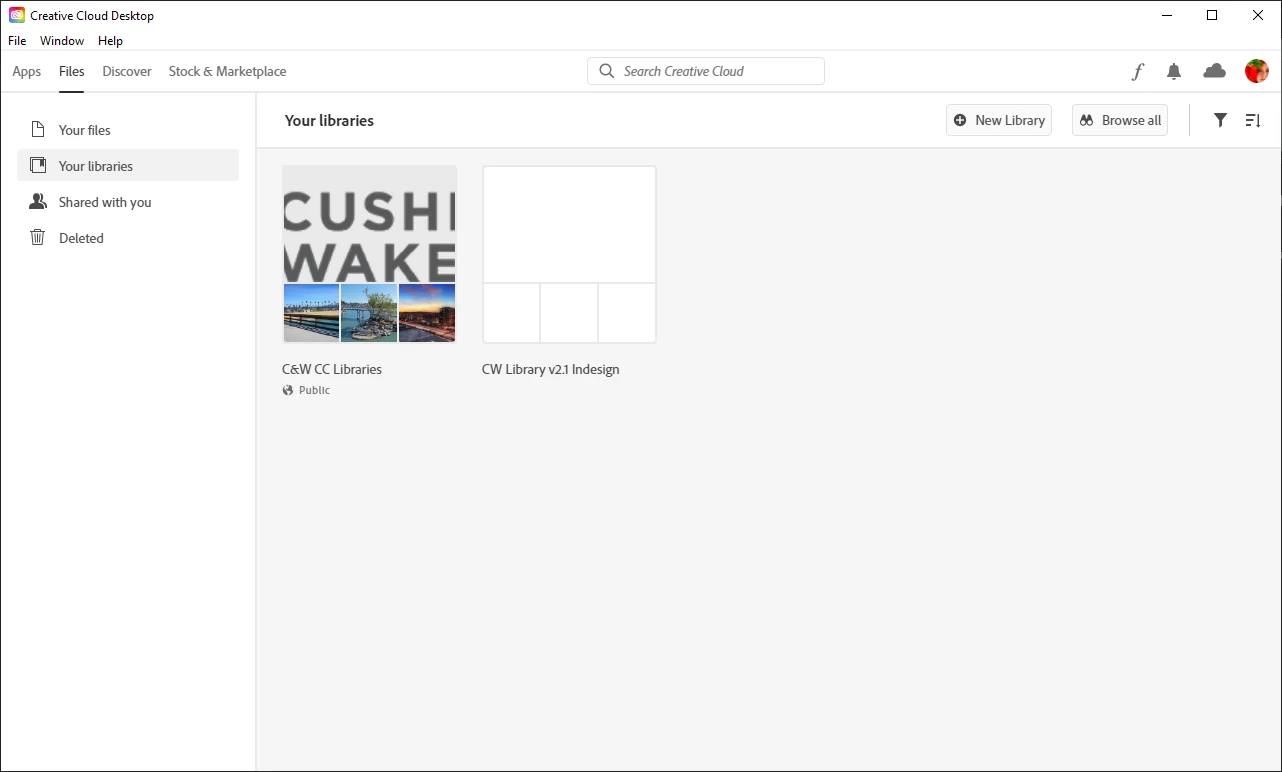
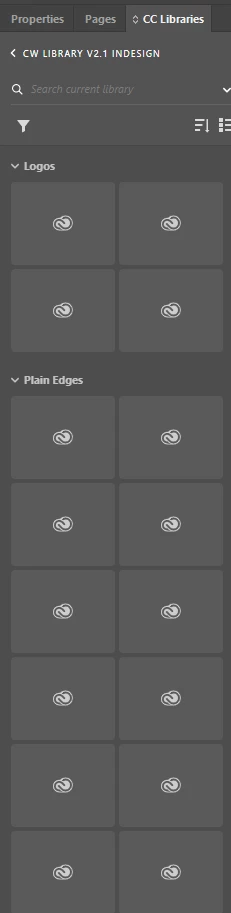
 

My company's IT guy is not familiar with Adobe products and we are struggling to find anything that will work on a Windows machine. Thank you!


This topic has been closed for replies.
Correct answer mollyd619740817406769

Hello, thank you for your patience as we have been working on fixing this issue. Please follow the following steps to see your renditions again:

1. Download and install the build linked in Step 1: 

https://helpx.adobe.com/creative-cloud/kb/libraries-panel-not-working.html

2. Then remove the contents of the renditions folder at the two following locations in your file explorer:

  • %appdata%\Adobe\Creative Cloud Libraries\LIBS\<userID>\collaborated\renditions
  • %appdata%\Adobe\Creative Cloud Libraries\LIBS\<userID>\creative_cloud\renditions

3. Finally, kill CCLibrary Process from Task Manager and restart all Adobe products such Photoshop, Illustrator, etc


This should regenerate all the renditions from your libraries without having the 'cloud icon' present. 

-CC Libraries team

3 replies

mollyd619740817406769Correct answer
Adobe Employee
May 19, 2022

Hello, thank you for your patience as we have been working on fixing this issue. Please follow the following steps to see your renditions again:

1. Download and install the build linked in Step 1: 

https://helpx.adobe.com/creative-cloud/kb/libraries-panel-not-working.html

2. Then remove the contents of the renditions folder at the two following locations in your file explorer:

  • %appdata%\Adobe\Creative Cloud Libraries\LIBS\<userID>\collaborated\renditions
  • %appdata%\Adobe\Creative Cloud Libraries\LIBS\<userID>\creative_cloud\renditions

3. Finally, kill CCLibrary Process from Task Manager and restart all Adobe products such Photoshop, Illustrator, etc


This should regenerate all the renditions from your libraries without having the 'cloud icon' present. 

-CC Libraries team

Participant
May 19, 2022

It helped me! Thank you!

Participating Frequently
April 25, 2022

Same problem here.

Since one of the last updates of Illustrator there's an error when i try to add AI Artwork to the creative cloud library. 
The newly added elements wont show me previews in any Adobe Applications "library" window or in the browser view of my cloud files, while items i uploaded earlier are showing up perfectly.
All other members of the cloud library group that i have invited are shown the preview thumbnails as before with no problems.

I tried logging out and in again and re-installing illustrator already.

None of the steps mentioned here helped me.

Tarun Saini
Community Manager
Community Manager
April 25, 2022

Hi there,


Thanks for the additional info. We've shared the information with our engineering team & we're working on this. I will update you once I hear anything from them.


Regards,

Tarun

Tarun Saini
Community Manager
Community Manager
March 2, 2022

Hi there,


We're sorry to hear about your difficulties as you are unable to see the preview of CC libraries in the Creative Cloud Desktop Application and in other apps. Would you mind telling us the exact version of the operating system you are using? Make sure you are using the updated version of Creative Cloud application. Did you try logging out from the Creative Cloud Desktop application , rebooting the computer and then logging in again to check if that makes any difference? 


You may try the steps mentioned below :-

  • Close any open Adobe products that use Libraries.

  • Open the Creative Cloud desktop app. 
  • Use the following keyboard shortcuts:
  • Windows: Ctrl+Alt+R

This relaunches Creative Cloud and all its supporting processes, including the Creative Cloud Libraries & relaunch the Creative Cloud app


Also, try the steps outlined on this document and see if they resolve this issue: https://helpx.adobe.com/creative-cloud/kb/libraries-panel-not-working.html


Let us know how it goes.


Regards,

Tarun


Participant
March 3, 2022

Hi Tarun,

We did try all of those things. 


Here is the information you requested:


Thank you!

Tarun Saini
Community Manager
Community Manager
March 4, 2022

Thanks for the info. Since when have you been seeing this issue? Could you please answer a few additional questions?

  1. Are you using a work computer or a Home computer? If it's a work computer then, are you connected to any VPN?
  2.  Can you please open Task Manager and check if CCLibrary.exe is running or not?
  3. Which Anti-virus are you using?
  4.  Did you recently make any changes to your system in terms of software?

Also, Make sure you've installed all the pending operating system updates on your computer.