
CC shared files showing locally on computer and web, but not in app
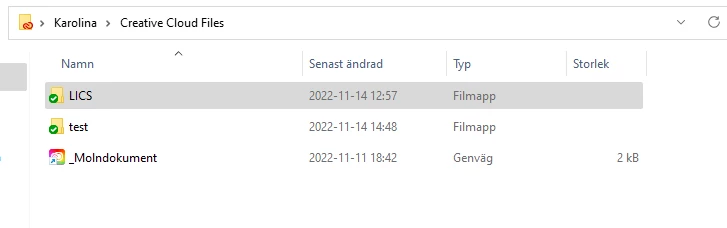
Hi, the organisation I'm an intern at shared their project files with me. The files doesn't appear in the CC-app, however they appear both synced in the web-version of CC and in my C:/ disc locally. I've tried to resolve this issue by:
- Reinstalling all programs and the CC desktop app
- Using the Cleaner Tool https://helpx.adobe.com/uk/creative-cloud/kb/cc-cleaner-tool-installation-problems.html as suggested in (https://community.adobe.com/t5/creative-cloud-services-discussions/creative-cloud-desktop-app-not-showing-my-files/td-p/12600293). Removed and updated the CoreSync folder.
- Accepted both the invitation-link to the shared files through the email link and the app
None of these processes gave me a solution, which means I'm unavailable to do course work as I can't proceed to help the organisation with their projects.
Thank you in advance!
Best regards, Karolina


 AdChoices