
GhadeerEssa
Participant
January 17, 2021
Question

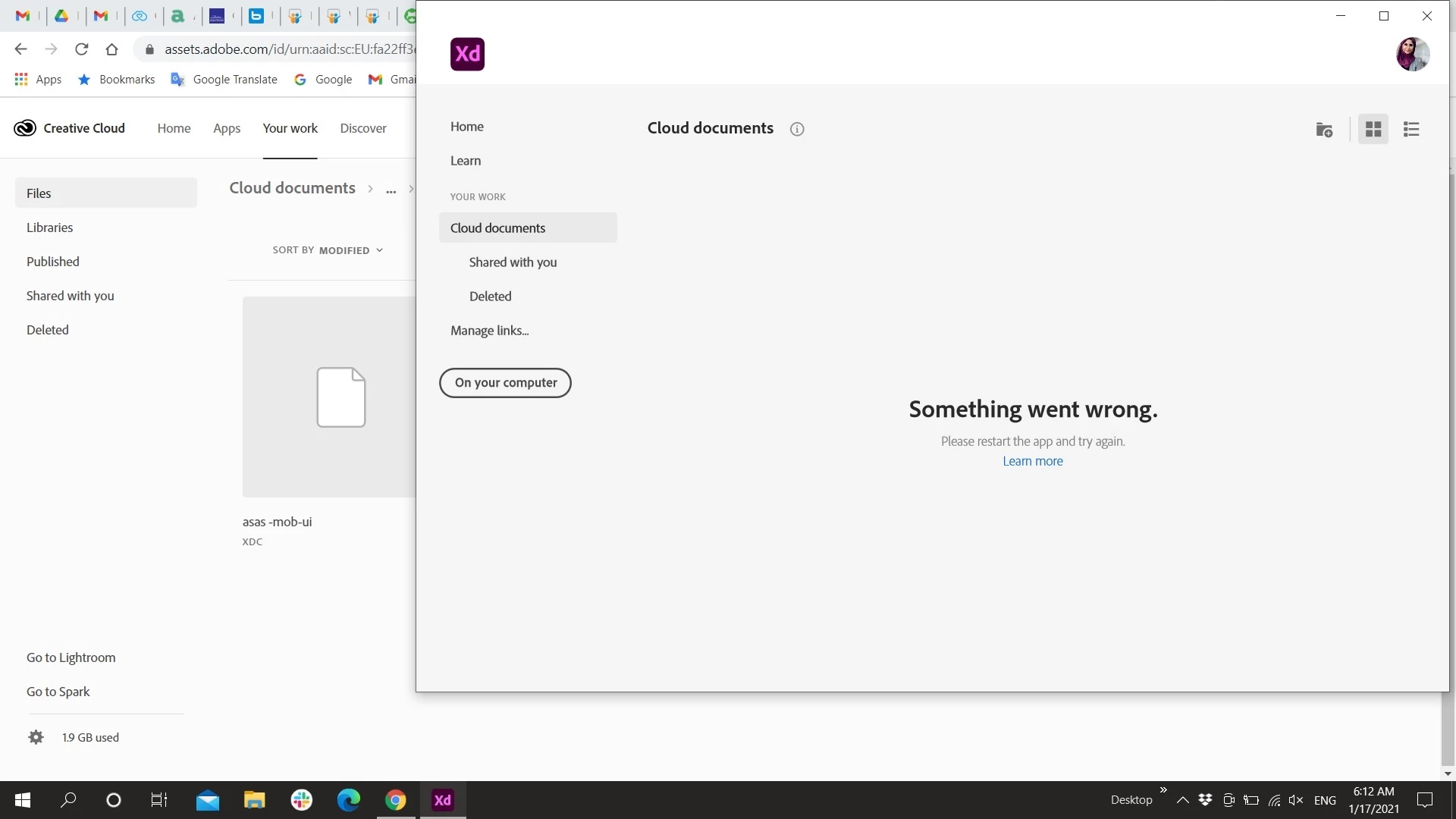
cloud document can't load

  • January 17, 2021
  • 1 reply
  • 392 views

I tried to uninstall and reinstall the cloud and xd latest updates so many times and nothing happen to solve the issue 
This topic has been closed for replies.

1 reply

kglad
Community Expert
Community Expert
January 18, 2021

Restart your computer and re-try.


if that fails, reset the cc app:


To reset the Creative Cloud desktop app, make sure it's in the foreground, then press:

Win: Ctrl + Alt + R
Mac: Cmd + Opt + R

if that fails, try to repair
https://helpx.adobe.com/download-install/kb/creative-cloud-install-stuck.html

if that fails go ahead and uninstall/reinstall per the above link

if that fails, do a clean cc install following each applicable step:

uninstall every cc app including preferences, https://helpx.adobe.com/creative-cloud/help/uninstall-remove-app.html
then uninstall the cc desktop app, https://helpx.adobe.com/creative-cloud/help/uninstall-creative-cloud-desktop-app.html
clean your computer of cc files per http://www.adobe.com/support/contact/cscleanertool.html
check for, and if available, update your os
restart your computer (don't skip this)
reinstall the cc desktop app, https://creative.adobe.com/products/creative-cloud.
if you're unable to install the cc desktop app at this stage, use an administrator account (solution 4 here, https://helpx.adobe.com/creative-cloud/kb/creative-cloud-missing-damaged.html)
use the desktop app to install your cc programs/trials

Maria.V.Hunt
Participant
January 18, 2021

I have followed all these steps AND the Adobe representative who took remote control of my computer yesterday couldn't fix the issue following these steps either.  This is a SERIOUS problem as I am a TEACHER and have a new computer that is ready to roll!

Participant
January 19, 2021

I also have the same problem... wont load, says repair... then cant repair....followed all the steps here tryed on a new computer, nothing is working with this latest Folder. its eating into my time and im beyond frustrated.
already had the tec pretty much reset everything, he even quit after 2 hours. Fix it!
