
Participant
July 15, 2015
Answered

"Collaborate..." and "View on Website" are greyed out in Finder on Mac

  • July 15, 2015
  • 1 reply
  • 829 views

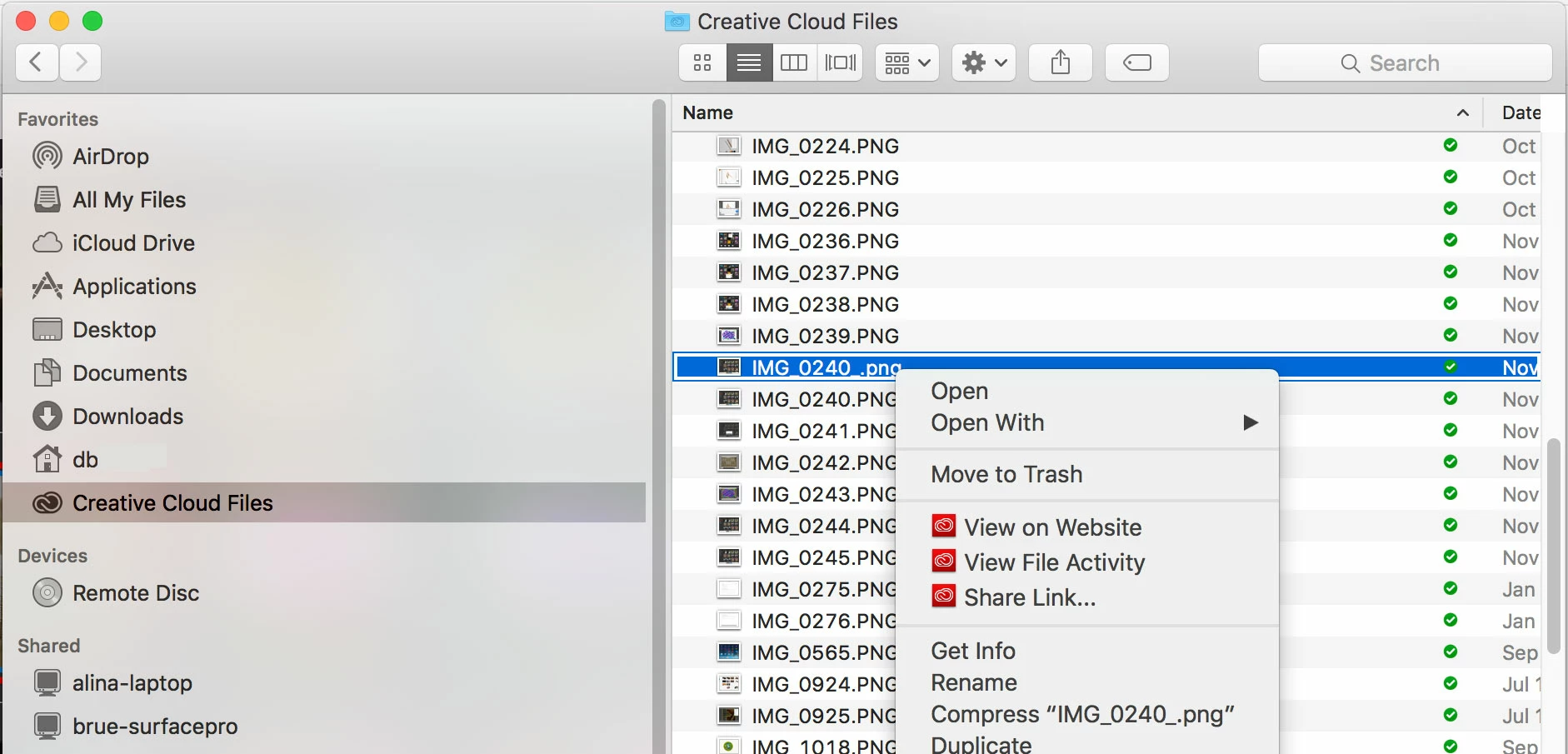
I can't use Collaborate or View on Website options in Finder on Mac. Tried logging out and back in a again, even a restart of Mac, still no luck. Can do it via the CC Website. Any ideas? Thanks.
This topic has been closed for replies.
Correct answer David__B

Hi Corellis,

Please try these and see if they help.

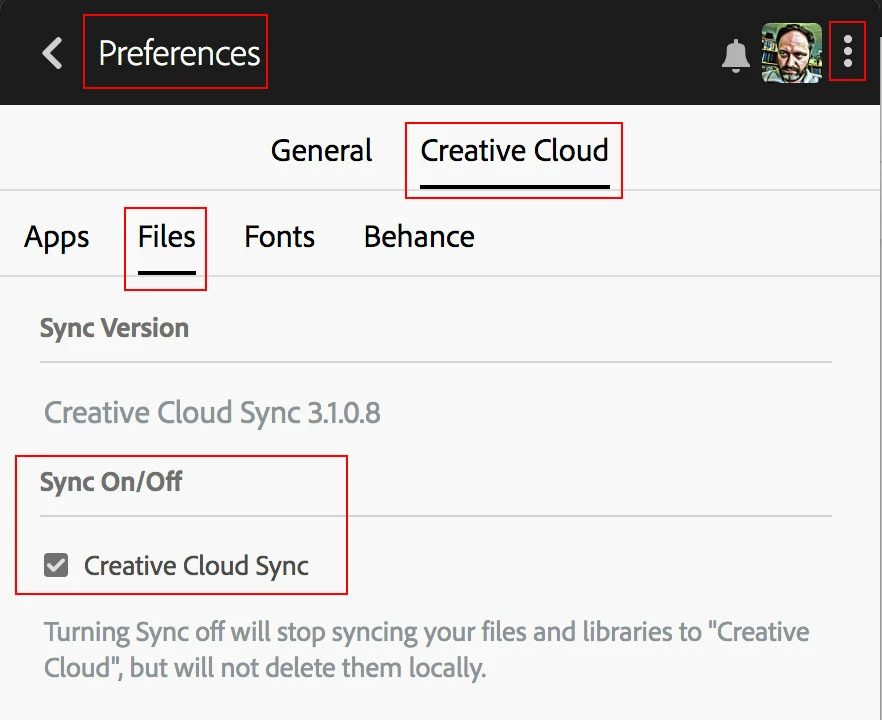
  • Ensure sync is turn on within the Creative Cloud app and syncing has completed for whatever file you're attempting to use the context menu with. Completed files will have a small white check-mark within a green circle. Sync is turned on/off from the files section of the Creative Cloud app preferences.
  • If sync is on, and syncing has completed

    and the issue still persists you might try uninstalling and reinstalling the Creative Cloud app as described here: Uninstall the Adobe Creative Cloud desktop application

Please let me know if this helps,

Best,

- Dave

1 reply

Atul_Saini
Legend
July 15, 2015
Participant
July 31, 2018

Where can I find the answer to this?

David__B
Adobe Employee
David__BCorrect answer
Adobe Employee
August 2, 2018

Hi Corellis,

Please try these and see if they help.

  • Ensure sync is turn on within the Creative Cloud app and syncing has completed for whatever file you're attempting to use the context menu with. Completed files will have a small white check-mark within a green circle. Sync is turned on/off from the files section of the Creative Cloud app preferences.
  • If sync is on, and syncing has completed

    and the issue still persists you might try uninstalling and reinstalling the Creative Cloud app as described here: Uninstall the Adobe Creative Cloud desktop application

Please let me know if this helps,

Best,

- Dave