
zefamousmitch
Participant
August 6, 2015
Answered

Comment modifier l'emplacement du creative cloud files?

  • August 6, 2015
  • 3 replies
  • 2266 views

Bonjour,

Mon disque dur sur lequel se trouvait mon dossier creative cloud files a rendu l'âme. Ce n'est pas bien grave il était vide à ce moment là, mais le problème c'est qu'au lancement du creative cloud j'ai toujours un message qui me dit que le dossier et introuvable et du coup je dois désactiver la synchronisation. Quand je vais sur creative cloud voici ce qui s'affiche :
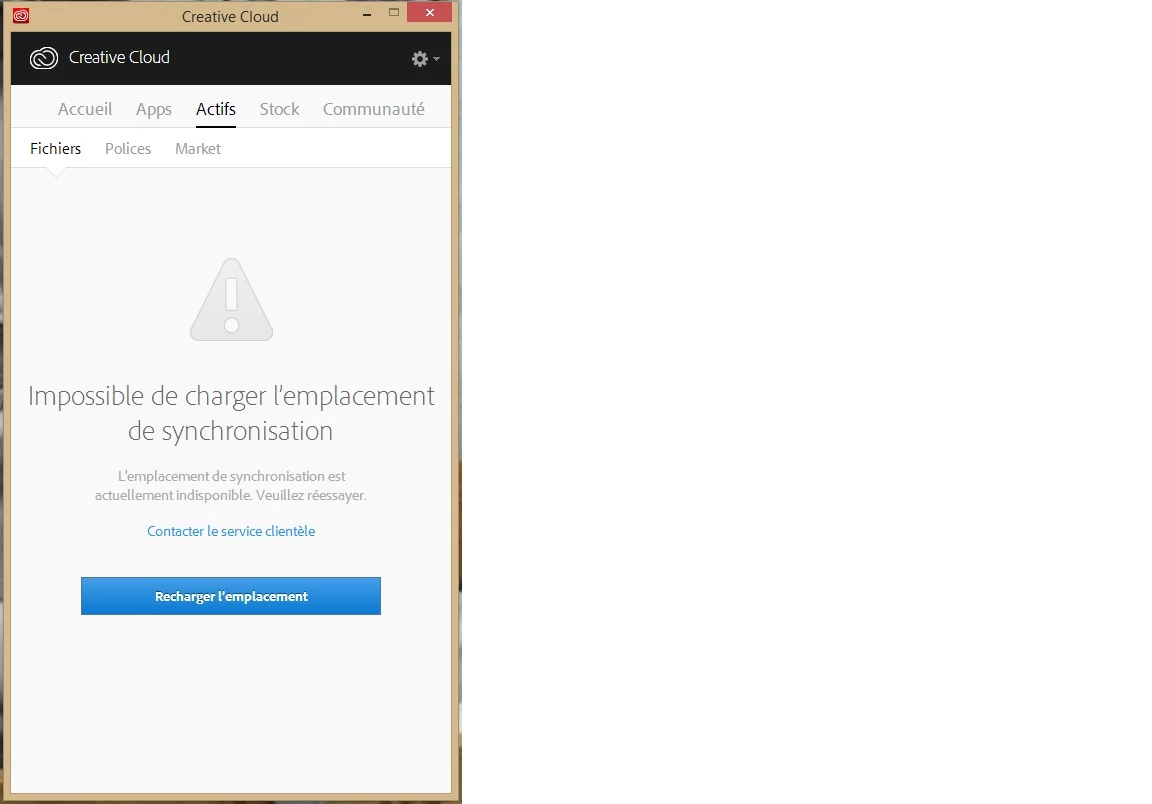
Ma question est simple : comment je fais pour modifier l'emplacement de synchronisation? J'ai beau explorer les options partout, impossible de trouver cette solution... Et l'aide en ligne ne m'a été d'aucune aide...

This topic has been closed for replies.
Correct answer Ashley Wagstaffe

Bonjour frederic godfrin!

I'm sorry but my reply is going to be in English so we can ensure that we get you working - you will be able to use the translate link on this reply.

I think that all you need to do is move the location of the Creative Cloud Files folder - is this correct?

  1. Open the CC App
  2. Select the Cog drop-down menu in the top right
  3. Select Preferences
  4. There are two menu tabs, General and "Creative Cloud" - select the "Creative Cloud" menu Tab
  5. Underneath that there are 4 menu tabs:  Apps, Files, Fonts and Behance - Select the Files menu tab
  6. You will see a "Folder Location" option, just use the drop down to change the location of the Creative Cloud Files Folder.

I hope this gets you working - if not just send a reply and we can figure out what to do next.

If you are interested in learning more there is a whole bunch of user guides available here: Creative Cloud Learn & Support

Warmest wishes,

Ashley

3 replies

Ashley WagstaffeCommunity ManagerCorrect answer
Community Manager
October 6, 2015

Bonjour frederic godfrin!

I'm sorry but my reply is going to be in English so we can ensure that we get you working - you will be able to use the translate link on this reply.

I think that all you need to do is move the location of the Creative Cloud Files folder - is this correct?

  1. Open the CC App
  2. Select the Cog drop-down menu in the top right
  3. Select Preferences
  4. There are two menu tabs, General and "Creative Cloud" - select the "Creative Cloud" menu Tab
  5. Underneath that there are 4 menu tabs:  Apps, Files, Fonts and Behance - Select the Files menu tab
  6. You will see a "Folder Location" option, just use the drop down to change the location of the Creative Cloud Files Folder.

I hope this gets you working - if not just send a reply and we can figure out what to do next.

If you are interested in learning more there is a whole bunch of user guides available here: Creative Cloud Learn & Support

Warmest wishes,

Ashley

zefamousmitch
Participant
October 6, 2015

Thank you... It was simple but nobody could say it to me!

Sheena Kaul
Community Manager
Community Manager
October 5, 2015
RahulTyagi_
Community Manager
Community Manager
August 6, 2015

Hi zefamousmitch

I'm unable to interpret the error message as it is in a different language, Can you translate it in English so that i Can help you with this issue?

Regards,

Rahul

zefamousmitch
Participant
August 8, 2015

"Impossible de charger l'emplacement de synchronisation" => unable to load synchronization folder (i think it's the good translation...)

RahulTyagi_
Community Manager
Community Manager
October 5, 2015

Hi Frederic,

Are you still facing this issue?

If yes, Please refer : https://helpx.adobe.com/creative-cloud/kb/arent-my-files-syncing.html

If this doesn't helps, I would recommend you to contact customer care regarding this issue : Contact Customer Care

Regards,
Rahul