Inspiring
Oct 30, 2021 10:12 PM UTC
Answered

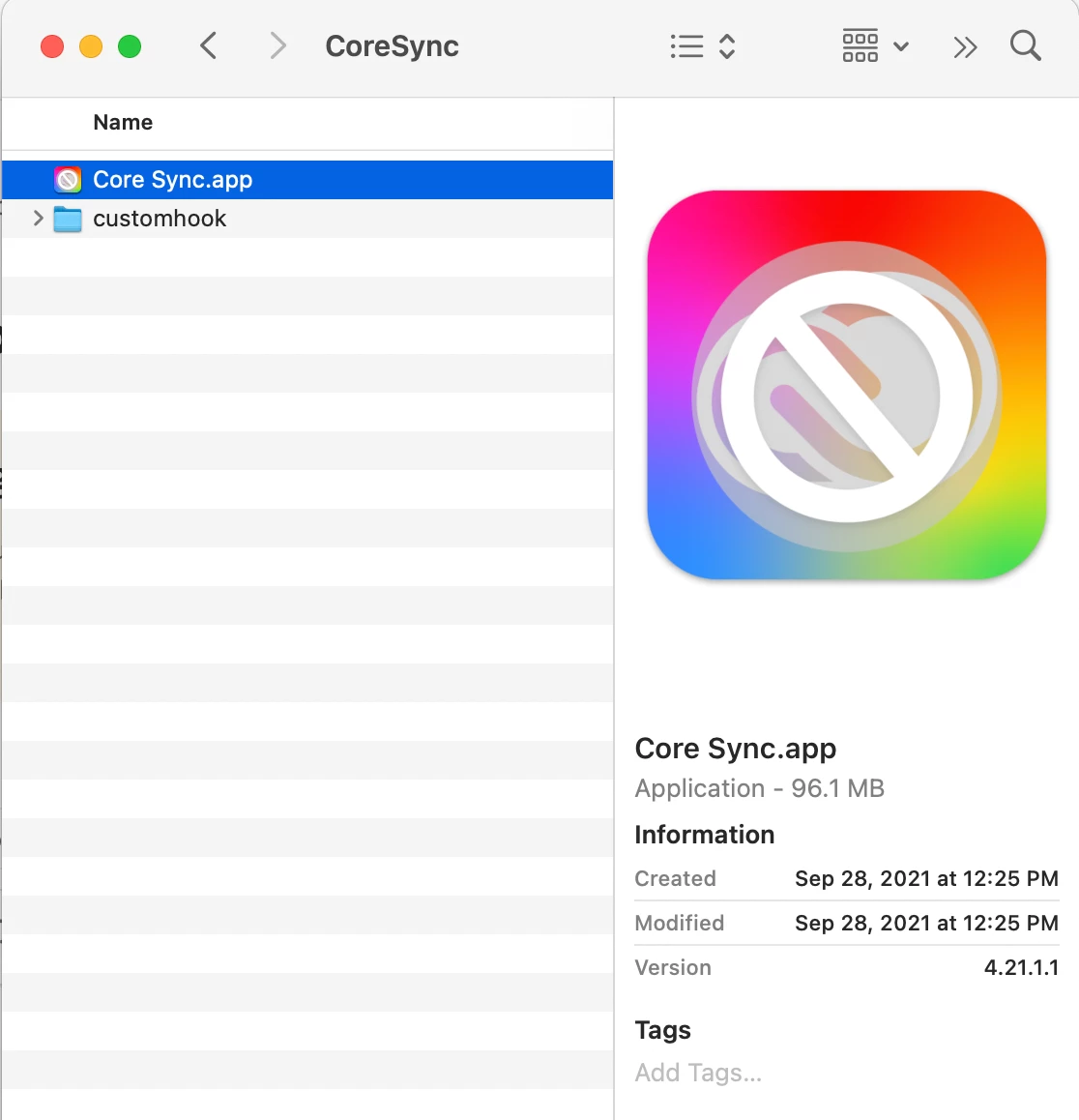
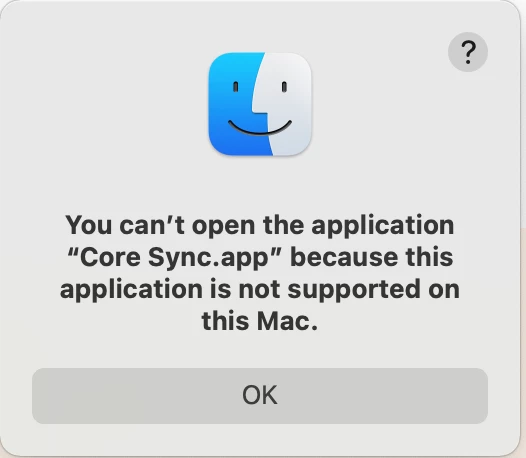
Core Sync.app is not loading on OS Monterey - The message says the app is not supported on this Mac

Delighted to get my new MacPro 16" - It's what Macs should have been 4 years ago, Still better late than never.

HOWEVER - I cant syn files and fonts with any of my Adobe Applications. On close examination I was able to establish that the Core Sync.app 4.21.1.1 does not work on the new Mac thus disabling the ability to sync fonts and files. Anyone else with this issue?


This topic is closed to new replies. Start a new post to keep the conversation going.
johnarobinsCorrect answer
Inspiring
Nov 1, 2021 1:54 PM UTC

Simple solution:
https://helpx.adobe.com/creative-cloud/help/uninstall-creative-cloud-desktop-app.html#sa_src=web-messaging

Uninstall Creative Cloud with specific M1 uninstaller available to download at the link above.

Re-install with the specific M1 installer further down in the link above. Open CC and wait a while, a message pops up requesting access for CorSync, give access and all magically works again - life is good again 😉

19 replies

Participant
Nov 15, 2021 2:47 PM UTC

I was having a similar issue which I think has occured since moving over to a new M1 Mackbbok Pro.  I suspect Apple's Migration Assistant has not helped here (despite good intentions) in that it's copied over Intel software and really this should have been resinstalled from scratch.  In the end (with some help from Adobe chat), we completely removed the CC suite and all the apps (using https://helpx.adobe.com/in/creative-cloud/kb/cc-cleaner-tool-installation-problems.html) and then reinstalled CC desktop (look for the M1 version) then the individual apps.  Worked fine after that.

Translate
kglad
Community Expert
Community Expert
Nov 15, 2021 3:32 PM UTC

using migration tools is almost always going to lead to failure with all macs and all adobe products.

Translate
Nancy OShea
Community Expert
Community Expert
Nov 3, 2021 11:50 PM UTC

Please be aware of known issues with Adobe apps on Monterey.  They are described below.

https://helpx.adobe.com/download-install/kb/macos12-monterey-known-issues.html


Good luck!


Translate
Nancy O'Shea— Product User & Community Expert
johnarobinsAuthorCorrect answer
Inspiring
Nov 1, 2021 1:54 PM UTC

Simple solution:
https://helpx.adobe.com/creative-cloud/help/uninstall-creative-cloud-desktop-app.html#sa_src=web-messaging

Uninstall Creative Cloud with specific M1 uninstaller available to download at the link above.

Re-install with the specific M1 installer further down in the link above. Open CC and wait a while, a message pops up requesting access for CorSync, give access and all magically works again - life is good again 😉

Translate
Participant
Nov 3, 2021 12:18 AM UTC

@188115 How long does it take for the CorSync pop up? I followed all instruction to uninstall and reinstall but I am not seeing the CorSync pop up and my Creative Cloud is still not syncing. I am on the new M1 Pro MacBook running Monterey. Thank you.

Translate
Inspiring
Nov 3, 2021 1:05 PM UTC

@ModSocks It only took around a 30 seconds to a minute. During that time it seemed that nothing had changed. So I was initially concerned that it had not worked. Then 3-4 alert messages poped up and as soon as I had agreed to providing access everything instantly started working again.


One other thing that I had done before hand from a previous attempt to resolve this issue, and maybe that also helped too, is that I navigated to


Library/Application Support/Adobe/CoreSync


And deleted all the .db files. Then I went through the process above. It's possible that this also contributed to the matter being resolved.


I hope that helps!

Translate
kglad
Community Expert
Community Expert
Oct 31, 2021 3:41 PM UTC

as of a few days ago that wasn't one of the known (to adobe) issues with os12, Known issues and solutions | macOS 12 Monterey (adobe.com)

Translate
Inspiring
Oct 31, 2021 3:52 PM UTC

Yes, I saw that. Adobe support was closed yesterday, When I get time I will try today or tomorrow and then update this post if I get any useful information.

Translate
kglad
Community Expert
Community Expert
Oct 31, 2021 4:14 PM UTC

sounds good.


using a browser that allows popups and cookies, contact adobe support during pst business hours by clicking here, https://helpx.adobe.com/contact.html

click contact us (= cryptic icon in the lower right)

in the chat field, type AGENT
be patient, it can take quite a while to reach a human

Translate