

CoreSync Interfering with Network
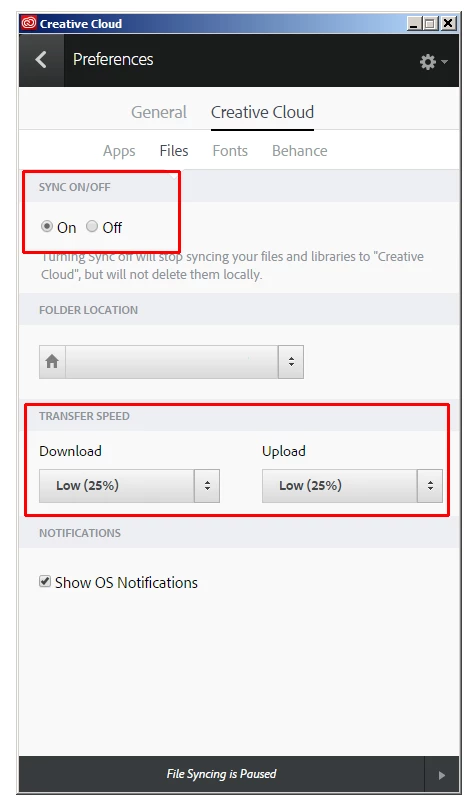
I am having problems with Core Sync clogging up my network connectivity. I have had problems on and off for months where my computer will drop my connection or will slow painfully down. I originally thought it was my ISP or my router, but have since pinpointed the problem to my computer. I have spent hours trying to isolate the problem and have finally been able to isolate it to Core Sync. While I am watching the data rate in the Wireless Diagnostics Performance window the signal will suddenly drop and then will bounce all around from top to bottom. As I watch the Activity Monitor, Core Sync will slowly creep up the list until it hits the top of the list. When I delete Core Sync the data rate returns to steady. But of course Core Sync won't quit and within a minute or two it's back creeping the up the list. I have found a couple of suggestions in dealing with Core Sync here on the forums. One was to delete the Core Sync preferences. That seemed to help for a little while, but not for long. Another suggestion was to totally delete Creative Cloud. In order for you to do that there was a list of process you had to quit in the Activity Monitor. Unfortunately, some of those will quit for only a second before they pop back up, like AdobePCBroker. It along with a couple of others will restart before I can uninstall Creative Cloud. I finally just trashed the folder and rebooted and reinstalled Creative Cloud. Some of this has seemed to help a little, but after a while it will go back to what it was doing before. Help!


 AdChoices