
desoxy76
Participant
March 2, 2021
Question

Creative Cloud App won't let me click buttons in macOS [was: iOS] Big Sur

  • March 2, 2021
  • 1 reply
  • 1133 views

Dear All


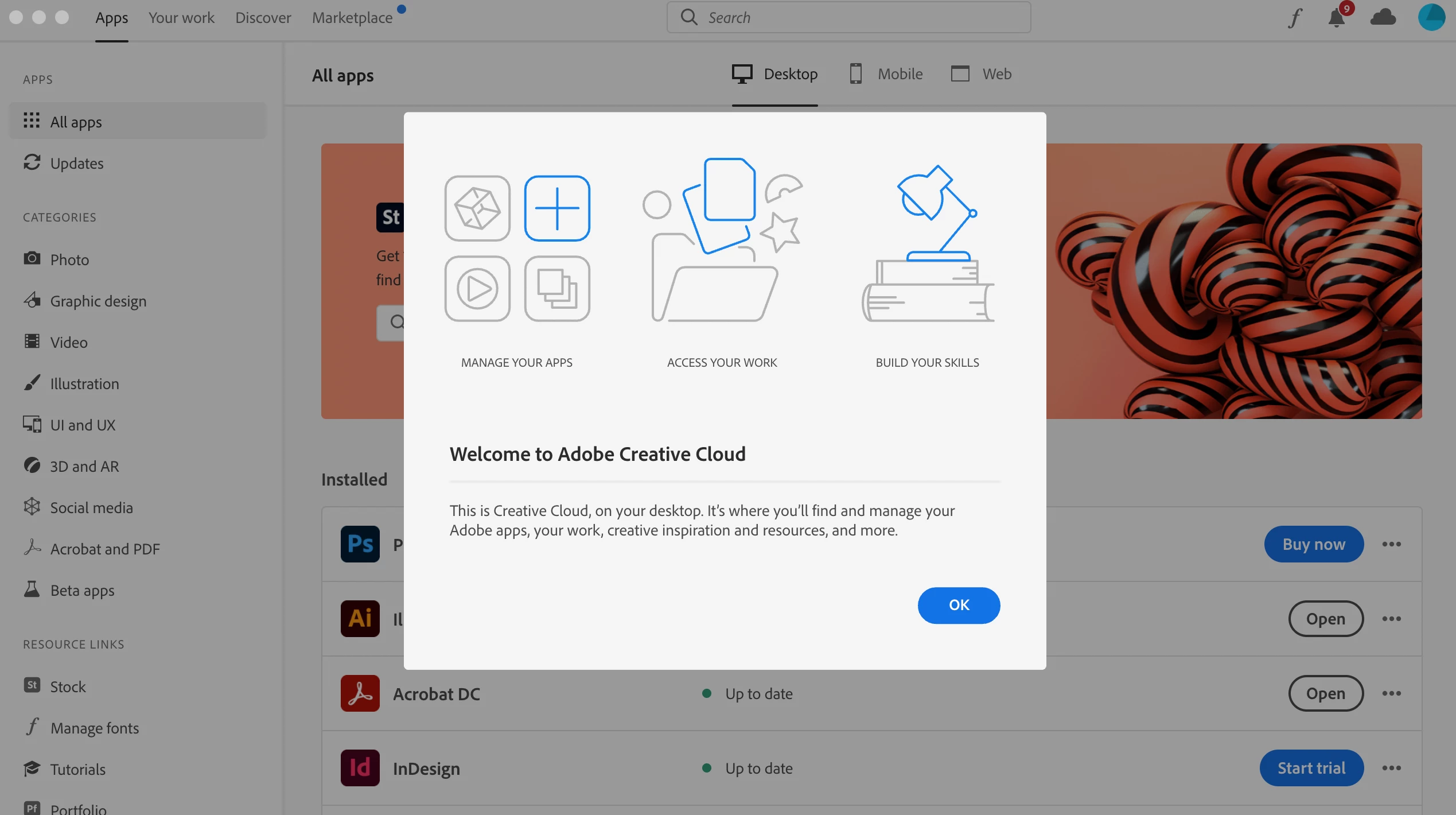
I have bought a new MacBook Pro after my 7-year-old Air was getting slow and imported all my stuff. Everything worked fine except for the Adobe products, namely my beloved Illustrator that does crash at launching (probably some plugin issue). As I unsuccessfully tried to fix my problem with Illustrator by manually uninstalling it and reinstalling, i have encountered a new, more annoying problem: When the Creative Cloud App launches, it won't let me click on any button. I have read about of the installing buttons that don't work in the app, but my app has decided that this is not enough - therefore all my buttons cannot be clicked. Life was too simple anyways....

The only thing that seems to be working is the 3 small ones from iOS on the top left corner, that are not helping much. I tried to repair the App (when I wanted to uninstall there was this suggestion), and then downloading the newest Uninstaller and reinstalled the App. Still the same thing is happening.


Can any kind soul help me on this issue? 


Any help would be appreiated and rewarded with eternal gratitude,

Cornelia


Printscreen of the App that ignores my mouse:
This topic has been closed for replies.

1 reply

Jeffrey_A_Wright
Community Manager
Community Manager
March 2, 2021

Cornella, sorry you are encountering so many problems using the new MacBook Pro.  What process did you go through when moving data from the MacBook Air to the MacBook Pro?

desoxy76
desoxy76Author
Participant
March 3, 2021

Hey Jeff


Thank you for your reply. I did the transfer via migration assistent by wlan from my old mac. My partner has told me there was a problem with the migration with 2 files, maybe it was for the adobe products...


Does this help?


Regrads, Cornelia


Jeffrey_A_Wright
Community Manager
Community Manager
March 3, 2021

Thanks, Cornelia, this is what I expected. In the future, please do not transfer applications from a computer via the migration assistant or by copying the files from one computer. It often leaves the new computer in an unexpected state with either missing files or incorrect file permissions assigned to the files.  Instead, focus on transferring any documents or files to the new computer and then reinstall any necessary applications directly.


You may be able to recover by following the process listed in https://helpx.adobe.com/creative-cloud/help/uninstall-remove-app.html to remove all Adobe applications that are currently installed on the computer.  Once any available uninstallers have been run, or you have attempted to run them, you can then download and run the CC Cleaner Tool from https://helpx.adobe.com/creative-cloud/kb/cc-cleaner-tool-installation-problems.html.


Once everything has been removed, you can use the process in https://helpx.adobe.com/creative-cloud/help/download-install-app.html to reinstall any required applications.


Please update this public forum discussion if you have any additional questions, Cornelia.