

Answered
Creative Cloud assets syncing too slowly. Help!
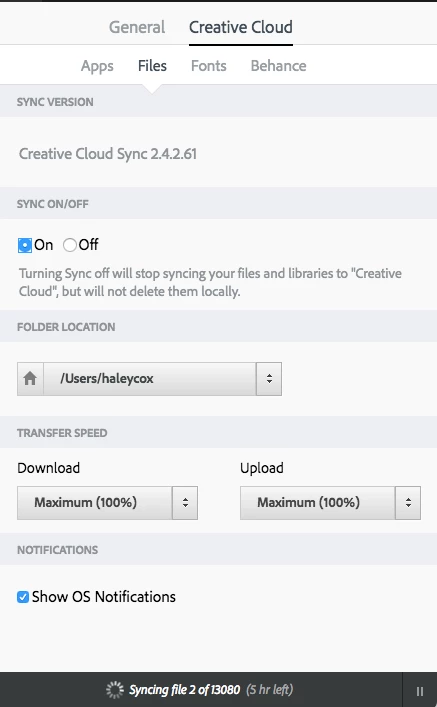
For the past 2 months, my Creative Cloud account, that I share with 2 other coworkers, has not been syncing on my desktop. It continuously syncs 2 of 1300 files every day. All day. Never changes. My coworkers have no issue viewing each others files, yet I do. They can never view or access my files. I am able to view all files on the CC asset browser, but not on the desktop. Below are the references my CC is currently set at. I have uninstalled, reinstalled, forced quit, and restarted. Nothing helped. Any ideas on the issue?


 AdChoices