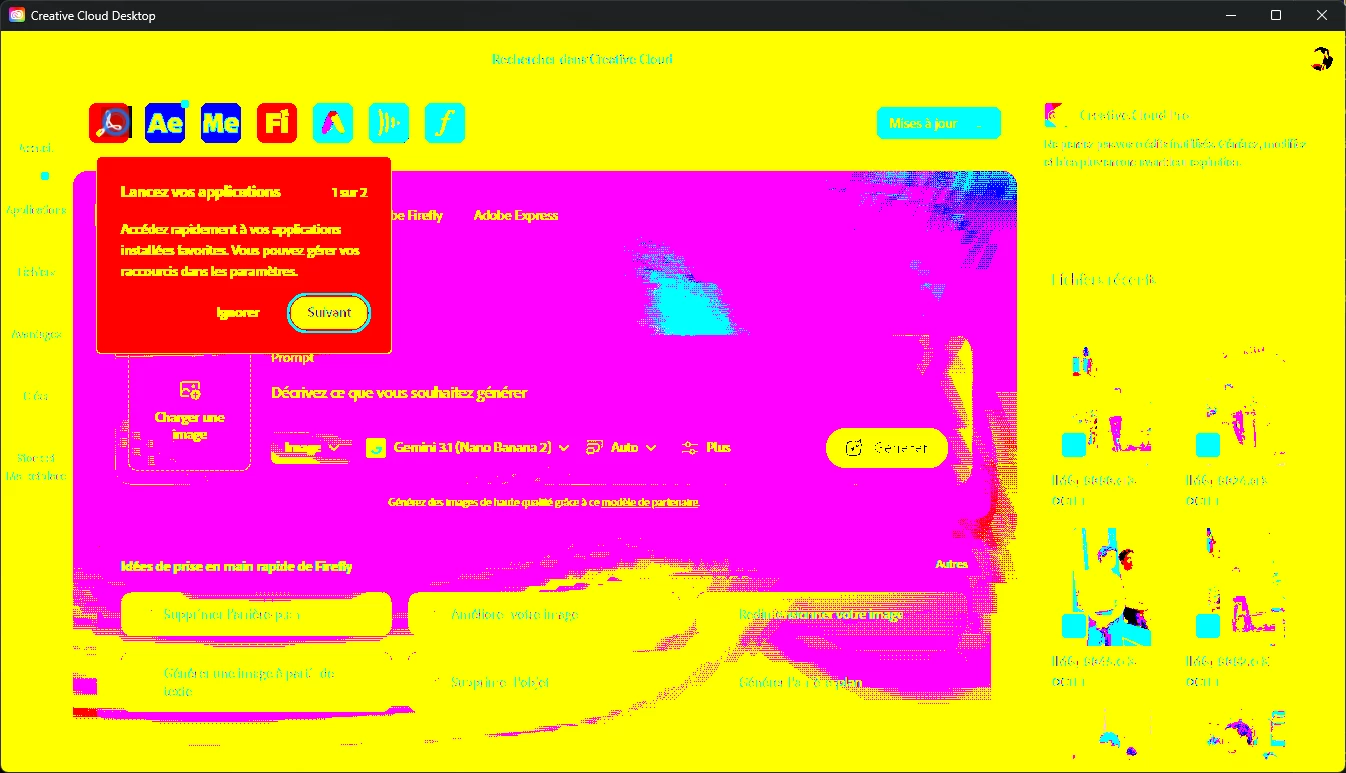
Lorsque je lance Creative Cloud la fenêtre change de couleur de cette façon, la page clignote et quand j’essaie de cliquer pour faire les mises à jour rien ne se passe, sans compter que dans la rubrique “Afficher les icônes cachées” je n’arrive pas à faire de clique droit pour éteindre et rallumer ! Une idée d’où cela peut provenir ?
I can understand how frustrating this is, especially since updating the graphics driver made the problem worse. Thanks to Kglad as well for the suggestion and for helping troubleshoot this.
Can you confirm whether the flashing/color change and unresponsive behavior occur only in the Creative Cloud desktop app, or whether you see similar display issues in Photoshop, Illustrator, or any of your other desktop apps?
You can also try the Creative Cloud Diagnostics tool, which may help identify an issue affecting Creative Cloud:



 AdChoices