


Answered
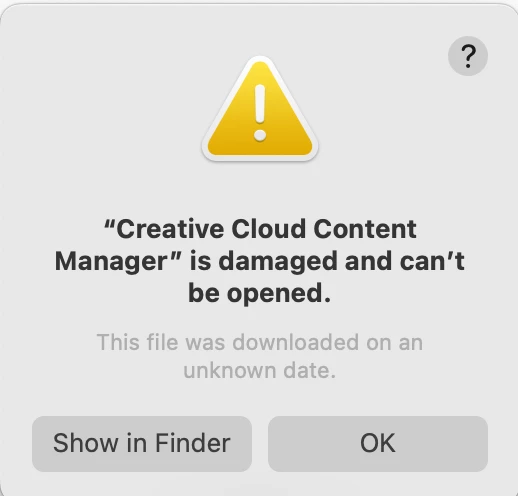
Creative Cloud Content Manager is damaged
Hi there
I came across this issue of the Creative Cloud Content Manager "is damaged" error message after I updated my macOS to Sequoia. I saw the other post that has the same issue and uninstalled and reinstalled the Creative Cloud and apps, but it still keeps showing up whenever I do a move on any Adobe software (like opening the app, opening a file, or any clicks on the software; the error message keeps popping up.
I'm wondering how I can solve this issue, as I've already uninstalled and reinstalled everything and restarted my laptop. Really stuck here. Please, if anyone knows how I can solve this issue would be really grateful!
The Creative Cloud Content Manager is under Adobe Creative Cloud Experience > CCXProcess.
Best,
Karen
 AdChoices