
jsilvestr
Participant
July 20, 2017
Answered

Creative Cloud Core Sync - has stopped working

  • July 20, 2017
  • 1 reply
  • 3921 views

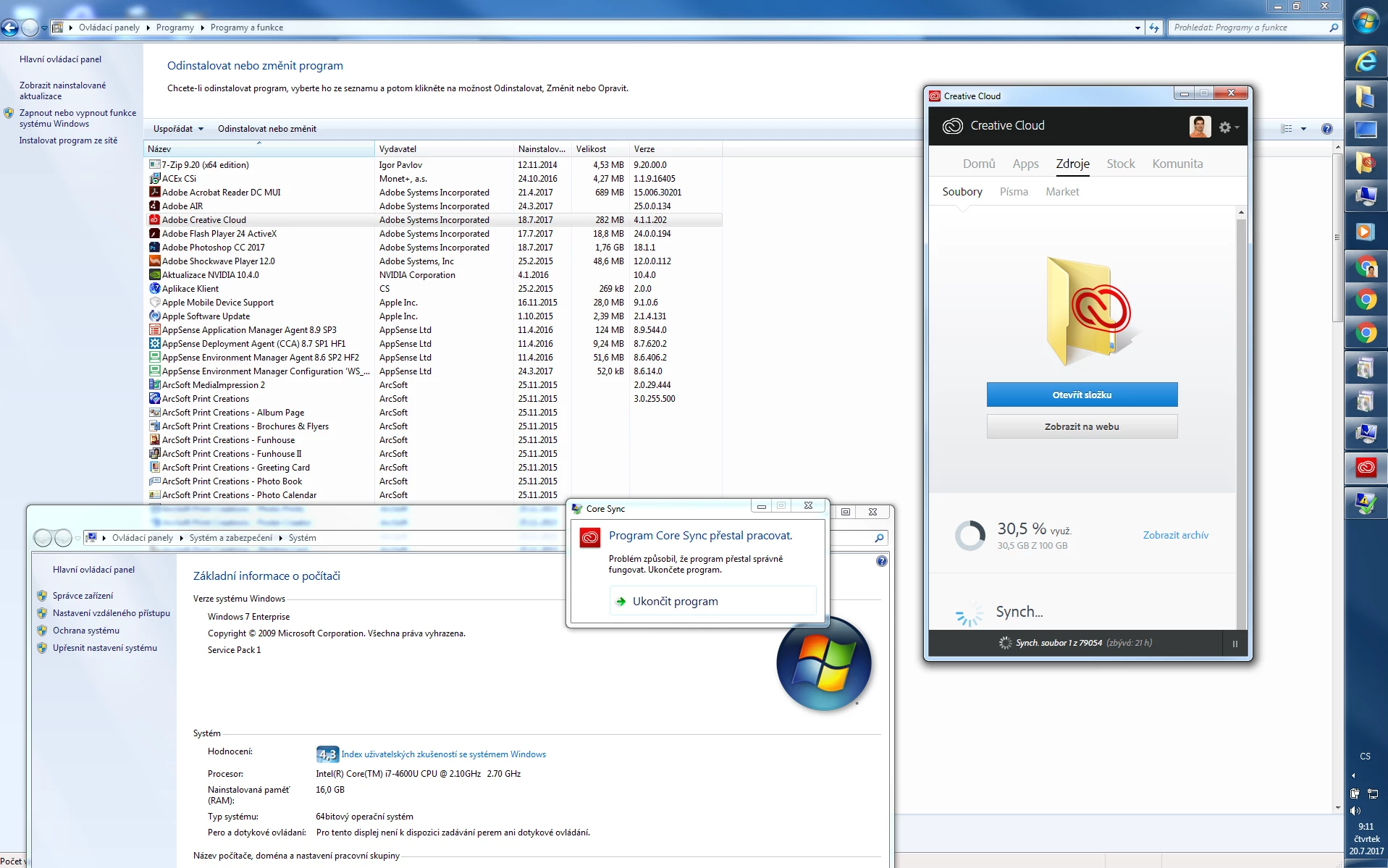
Hi, I am running my Adobe Creative Cloud (4.1.1.202) on Windows 7 (SP1) on our corporate network. Since few days ago I am really disturbed (every 1 or 2 minutes) by Windows pop up that "Program Core Sync has stopped working". We (me and guys from our corporate helpdesk) have tried to uninstall CC, repair it and also create new Windows user profile... any of previous didn't fix the issue. Yesterday I tried to log in with my CC account on my colleagues computer and the same issue appeared. Now I am convinced the issue appears because of a file (or various files) I have stored on my Creative Cloud. Probably because of this Core Sync crashes....

@10545403 from Adobe support:

1) How can I solve this problem?

2) How can I find out which file may be causing this?

Thank you for your response.

I attach screen of my computer (Czech localization)
This topic has been closed for replies.
Correct answer Ramesh_Encore

HI jsilvestr,

You may need to try the sync operation with a lesser quantity of files and you will get to know when and for while files you are getting the error.

Regards

Himanshu


Hi jsilvestr,

As you mentioned you have creative cloud 4.1.1.202 on your Win 7 machine. Could you please let me know if you happen to have any ".xd" file in your "Creative Cloud Files" folder?

Creative cloud has release an update after this one and you should try that update which has some Windows 7 specific fixes regarding sync functionality.

Regards,

Ramesh.

1 reply

Adobe Employee
July 20, 2017

Hi jsilvestr,

Please refer the below links for sync issues.

Adobe Creative Cloud File Sync | Known issues

Error: "Unable to sync files" to the Adobe Creative Cloud

Adobe Creative Cloud Core Sync crashes every minute after update

Also, I would like to inform you that one of the basic reasons for this issue could be that your files include some special characters which are not sync supported.

You may also try replacing all the files from your Creative Cloud files location to another location and then move them back to the cloud location directory in your machine and then sync the files.

Regards

Himanshu

jsilvestr
jsilvestrAuthor
Participant
July 20, 2017

I have 30 GB of data on my CC... Is there any other way how to find out which file may be causing the issue?

Adobe Employee
July 20, 2017

HI jsilvestr,

You may need to try the sync operation with a lesser quantity of files and you will get to know when and for while files you are getting the error.

Regards

Himanshu