
Participant
May 28, 2023
Question

Creative Cloud deinstallieren Fehlermeldung

  • May 28, 2023
  • 1 reply
  • 391 views

Beim Versuch die App zu deinstallisieren kommt folgende Fehlermeldung:
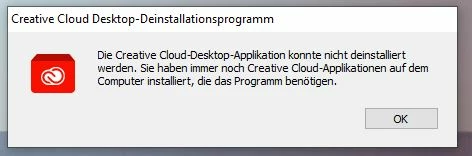
Tatsächlich ist noch eine Applikation installiert. Siehe Bild.
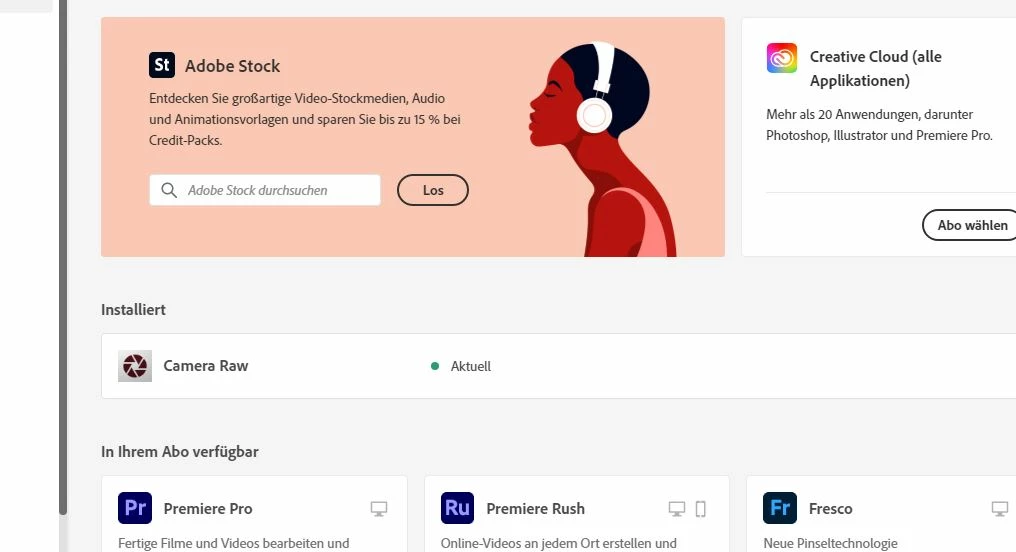
 

Camera RAW.

Hier giebt es aber keinen Button zur deinstallation wie bei allen anderen App's


Wie kann ich jetzt die Creativ Cloud deinstallieren?

Danke für die Hilfe


Freundliche Grüße an alle

This topic has been closed for replies.

1 reply

kglad
Community Expert
Community Expert
May 28, 2023

camera raw is just a plug-in so you can just delete it.  for windows it's at, C:\Program Files\Common Files\Adobe\Plug-Ins\CC\File Formats\


then uninstall the cc desktop app, again using the correct uninstaller per https://helpx.adobe.com/creative-cloud/help/uninstall-creative-cloud-desktop-app.html#sa_src=web-messaging

clean your computer of cc files per http://www.adobe.com/support/contact/cscleanertool.html

Participant
May 28, 2023

Thanks very much! It worked great.

kglad
Community Expert
Community Expert
May 28, 2023

you're welcome