
Svenningsens
Participating Frequently
April 8, 2015
Question

Creative Cloud desktop app sync

  • April 8, 2015
  • 2 replies
  • 1054 views

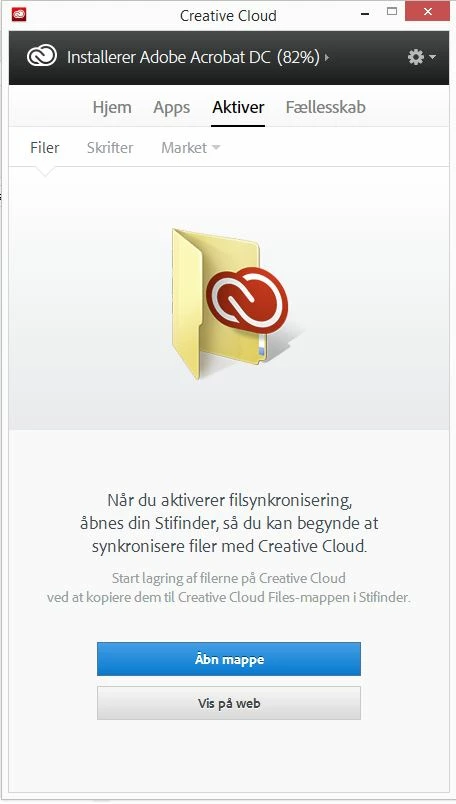
just updated the Creative Cloud desktop app and now it wont sync my files.

I tried to delete the whole package and re-install, but with no luck. And i tried to rename the CoreSync folder and delte the .db in \AppData\Local\Adobe\OOBE

I'm on win8.1 - DK

What to do??
This topic has been closed for replies.

2 replies

Svenningsens
Participating Frequently
April 13, 2015

Hi,

i already re-installed twice. No luck..

wharress
Participating Frequently
April 13, 2015

Did you "Uninstall" before trying to reinstall? In your first post you mention that you deleted the whole package?, this is not the correct uninstall method. Can you confirm what you have done to uninstall?

Svenningsens
Participating Frequently
April 13, 2015

I uninstalled, from add-remove programs.

Sheena Kaul
Legend
April 8, 2015

Hi Nicolai,

Please refer to the help document below:

Error: "Unable to sync files"

Regards,

Sheena

Svenningsens
Participating Frequently
April 8, 2015

Hi Sheena,

Already tried that.. I Dont have the "Creative cloud" when i right-click..

And i all worked before the update.

wharress
Participating Frequently
April 9, 2015

Hi,

This sounds like you need to uninstall Creative Cloud and start again with a fresh install. I don't recommend removing folder such as OOBE or renaming db files, this could have contributed to the issue your seeing.

Thanks

Warner