


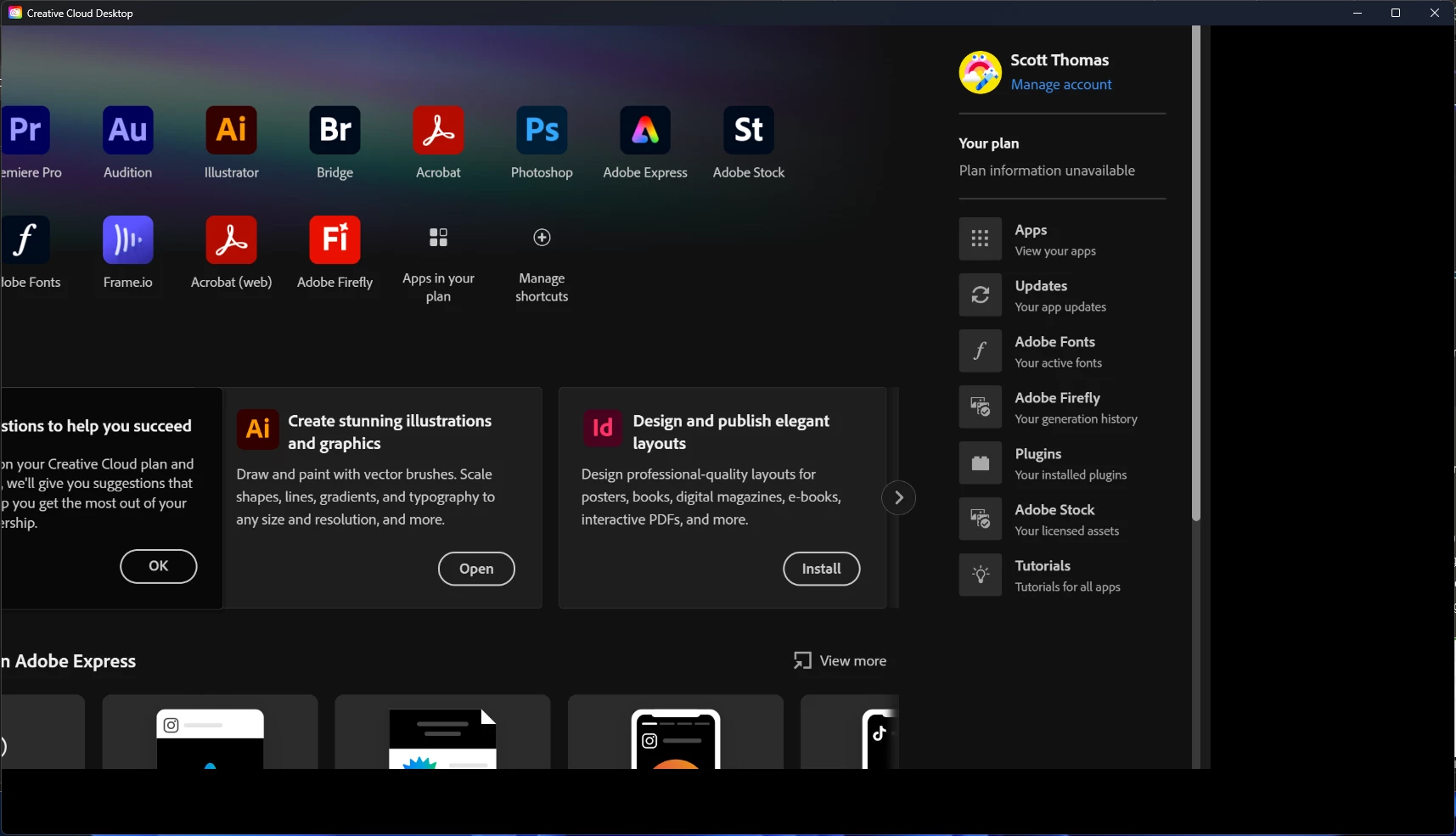
Creative Cloud Desktop – Black Bar on Right, UI Cut Off, Cannot Click Anything
I’m experiencing a major issue with the Creative Cloud Desktop app on Windows. The interface shows a giant black bar on the right-hand side, and information is cut off on the left. None of the buttons or links in the interface are clickable.
Steps I’ve taken so far:
Uninstalled all Adobe apps and reinstalled Creative Cloud.
Ran the Creative Cloud Cleaner Tool.
Deleted opm.db and cleared the %localappdata%\Adobe\OOBE folder.
Cleared the %appdata%\Adobe\Creative Cloud Libraries folder.
Used Ctrl+Alt+R to hard reset the app.
Quit all Adobe processes (Creative Cloud, CoreSync, CCXProcess, etc.) and relaunched.
Adjusted Windows display scaling (100% and 125%).
Toggled GPU acceleration in Preferences (when I could access it).
Unfortunately, the issue persists — the app window still has a black bar on the right, UI elements are cut off, and nothing in the interface responds to clicks.
System details:
Windows 10 (64-bit) [or 11, whichever applies]
Latest Creative Cloud Desktop version (fresh install)
All Adobe apps currently uninstalled while troubleshooting
Has anyone else run into this issue, or does Adobe have a known fix? At this point the app is unusable and
I can’t manage my subscriptions or install software.
Thanks in advance for any help,
 AdChoices