
Inspiring
September 6, 2022
Question

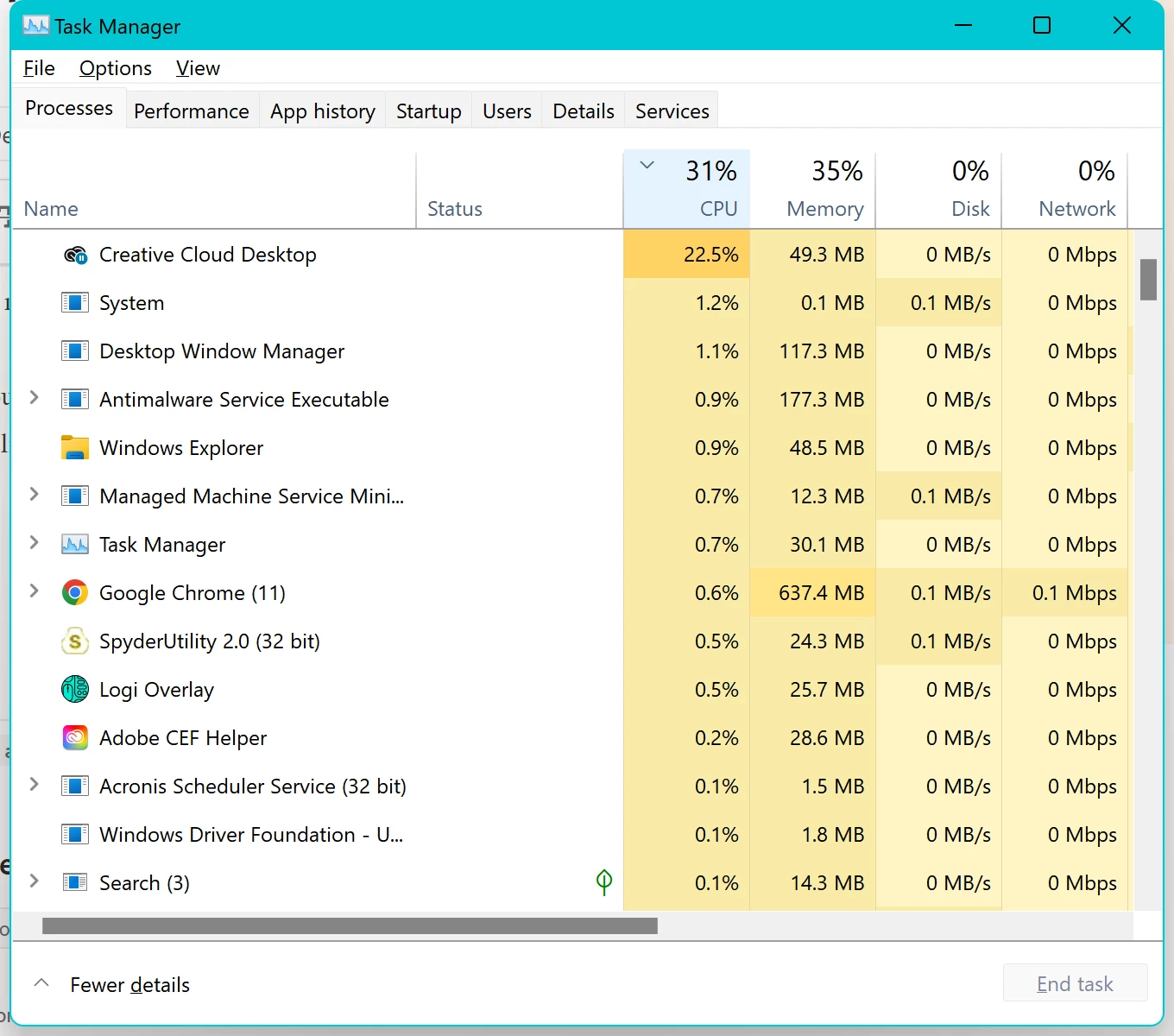
Creative Cloud Desktop is killing my laptop

  • September 6, 2022
  • 1 reply
  • 553 views

For some time my laptop, Surface Book 2 Win11, has been running hot and the fan going at full throttle. 


It seems as though the culprit is the Creative Cloud Desktop app. It's consistenly using ~20-25% of the CPU. When I right-click and choose End Task, the fan slows down to a normal speed and the unit cools to a normal temperature. It prevents the computer from going into Sleep Mode as it continues to run even after the screen is closed. Other than ending it via Task Manager, the only thing that will allow the laptop to sleep is pressing the Power button.


Is there anything that can be done about this?


Useful thoughts appreciated.


Thank you.
 

This topic has been closed for replies.

1 reply

Tarun Saini
Community Manager
Community Manager
September 6, 2022

Hi @PhotogCda,


We're sorry to hear about your difficulties. Would you mind sharing the version of the Creative Cloud Desktop app you're using? Since when have you been seeing this issue? Did you try uninstalling and reinstalling the Creative Cloud Desktop app to check if that makes any difference?


Here is the link to uninstall the app: https://helpx.adobe.com/in/creative-cloud/kb/cc-cleaner-tool-installation-problems.html

To download the app, click on this link: https://helpx.adobe.com/in/download-install/kb/creative-cloud-desktop-app-download.html


Let us know if that helps.


Regards,

Tarun