brandont37347958
Participant
August 23, 2018
Question

Creative Cloud Desktop isn't syncing files and fonts

  • August 23, 2018
  • 3 replies
  • 2322 views

My company uses Creative Cloud to sync a large volume of media between perhaps 4 or 5 different computers (running Windows 10). Recently I've run into a problem where CC seems to "load" endlessly, never actually synchronizing files or fonts. See images below:
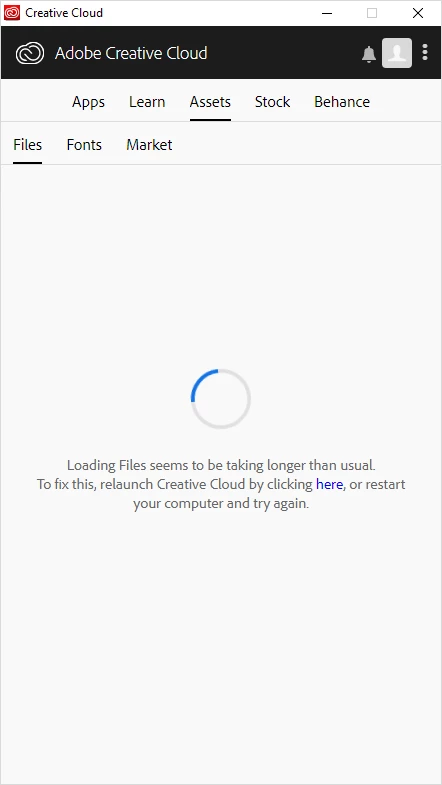

I've tried all sorts of things:

  • Stopping all CC tasks and restarting
  • Rebooting the computer
  • Completely uninstalling and reinstalling the app
  • I've read about deleting files in a folder found in AppData, but that folder doesn't seem to exist on my system.
  • I can't attempt to turn sync on/off since those options are grayed out (see below)
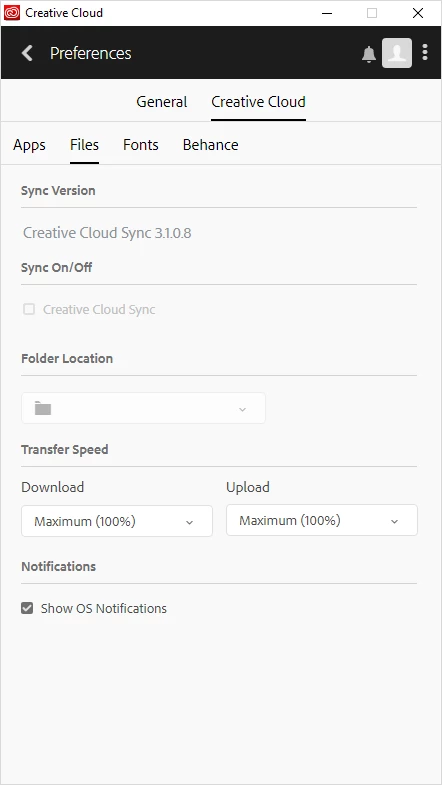
Files show up fine online at assets.adobe.com, it just seems to be my system. Note: I'm using a roaming profile with folder redirection enabled, but it's set to exclude Creative Cloud files. Other users seem unaffected, so it has to be something to do with my profile I would think. But where do I troubleshoot next?

This topic has been closed for replies.

3 replies

David__B
Adobe Employee
Adobe Employee
August 24, 2018
brandont37347958
Participant
August 23, 2018

I've verified that this is just applying to my account. I swapped over to a different profile on the same computer I've been having problems with, and Adobe programs worked just fine (they've started freezing on my own profile). So definitely a profile issue somehow..

David__B
Adobe Employee
Adobe Employee
August 24, 2018

Hi Brandon,

Sorry to hear about your difficulties. I agree, it sounds like some the permissions are damaged or have become set incorrectly for your profile somehow along the way. Generally reinstalling corrects this issue. If it doesn't, it generally means they must be fixed manually (OS issue) or you should consider migrating to a different profile. We have this article which may help: Troubleshoot unexpected behavior in specific user account

Although migrating profiles can be a little inconvenient, it's generally the best solution. I'd recommend going through the solutions in the article in order and see how it goes.

Best,

- Dave

brandont37347958
Participant
August 27, 2018

I've done a lot of tinkering around since posting and I believe I found out the root cause of the issue as well as the fix. For starters, I was looking in the wrong directory for the CoreSync files that another forum had suggested deleting. Deleting them was a pain - in the end I needed to make sure I was signed out of all computers but one, end all CC processes, AND use an unlocker application to forcefully delete them. After doing this, CC ran perfectly on that system and continues to do so.

Sadly, CC still hangs up on the other computer I frequently use. I believe this is because I failed to sign out of the other computer before making the switch, so I just need to delete CoreSync files again and remember to completely sign out before swapping computers.

Kanikas
Community Manager
Community Manager
August 23, 2018