


Answered
Creative Cloud doesn't recognise that programs are installed already
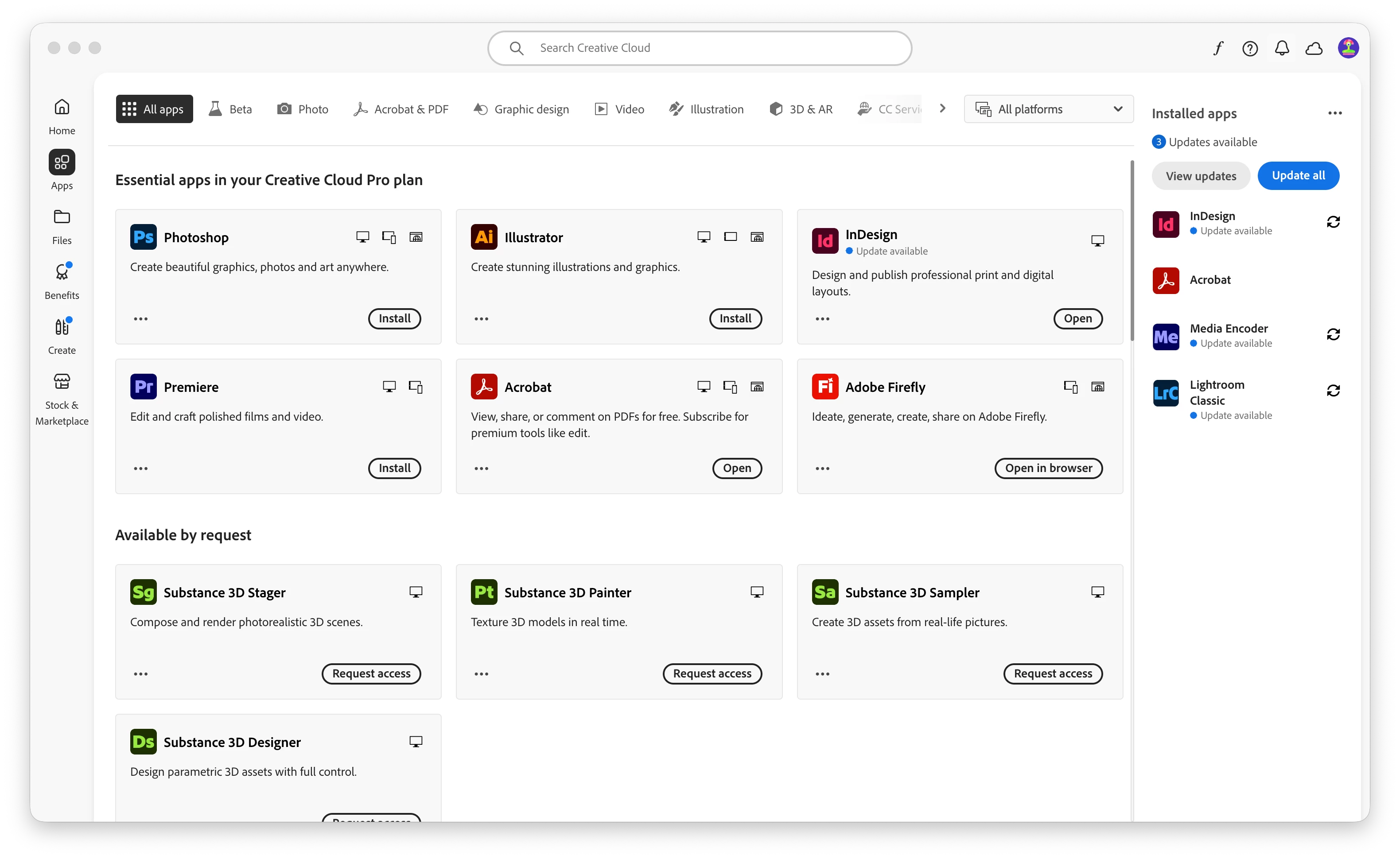
I’ve got an issue where Creative Cloud doesn’t recognise that I have Photoshop and Illustrator already installed on my Mac. The programs run fine by themselves, there is no issue there but because Creative Cloud isn’t recognising them it means I cannot perform any updates. When I look in the updates section, each program shows a button to ‘Install’ them.
A couple of months ago I had the same issue, when I clicked ‘Install’ on both programs, all of my settings and workspaces were deleted. I can’t waste time again by rebuilding these, so I need the app to recognise that I already have them installed.
I’m using Apple Tahoe 26.6.2, Creative Cloud 6.10.0.252.41, Illustrator 30.5.1 and Photoshop 27.4.0.

 AdChoices