

Creative Cloud File Syncing slowing Windows Explorer
I have been dealing with this issue since early 2018 (March-ish). I've been able to duplicate this issue on multiple computers on different networks.
The Problem:
When I resume syncing in Creative Cloud (CC), Windows Explorer (WE) becomes extremely sluggish and slow to respond. Navigating through windows is slow and daunting while sync is going. WE goes through this process of loading folder contents every time I try to navigate to another folder. The quick access bar on the left doesn't even load properly. Icons in folders (even folder icons themselves) do not display correctly. They are just invisible spaces where the icons should be but nothing is there. I have to stop file syncing, quite CC, and restart WE in order for it to be possible to navigate through folders again. I have been forced to let file sync go over night and disable it during the day when I'm trying to work. As you can imagine this is not efficient and I believe the program should not have these issues as working while CC sync is active was not an issue before. I have waited this long to report the issue because I'm fed up with the problem and have been waiting patiently for a solution to come up but none has surfaced that I could find.
Current Setup:
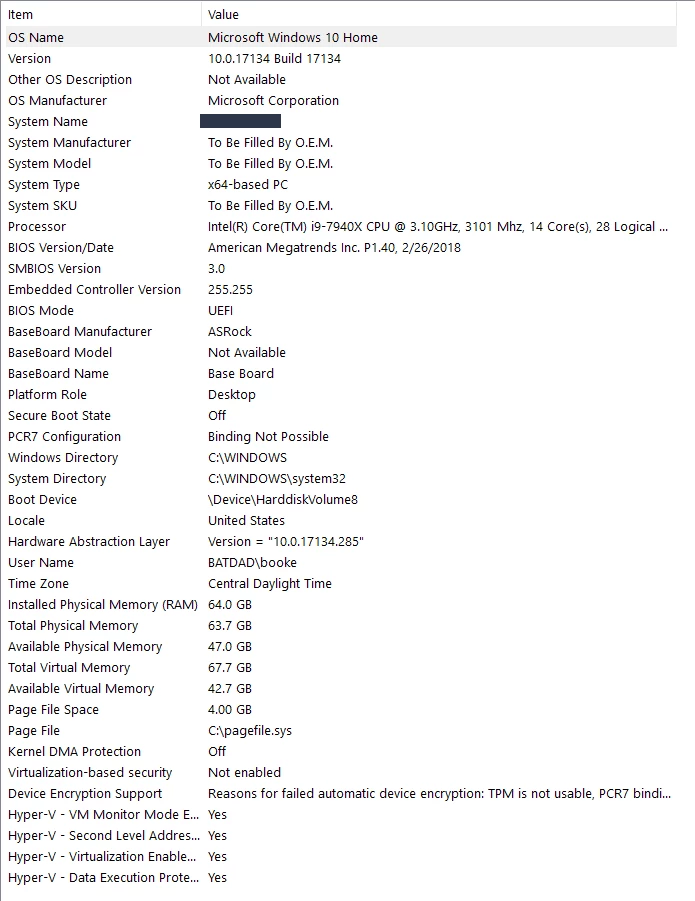
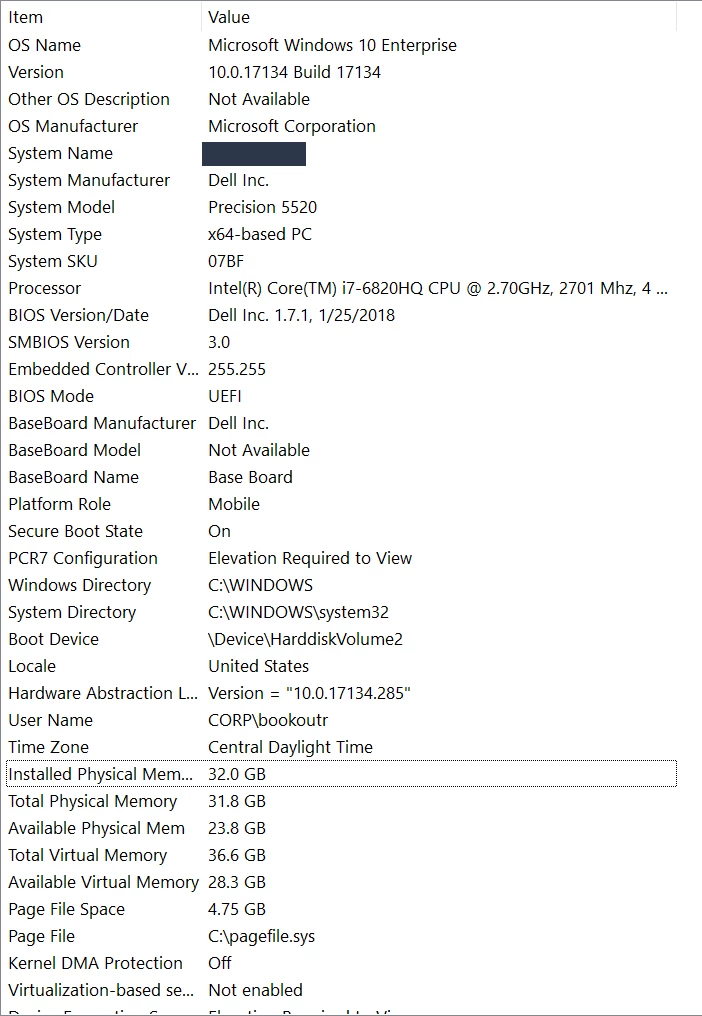
Currently I have a Windows 10 custom built system and I have a company laptop (Windows 10). Both are on the same home network and I have both set syncing to creative cloud. I do my work on my custom PC.Once work has been finalized and synced through creative cloud, I upload my work files to my work server via my company laptop. I have Gigabyte internet. I really don't think it's my network because I had the same issue in my office building when syncing from a company desktop to CC and to my desktop at home. Nobody else I know uses CC the way I do so I don't know others with the same issue. All I know is that it was working before early 2018 with basically the same set up.
System Info:
Custom PC:
Company Laptop:
Please let me know if you need any further information.


 AdChoices