Participant
September 21, 2022
Question

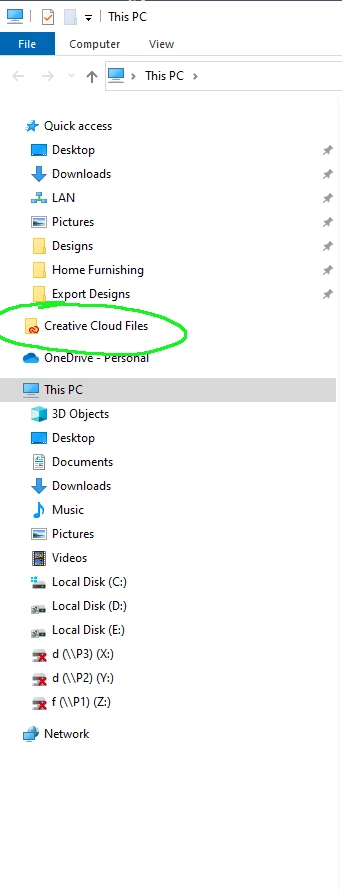
Creative Cloud Files Folder not disapearing after logout.
  • September 21, 2022
  • 1 reply
  • 248 views

Creative Cloud Files Folder not disapearing after logout.

This topic has been closed for replies.

1 reply

Tarun Saini
Community Manager
Community Manager
September 21, 2022

Hi there,


Thanks for reaching out. Please check this community link and try the steps mentioned in it:- https://community.adobe.com/t5/creative-cloud-services-discussions/locked-how-do-i-remove-the-creative-cloud-files-folder-from-my-pc/td-p/7293612


Let us know if that helps.


Regards,

Tarun

Participant
September 22, 2022

Hi vishal here,

Thanks for you Support. 

I had already tried all the processes; but did'nt worked. 

I want simple procedures, when i login the Creative Cloud file folder should appear; and when i logout the Creative Cloud file folder should disappear.


Tarun Saini
Community Manager
Community Manager
September 22, 2022

Hi Vishal,


Thanks for your response. The feature you're referring to isn't available. Have you tried this link:- https://helpx.adobe.com/creative-cloud/kb/remove-cc-files-folder-shortcut-navigation-panel.html


You can either remove the folder through the link I have shared above, or it will appear under the quick access panel.
