


Participating Frequently
April 26, 2019
Question

Creative cloud files not syncing properly

  • April 26, 2019
  • 2 replies
  • 3533 views

My team and I have recently started to use Creative Cloud files so we can collaborate and share files easier, but I've noticed that they aren't syncing properly.

I uploaded and shared an XD file with one of my colleagues giving them access to view and edit. They can receive my updates and make changes accordingly, but I can't get any of theirs - I can see the file is modified online, but my desktop app won't sync their changes. My desktop version still shows it was last modified yesterday whereas online it recognises changes were made this morning.
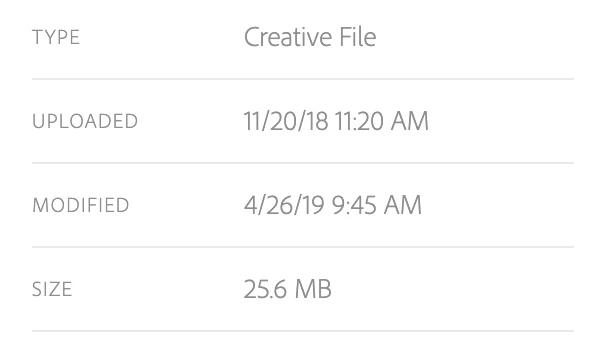

I've logged out of CC, changed networks, closed Google drive, so far nothing has helped.

How can this be fixed?

This topic has been closed for replies.

2 replies

Participating Frequently
November 18, 2019

I am having the same exact issue. The files were saved to the cloud. I opened them on another computer and made changes, then saved the file back to the cloud. It shows on the "web" assets.acrobat but it won't sync to my desktop. It says all files are up to date...but clearly they are not. HELP!!

Participant
July 18, 2019

I'm facing the same issue as well.

So far, I'm getting around this by renaming the affected file and let CC sync the latest copy of that file from the cloud.

But it's getting annoying to keep doing this, hopefully this can be improved.

Participating Frequently
July 18, 2019

Yeah, that is exactly what I have been doing... giving them new names with the date/time.

Anki_AG_
Adobe Employee
Adobe Employee
July 19, 2019

Hi,


Thanks for reporting the issue. It would be great if you can share logs from your system with us. To do so, please download log collector tool and run it to collect the logs. On running this tool a zip file will get created on Desktop. While sharing the logs please do mention the name of the file and approximate time when this issue is happening. Please share the logs with us at anki<at>adobe<dot>com.

Log Collector Tool


Thanks,

Ankit | Adobe