



Kevin Stohlmeyer
Community Expert
Community Expert
Jan 27, 2021 7:49 PM UTC
Answered

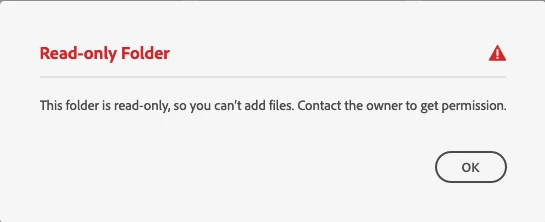
Creative Cloud folders locked

Suddenly within the past hour, all my Creative Cloud folders are showing as read-only and I need to contact the owner for access. I can't add any files to my existing CC folders.

Tried logging out and back in, clearing caches and nothing is working.
This topic is closed to new replies. Start a new post to keep the conversation going.
Kevin Stohlmeyer
Kevin StohlmeyerCorrect answer
Community Expert
Jan 27, 2021 9:44 PM UTC

Update - I went back in to the same folder and it is now working.

3 replies

Nancy OShea
Community Expert
Community Expert
Jan 27, 2021 9:26 PM UTC

Hi @Kevin Stohlmeyer,

Can you log-in to your Adobe account to confirm your plan is active?

https://account.adobe.com/plans


Which operating system do you have?


Translate
Nancy O'Shea— Product User & Community Expert
Kevin Stohlmeyer
Community Expert
Community Expert
Jan 27, 2021 9:43 PM UTC

Im on Mac Catalina, but this is the cloud instance of my folders. Yes my CC is still active and this was working earlier today.

Translate