This topic has been closed for replies.
Correct answer David__B

Hi Sivey,

Thanks for the screen shot and additional information.

I'm not familiar with Carbonite so looked it up on the web and it looks like some kind of backup utility. I wondered if the issue might be related to how the Carbonite software are interacting file sync within the Creative Cloud app and if the two might possibly be interfering with the others operation.

File sync is a feature built into the Creative Cloud app that automatically uploads any files within the Creative Cloud Files folder into the Creative Cloud cloud storage (similar to Dropbox). It keeps the content within the local folder and online folder synchronized. Are you using file sync on your system? You can check whether its turned on from the Creative Cloud app preferences.
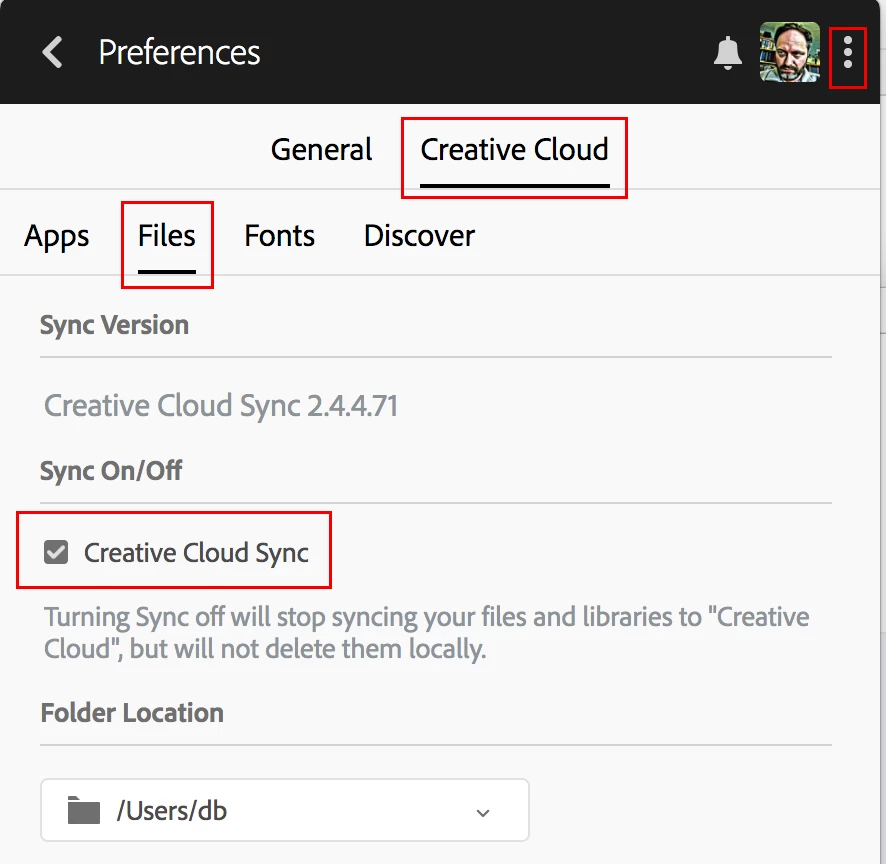
I also wondered if you had changed the location of the Creative Cloud files folder. In your screenshot it was pointing to the D: drive in a folder named DATA. If this is the backup being created by the Carbonite software, the delay may be related to settings within that software or interference from file sync. Typically the Creative Cloud files folder is located at C:\Users\<your user folder>

You might try turning off file sync or Carbonite and see if that helps as a test.

Hopefully this all makes sense and is helpful.

- Dave

1 reply

David__B
Adobe Employee
Adobe Employee
February 22, 2018

Hi Sivey,

Could you share a screen shot of this? I want to ensure I understand what you mean.

Thanks,

- Dave

sivey@pdxAuthor
Inspiring
February 23, 2018

You are very kind to reply - I love all the Adobe volunteers!

1 - I now see that the "Date modified" has now updated from Feb. 10 to today. Not sure what I did to make that happen.

2 - I suspect that the tiny red dot may be Carbonite. And perhaps the red or orange swirl that I see at quick access is always there.

3 - Am trying to figure out how and why various edits that I make to my document seem to slip away.

David__B
Adobe Employee
David__BCorrect answer
Adobe Employee
February 23, 2018

Hi Sivey,

Thanks for the screen shot and additional information.

I'm not familiar with Carbonite so looked it up on the web and it looks like some kind of backup utility. I wondered if the issue might be related to how the Carbonite software are interacting file sync within the Creative Cloud app and if the two might possibly be interfering with the others operation.

File sync is a feature built into the Creative Cloud app that automatically uploads any files within the Creative Cloud Files folder into the Creative Cloud cloud storage (similar to Dropbox). It keeps the content within the local folder and online folder synchronized. Are you using file sync on your system? You can check whether its turned on from the Creative Cloud app preferences.

I also wondered if you had changed the location of the Creative Cloud files folder. In your screenshot it was pointing to the D: drive in a folder named DATA. If this is the backup being created by the Carbonite software, the delay may be related to settings within that software or interference from file sync. Typically the Creative Cloud files folder is located at C:\Users\<your user folder>

You might try turning off file sync or Carbonite and see if that helps as a test.

Hopefully this all makes sense and is helpful.

- Dave
