
Creative cloud is showing a red warning sign on all my files.
TL;DR: All my files have a red warning sign in the Cloud directory. What does it mean and how do I fix it?
Here's what happens:
I have two Finder windows open, one with the Cloud folder, and the other with files I want to synch.
I option+drag my files into the Cloud folder (to copy them, rather than relocate them. If a simply drag them, they disappear from their original location).
The computer churns for a while with a progress bar, then it's done.
A pop-up lets me know that "'N' files were unable to synch," but all of those files still show up in the Cloud directory.
All the folders and files in the cloud are marked with a red triangle with an exclamation mark inside.
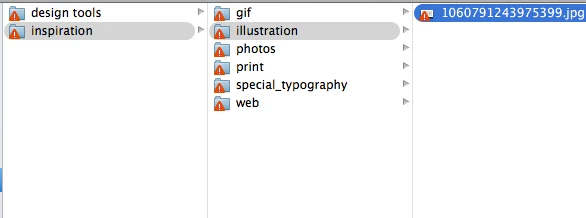
I have tried dragging without holding option, and the result is the same. I've tried a big folder and a small one. No difference.
My specs:
2010 MBP
OSX 10.9.5 (Mavericks)
8GB ram
2.66 GHz i7
CC version: 1.9.0.465
I'm assuming that red warning sign means my files did not actually synch to the Cloud. How can I fix that?
Thanks for your help.


 AdChoices