

fotism
Participating Frequently
Mar 29, 2021 9:41 PM UTC
Question

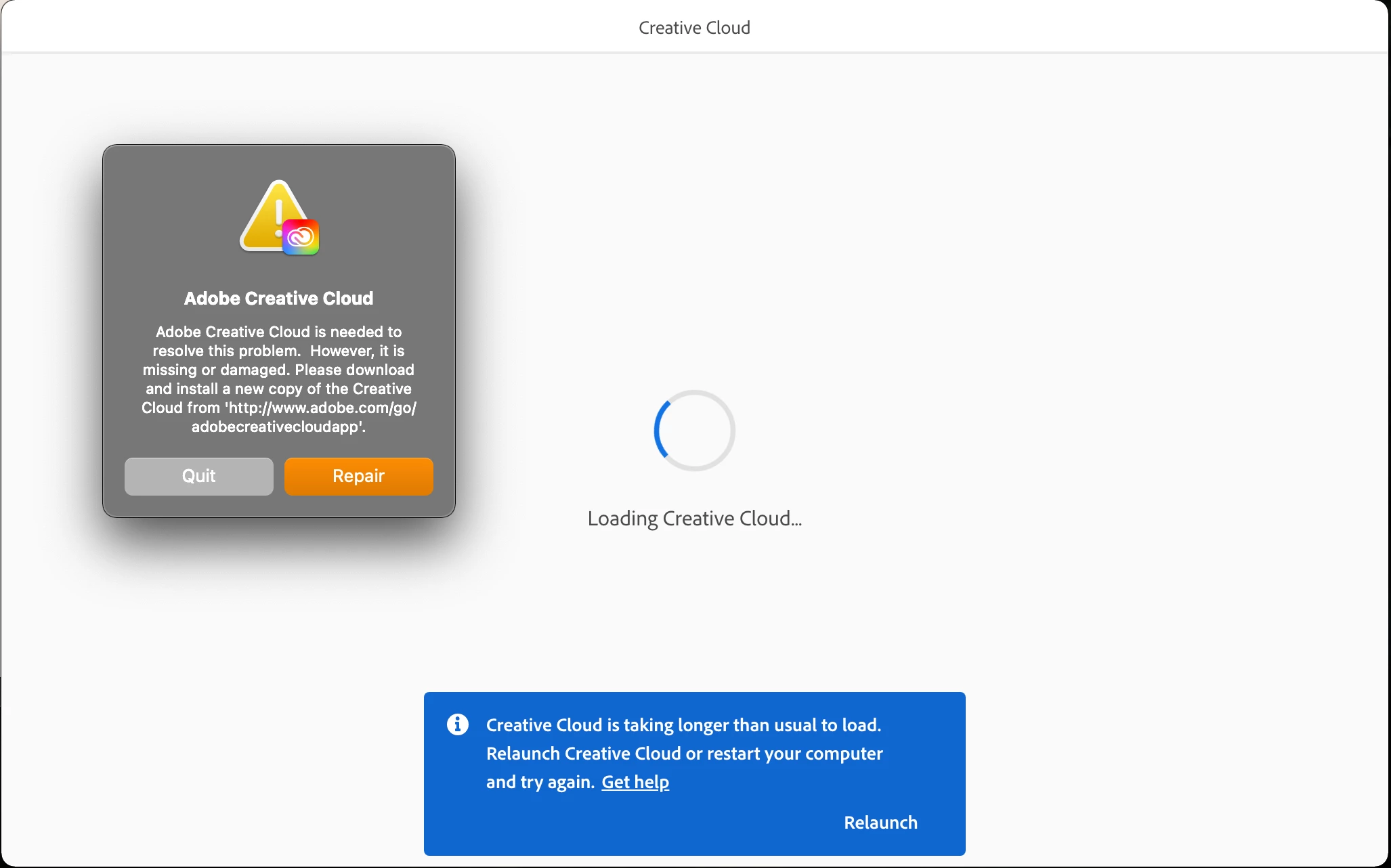
Creative Cloud is taking longer than usual to load!

Creative Cloud is taking longer than usual to load every time I open my Mac.
I've tried many time to remove and reinstall it (removing OOBS files) or clicking the 'Repair' button but the problem instists! I'm very desperate because I have no idea what to do!

Any idea or help?


Many thanks,

./Fotis
This topic is closed to new replies. Start a new post to keep the conversation going.

19 replies

Participant
Oct 22, 2022 8:20 PM UTC

Hi I finally found a solution Try running Creative Cloud app as an admin. It Helped me.

Translate
Inspiring
Feb 20, 2023 8:32 AM UTC

Thanks for giving us hope. Can you be more specific on this? What steps did you take?

Translate
kglad
Community Expert
Community Expert
Feb 20, 2023 1:32 PM UTC
kglad
Community Expert
Community Expert
Mar 30, 2021 12:46 PM UTC

first, reset the cc app:

to reset the cc desktop app, make sure it's in the foreground, then press:

Win: Ctrl + Alt + R
Mac: Cmd + Opt + R

if that fails, try to repair
https://helpx.adobe.com/download-install/kb/creative-cloud-install-stuck.html

if that fails go ahead and uninstall/reinstall per the above link

if that fails, do a clean cc install following each applicable step:

uninstall every cc app including preferences, https://helpx.adobe.com/creative-cloud/help/uninstall-remove-app.html
then uninstall the cc desktop app, https://helpx.adobe.com/creative-cloud/help/uninstall-creative-cloud-desktop-app.html
clean your computer of cc files per http://www.adobe.com/support/contact/cscleanertool.html
check for, and if available, update your os
repair all ms visual c++ versions that can be repaired.
update your ms visual c++, if it can be updated
restart your computer (don't skip this)
reinstall the cc desktop app, https://helpx.adobe.com/uk/download-install/kb/creative-cloud-desktop-app-download.html
if you're unable to install the cc desktop app at this stage, use the link at the bottom of the page at https://helpx.adobe.com/uk/download-install/kb/creative-cloud-desktop-app-download.html
use the desktop app to install your cc programs/trials

Translate
fotism
fotismAuthor
Participating Frequently
Mar 31, 2021 4:51 PM UTC

Hi kglad, 


Thanks for the quick responce.

I've already followed all the above steps many times in the past (I know them very well :)).

I tried once again yesterday (according to your responce) but the problem came back today when I open my Mac!!

I cannot find where the problem comes from.

The only part that is not clear (in your message) to me is about the "ms visual c++ versions".

I'm using Mac and as far as I know VS Mac does not support C++.


Many thanks kglad, 🙂
./Fotis

Translate
kglad
Community Expert
Community Expert
Mar 31, 2021 5:29 PM UTC

see if you can capture a log of the issue, https://helpx.adobe.com/creative-cloud/kb/cc-log-collector.html and then contact adobe support.


using a browser that allows popups and cookies, contact adobe support during pst business hours by clicking here, https://helpx.adobe.com/contact.html

click contact us (= cryptic icon in the lower right)

in the chat field, type AGENT
be patient, it can take quite a while to reach a human

Translate