
Creative Cloud libraries taking up all my solid state drive
Hello!, I Have a 240g Solid State Drive for the C drive where I have the windows OS and some programs, and 2 more hard drives for files and back up.
While syncing the creative cloud libraries I realized I started to have less and less space in the C drive until I had almost nothing. It took me a while figure it out but the issue was that the syncing was storing the cc library in this folder:
C:\Users\myname\AppData\Roaming\Adobe\Creative Cloud Libraries
I tried a lot to change this with out success, I changed the folder path in the preference of the app to other hard drive where I have space (picture).
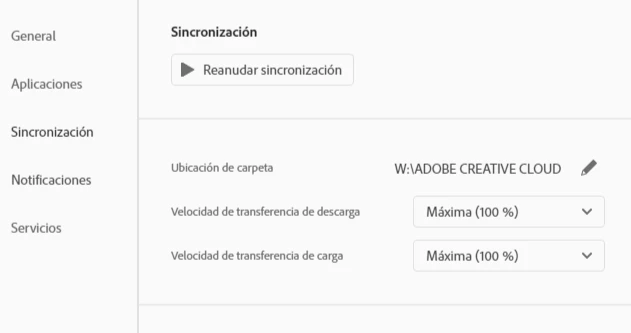
When this didn't worked I unistalled everything from adobe, erased the cc library folders and re install all again with the new path but nothing happend, Adobe keeps storaging the cc libraries in my C drive when I make the sync.
Please let me know if there is a solution for this problem.


 AdChoices