Participant
March 6, 2020
Answered

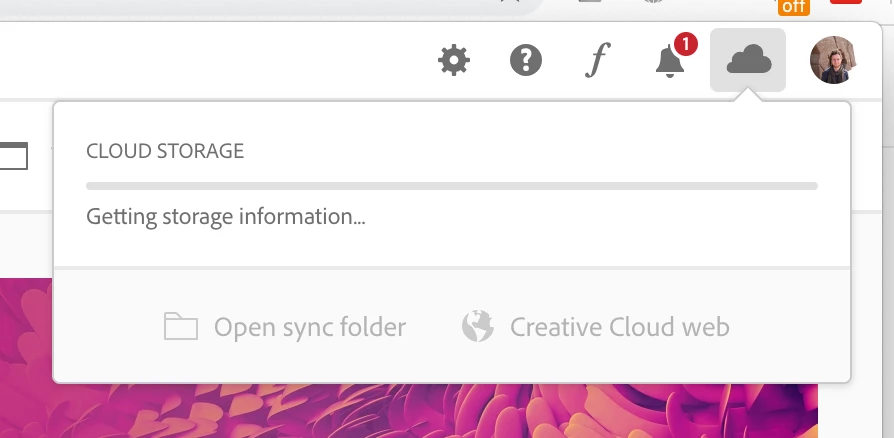
Creative Cloud not syncing

  • March 6, 2020
  • 5 replies
  • 5831 views

Hello,


My Creative Cloud has suddenly stopped syncing my files. It just says "Getting storage information..." and never changes. What could be the problem?


Thanks,


Reuben

 

This topic has been closed for replies.
Correct answer mickeyh24113606

Turning off extentons for creative cloud on my mac worked.

https://helpx.adobe.com/creative-cloud/kb/fix-sync-issues-macos.html

5 replies

TheTecMan
Participating Frequently
November 10, 2023
kglad
Community Expert
Community Expert
November 10, 2023

thanks for the info, @TheTecMan 

Sam Cornelis
Inspiring
August 14, 2023
------------------------------We explain how to do stuffanimation - video - elearning for technical trainings
Participating Frequently
October 4, 2021

I had this problem on my Mac, and tried everything that had been recommended.


What finally worked for me was:

- Navigate to your libraby folder (Finder>Go>Go To Folder: ~/Library/)

- Open Application Support folder

- Right-click on the Adobe folder, and click 'Get Info'.

- Click the 'lock' icon in the bottom right, and enter in your computer password.

- Under 'Sharing & Permissions' change all to "Read & Write".


Only System was on "Read & Write", and once I changed the remaining from "Read" to "Read & Write" Creative Cloud instantly started syncing. Hope this helps!

Participant
May 17, 2022

This didn't work for me

mickeyh24113606Correct answer
Participant
September 5, 2024

Turning off extentons for creative cloud on my mac worked.

https://helpx.adobe.com/creative-cloud/kb/fix-sync-issues-macos.html

rkotakonda
Participating Frequently
June 1, 2020

I'm still facing the same issue. even though I signed out and in again in-app and website.

Participating Frequently
March 6, 2020

Have you checked your Internet connection? Does it properly?

Have you laid out appropriate permissions for apps to access internet by whitelisting them in the system's firewall?


Participant
March 6, 2020

Signed out and in again - this fixed it!